Publication 1756-UM001G-EN-P - January 2007
Communicate over Networks 35
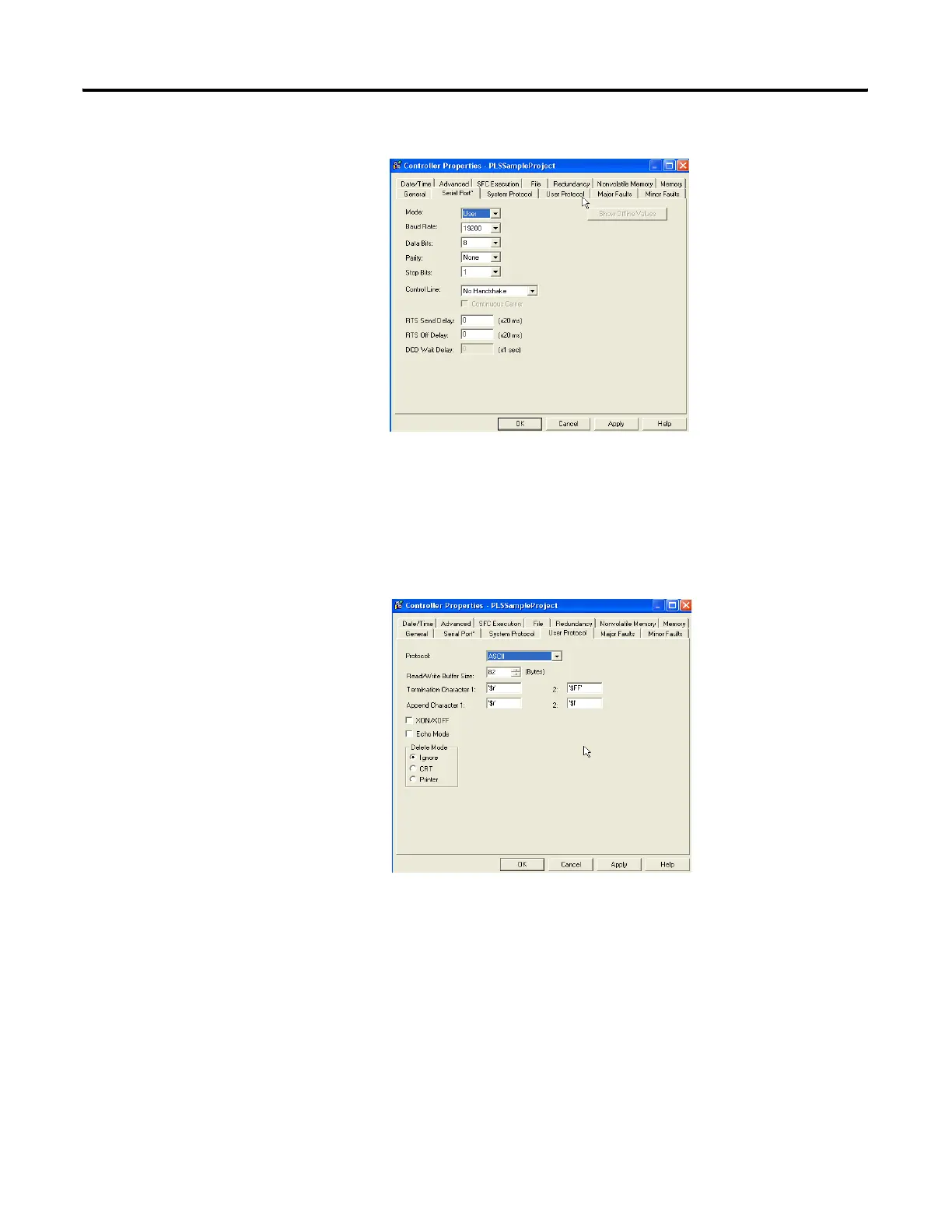
The Controller Properties dialog appears.
2. Click the Serial Port tab.
3. From the Mode pull-down menu, choose User.
4. Specify ASCII communication settings.
5. Click the User Protocol tab.
6. Specify ASCII user protocol settings.
7. Click OK.



 To Next Page
 Loading...