NOTE: Overloading causes slow drying and wrin-
kling.
b. Close loading door. Tumble dryer will not operate with
the door open.
3. Determine Control Type and Temperature Setting
a. Refer to the various controls and follow the instructions
for the appropriate control type.
b. The type of fabric being dried will determine the tempera-
ture setting. Consult the fabric care label or fabric manu-
facturer to determine proper temperature setting.
IMPORTANT: Always follow the fabric care instruc-
tions supplied by the garment manufacturer.
4. Remove Laundry
a. When the cycle is complete, open door and remove the
laundry.
Reversing Operation
Tumble dryers with the reversing option prevent the tangling of
large pieces of laundry and minimize wrinkling. These tumble
dryers are equipped with a second motor and additional controls
which reverse the rotation direction of the cylinder.
Some models may have a switch or touchpad in the control panel
area so the operator can select the reversing or nonreversing oper-
ation. In nonreversing mode, the cylinder will always turn clock-
wise (as viewed from the front of the tumble dryer). If the cylin-
der is turning counterclockwise when switched to nonreversing, it
will continue for a few seconds and then start up in the proper di-
rection. Refer to Programming Manual for more information on
reversing.
IMPORTANT: After any electrical maintenance is done,
make sure that the blower motor is turning counter-
clockwise as viewed from the front. Then set the re-
verse control switch to “nonreversing” and note that
the cylinder turns constantly clockwise as viewed from
the front of the tumble dryer. If not, interchange L1 and
L2 service leads to the reverse drive motor.
Control Instructions
Dual Digital Timer Control
RQ Control Suffix
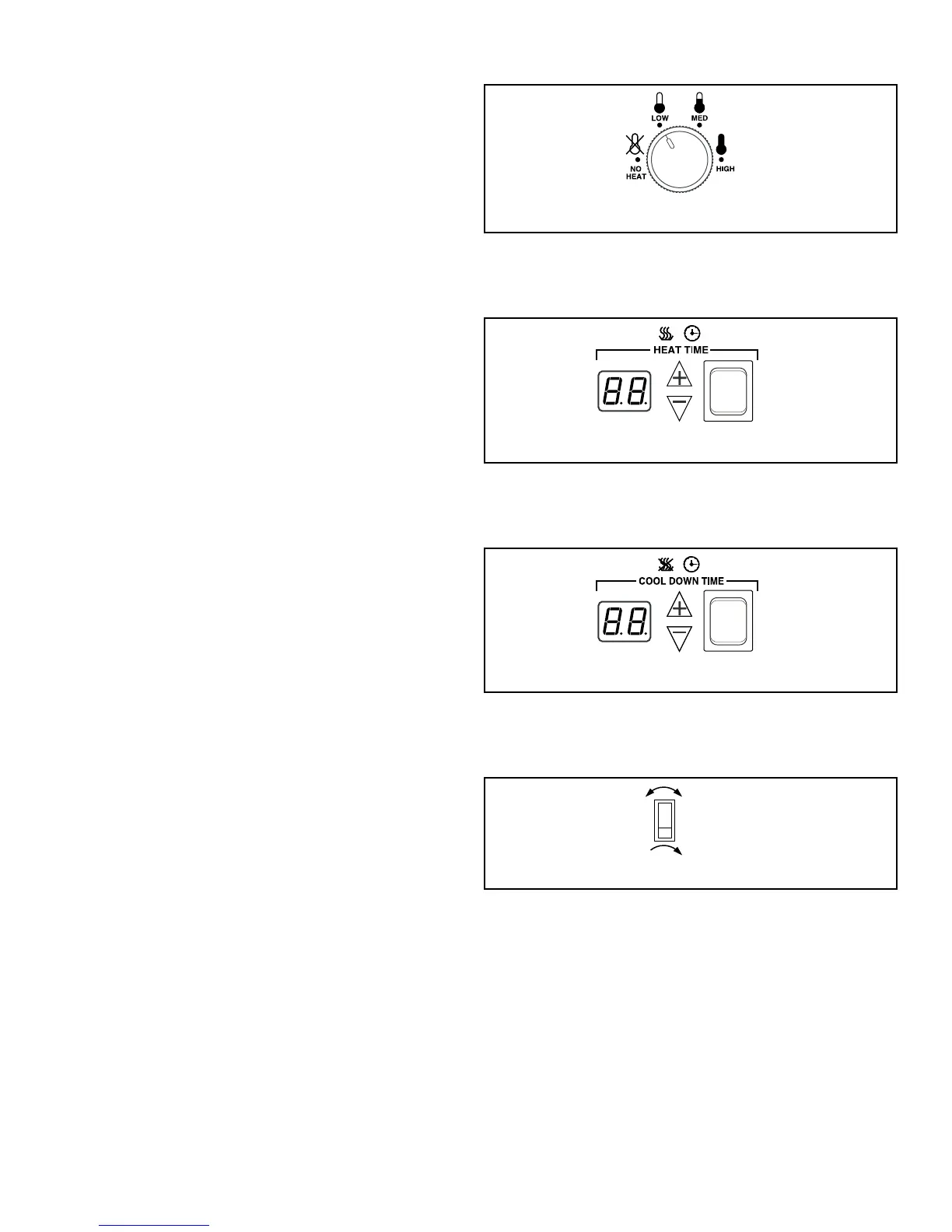
1. Select HIGH, MED, LOW or NO HEAT by turning the tem-
perature knob.
HIGH
Temperature 190°F [88°C]
MED
Temperature 170°F [ 77°C]
LOW
Temperature 120°F [49°C]
Figure 24
2. Set the HEAT TIME for the number of minutes (from 0 - 60)
desired.
Figure 25
3. Set the COOL DOWN TIME for the number of minutes
(from 0 - 15) desired.
Figure 26
4. Select reversing or nonreversing cylinder rotation setting, if
applicable.
Figure 27
5. Press and release START button to start tumble dryer. Dis-
play will show minutes remaining before end of cycle.
Operating Instructions
©
Copyright, Alliance Laundry Systems LLC -
DO NOT COPY or TRANSMIT
65 Part No. 70458101ENR10



 To Next Page