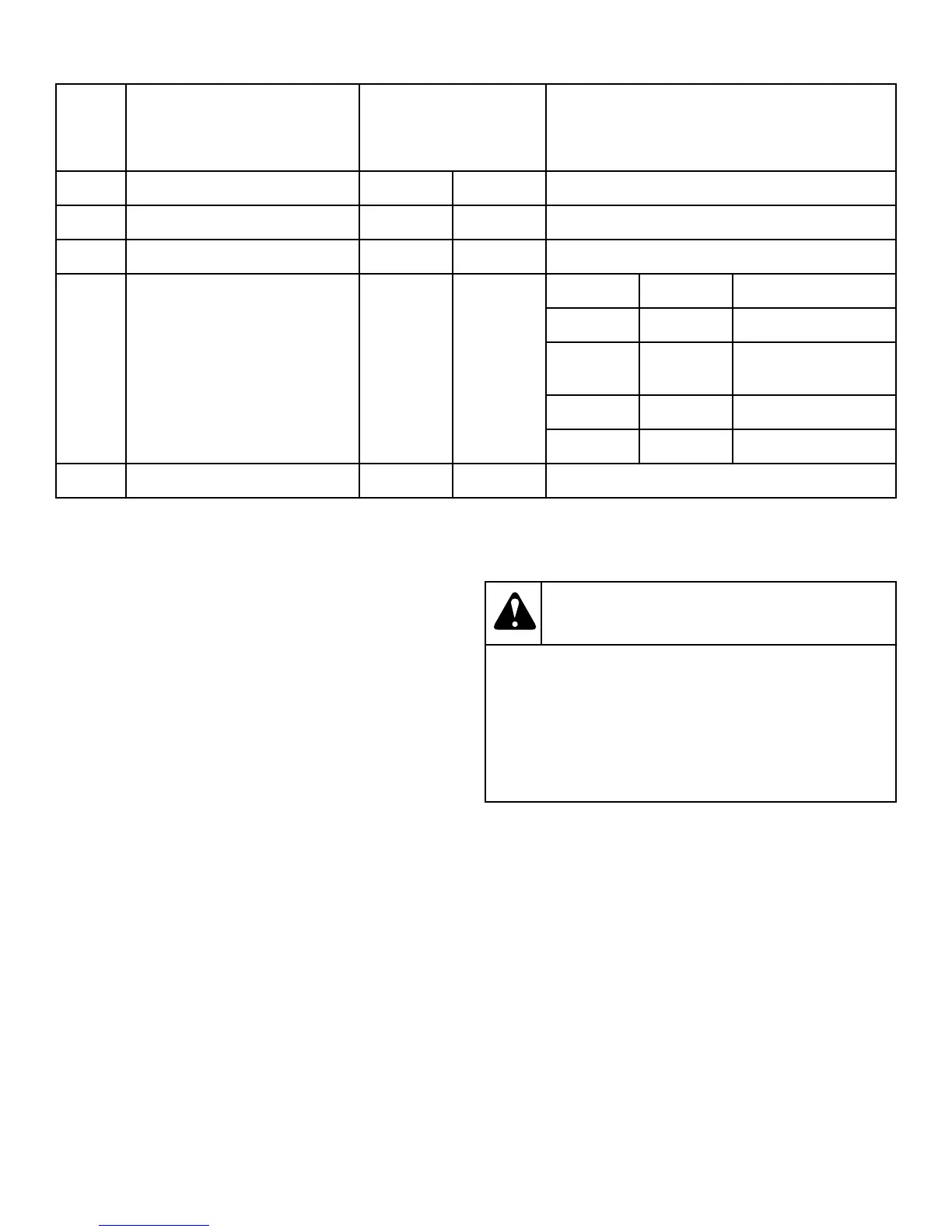
Fun
ctio
n OPL Coin
4 Empty ON ON Always ON
5 Empty ON ON Always ON
6 Buzzer Timer ON ON 5 Sec=Off; Continuous=On
7 Safety Tumble (OPL) or Coin
Count/Pay (Coin)
ON OFF #1 #7 DIP SWITCH
OFF ON SAFETY TUMBLE
OFF OFF NO SAFETY TUM-
BLE
ON ON COIN COUNT
ON OFF PAY
8 Programming OFF OFF Disable=Off; Enable=On
DIP Switch Functions Explained
1. Tumble dryer Type: This DIP switch selects the type of tum-
ble dryer, i.e., OPL or Coin.
2. Temperature Units: Selects ºF or ºC for the temperature dis-
play. Factory setting is for ºF.
3. Local/Remote Reversing: Preset at the factory; usually for lo-
cal reversing. Remote reversing for use with Reversing Timer
Board only.
4. Empty: Preset at the factory; always ON.
5. Empty: Preset at the factory; always ON.
6. Buzzer Timer: This DIP switch determines the length of time
that the end of cycle buzzer will remain on. “OFF” indicates
that the buzzer will sound for 5 seconds when the drying cy-
cle is completed. “ON” indicates that the buzzer will sound
continuously until the STOP button is pressed or the loading
door is opened.
7. Safety Tumble (OPL) or Coin count/Pay (Coin): If DIP
switch #1 is set for OPL, then DIP switch #7 in the ON posi-
tion enables the safety tumble. If DIP switch #1 is set for
Coin, then DIP switch #7 in the ON position enables the dis-
play of the coin count. DIP switch #7 in the OFF position ena-
bles the display of “PAy”, to indicate that coins are needed to
run the tumble dryer.
8. Programming: This switch enables or disables the program-
ming feature and should normally be in the OFF position.
Ignition Control Operation and Trouble-
shooting for Models Starting 3/11/13
WARNING
70458601 and 70458701 controls cannot be serviced
by the user. If any control failures are detected, the
controls must be replaced by qualified service per-
sonnel. Risk of explosion or fire can result if the con-
trol module has been opened or with any attempts to
repair it and the warranty is void.
W818
Before troubleshooting the system, check the following items:
- Verify all mechanical and electrical connections are secure and
tight.
- Verify all system wiring is correct.
- Verify there is a proper system ground. The igniter, flame sen-
sor and igniter module must share a common ground with the
burner. Nuisance shutdowns are often caused by a poor or erratic
ground.
- Verify that the system is powered and that the control is calling
for heat.
- If the control proceeds to an error code on the red diagnostic
LED, troubleshoot per the Fault conditions table below:
Operating Instructions
©
Copyright, Alliance Laundry Systems LLC -
DO NOT COPY or TRANSMIT
73 Part No. 70458101ENR10



 To Next Page