Error Codes
Display Definition Corrective Action
AF (Flashing) Bouncing Airflow Switch • Check airflow switch to ensure that it is properly aligned
and securely mounted in the mounting bracket.
• Make sure airflow switch can open and close freely.
• Check installation and make sure there is adequate air-
flow.
• Make sure exhaust is not blocked.
• Clean the lint screen.
• Replace airflow switch if inoperative.
AF (Solid) Airflow Switch Closed when Resuming
Cycle
• Allow up to 20 seconds for this condition to clear.
• Check if airflow switch opens at end of cycle.
• Replace airflow switch if inoperative.
Table 10
Electronic OPL Micro Control
RM Control Suffix
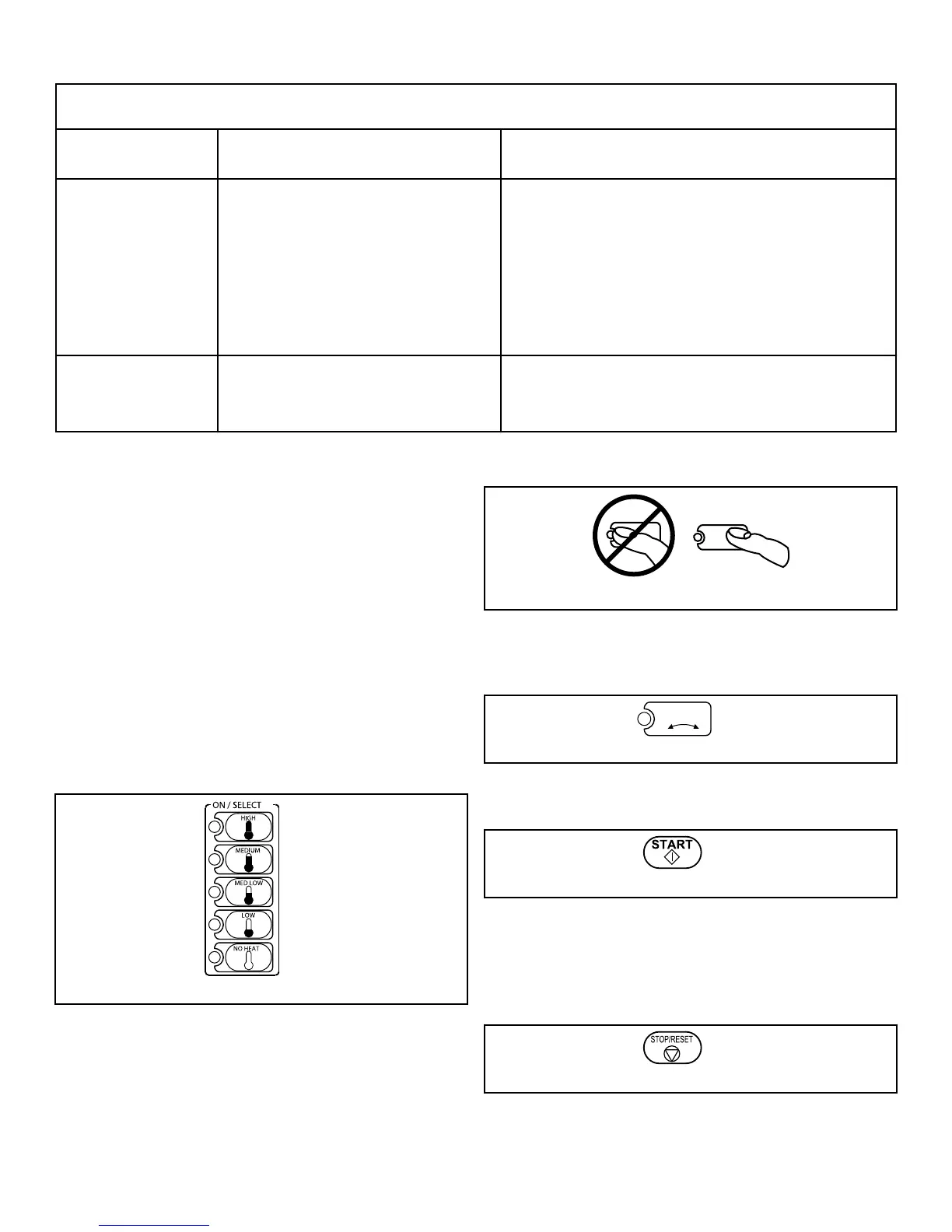
1. To use an Automatic Cycle, press an ON/SELECT pad. Select
HIGH, MEDIUM, MED LOW, LOW or NO HEAT for items
that should not be dried with heat. A light to the left of the se-
lected pad lights up.
HIGH
Temperature 180°F [82°C]
MEDIUM
Temperature 160°F [ 71°C]
MED LOW
Temperature 140°F [60°C]
LOW
Temperature 120°F [49°C]
To use a Time Dry or Custom Cycle, refer to the Programming
Manual.
Figure 29
NOTE: Do not press directly on lights or the center
of pad. For proper selection, press on pad slightly
to the right of center. Refer to Figure 30 .
Figure 30
2. Select REVERSING or NONREVERSING cylinder rotation
setting.
Figure 31
3. Press START pad to start tumble dryer.
Figure 32
NOTE: All pads can be pressed in any sequence
without damaging control or tumble dryer. To stop
the tumble dryer at any time, open the door or press
STOP/RESET.
Figure 33
Operating Instructions
©
Copyright, Alliance Laundry Systems LLC -
DO NOT COPY or TRANSMIT
67 Part No. 70458101ENR10



 To Next Page