COPYR IG H T
200 9-2010
ALL O.CO M
-
VISIT
US
ONLIN E
AT
W W W. ALLO.C O M
36
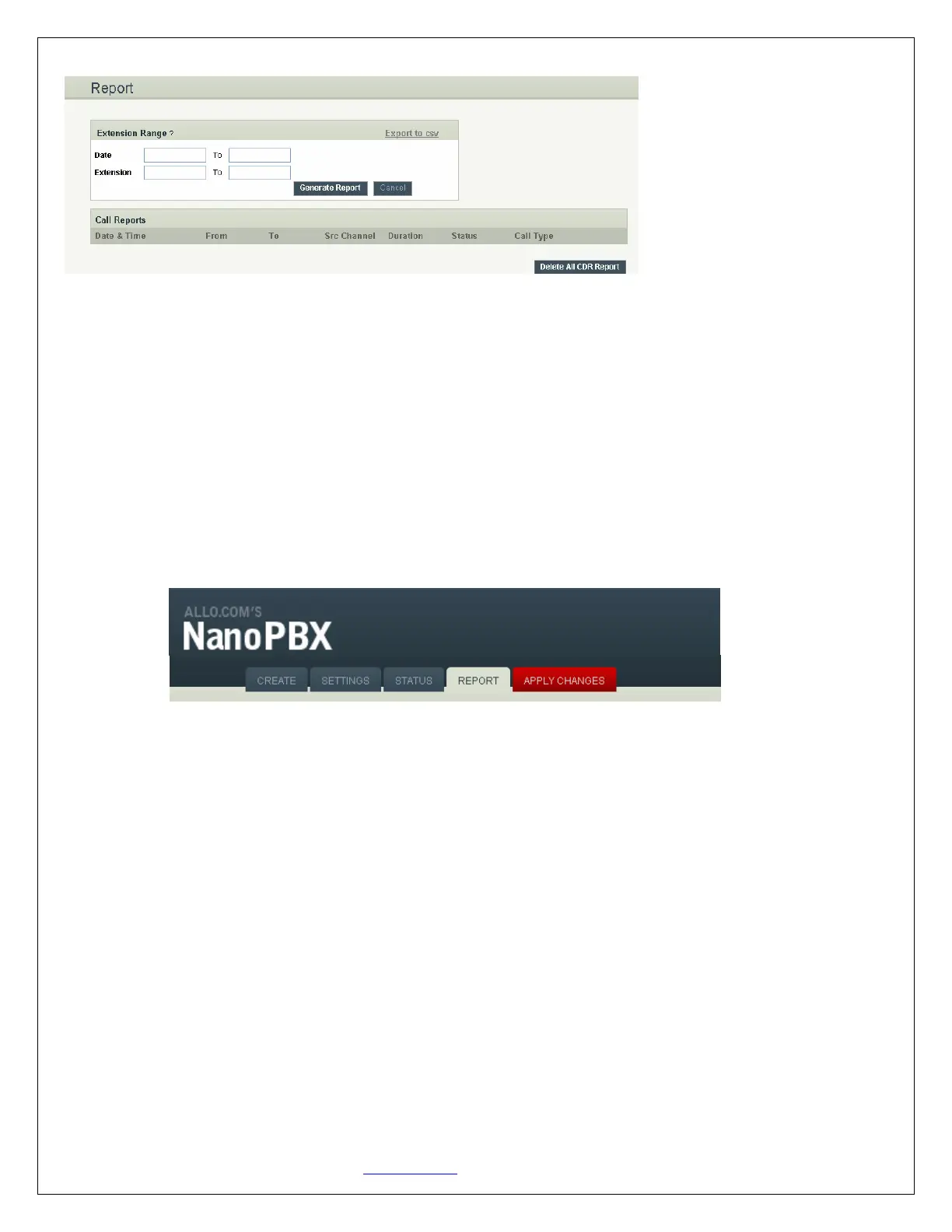
6.3 CDR Custom search
CDR can also be filtered in date wise by giving From and To date in the desired field, format for the date
is DD/MM/YYYY.
7. Apply Changes
Navigation: APPLY CHANGES
This is the button which you must press after adding / editing / deleting such things as Extensions, Voice
Files, IVR’s and modifying settings such as General Settings, VoIP Accounts, Network Settings, DID
Routing, Firmware Upgrades, and other System Settings.
8. Appendix A: Managing & Handling NanoPBX Features
8.1 Attended Transfer
This type call transfer occurs, when before making the transfer- a user first call to the third party to
inform that a transferred call is coming their way.
Follow the steps below to perform an attended or supervised call transfer:
1. With an active call in progress, press the *9 button. This puts the original caller on hold and gives
you a dial tone on a second line. Dial the party that you wish to transfer to.
2. Inform the third party that they are about to receive a call
3. Once transferor hangs up the call, the original caller and the party you transferred to are now
connected


 To Next Page