COPYR IG H T
200 9-2010
ALL O.CO M
-
VISIT
US
ONLIN E
AT
W W W. ALLO.C O M
28
registered to any Internet Telephony Service Provider)
Second way is, choose provider or trunk based on actual number dialed
This type of rule will allow the user to choose suitable provider based on actual number. For e.g. adding '
44X.' in Dial Pattern and selected VoIP Provider 2 in trunk sequence, PBX will allow number dialed from
44 + (any digit from 0 to 9) like 449872837532 will route through VoIP Provider 2. If the ITSP / VoIP
provider offer cheaper rates for the region where number starts from 44 users can make use of this rule.
In the same way, user can create a prefix and select a LINE (PSTN / FXO) trunk to make an outgoing
call.
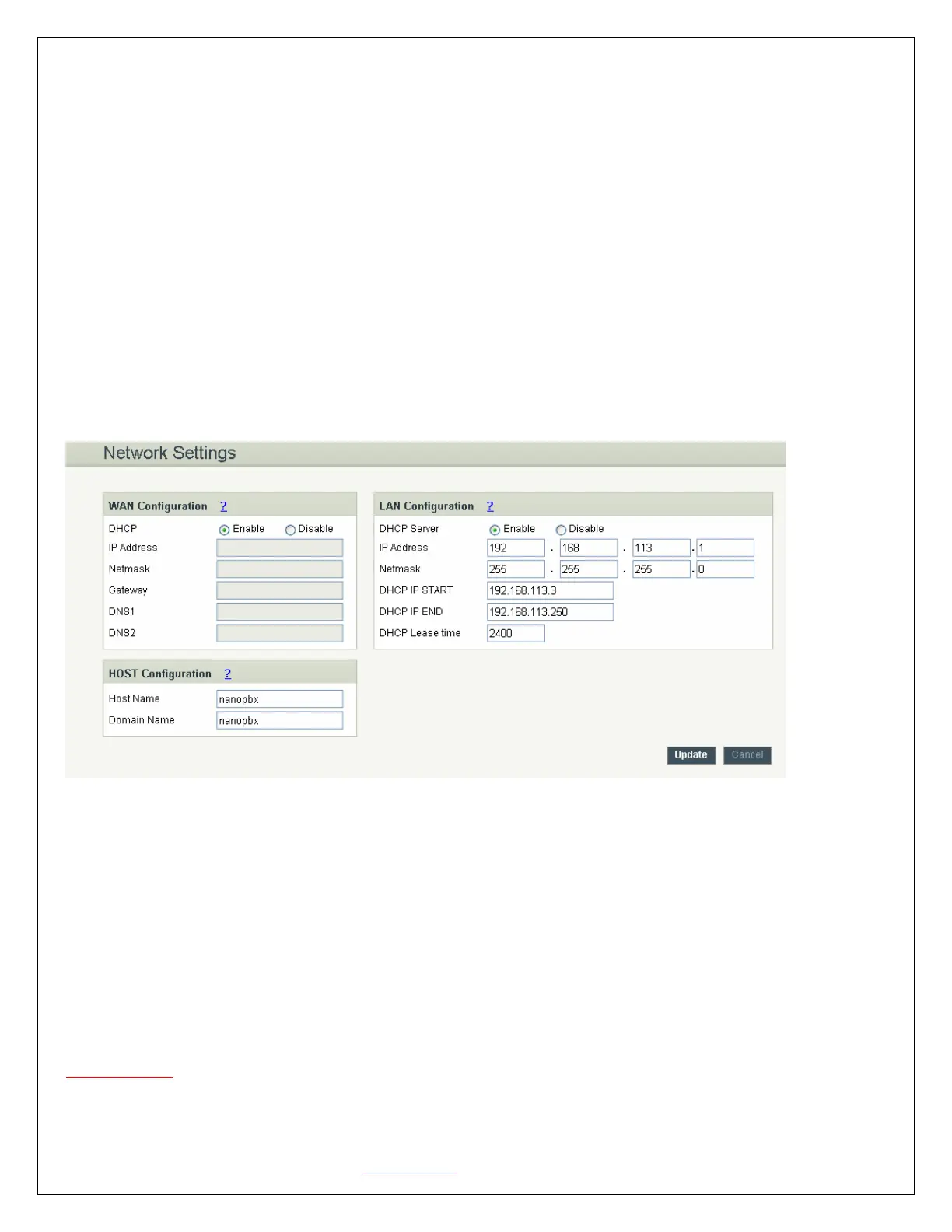
4.6 Network Settings
Navigation: SETTINGS > Network Settings: This is where you setup your Networking Configuration
WAN Configuration
WAN Configuration is the Internet settings of your NanoPBX.
1. DHCP: when enabled and a DHCP server is available, the NanoPBX will auto configure itself. If
DHCP is not available, select Disable, and fill in the Network Configuration
2. IP Address: the IP address corresponding to your LAN configuration*
3. Netmask: the Netmask corresponding to your LAN configuration*
4. Gateway: the IP address corresponding to your Gateway*
5. DNS 1: the IP address corresponding to a DNS server*
6. DNS 2: the IP address corresponding to a DNS server*
Important Note:
DHCP mode isn't recommended. Or trouble may arise when end user need to change registration server
address caused by revised IP.


 To Next Page