COPYR IG H T
200 9-2010
ALL O.CO M
-
VISIT
US
ONLIN E
AT
W W W. ALLO.C O M
35
6. Report
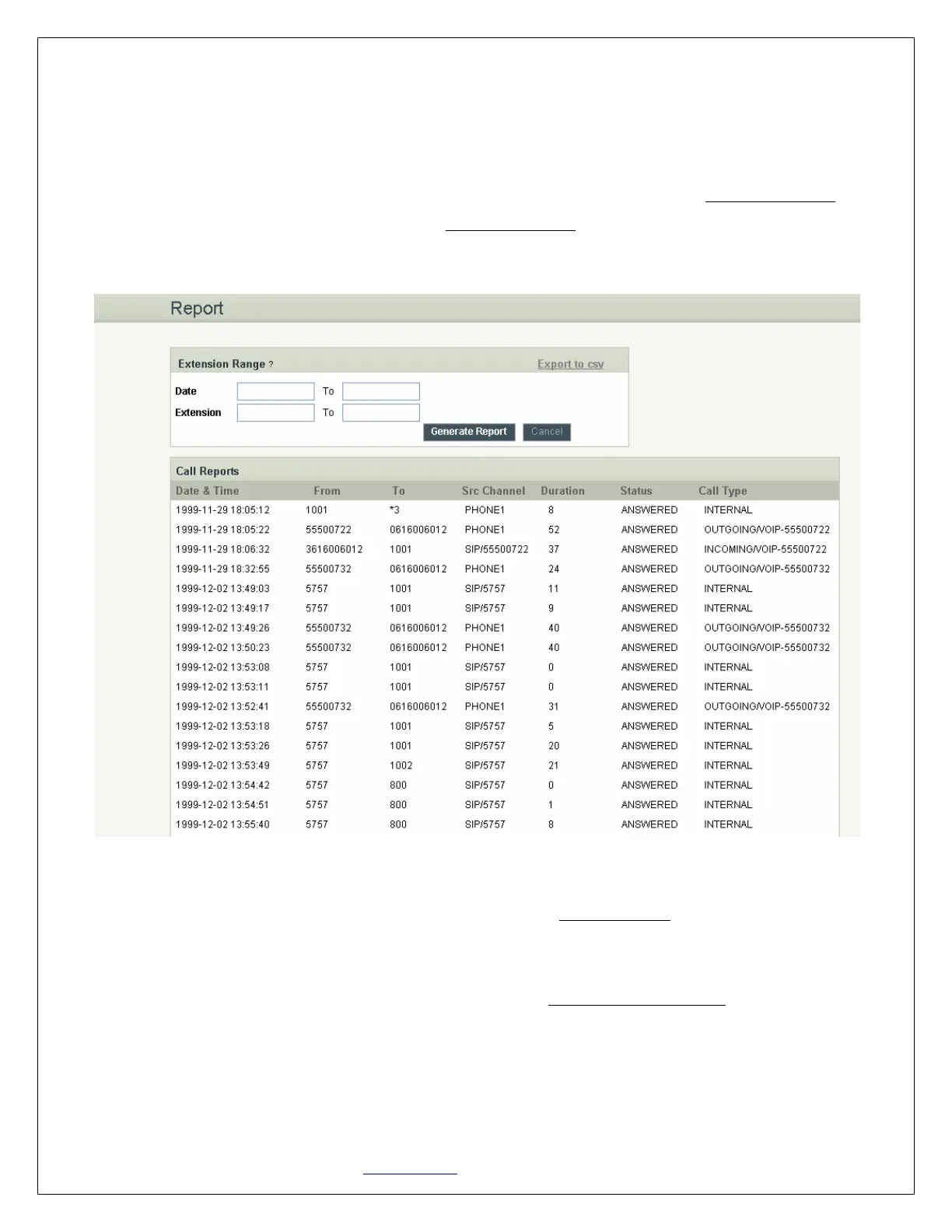
Navigation: REPORT: This is where you can create Call Reports
To create a new Report, select the Extension Range or Date range, and click the Generate Report button.
To view all the records in NanoPBX simply click Generate Report. A list with call details will display in the
Call Reports section.
6.1 Download CDR in CSV
Reports will generate and save as a CSV format by pointing to Export as CSV in Report tab of NanoPBX.
6.2 CDR Cleanup
Entire call details records (CDR) are cleared by pointing to Delete All CDR Report in the Report tab of
NanoPBX


 To Next Page