EasyManua.ls Logo

Alpha XM2-300HP - Comms Information Display (with DPM)

Alpha XM2-300HP
64 pages
Print Icon
To Next Page IconTo Next Page
To Previous Page IconTo Previous Page
Loading...
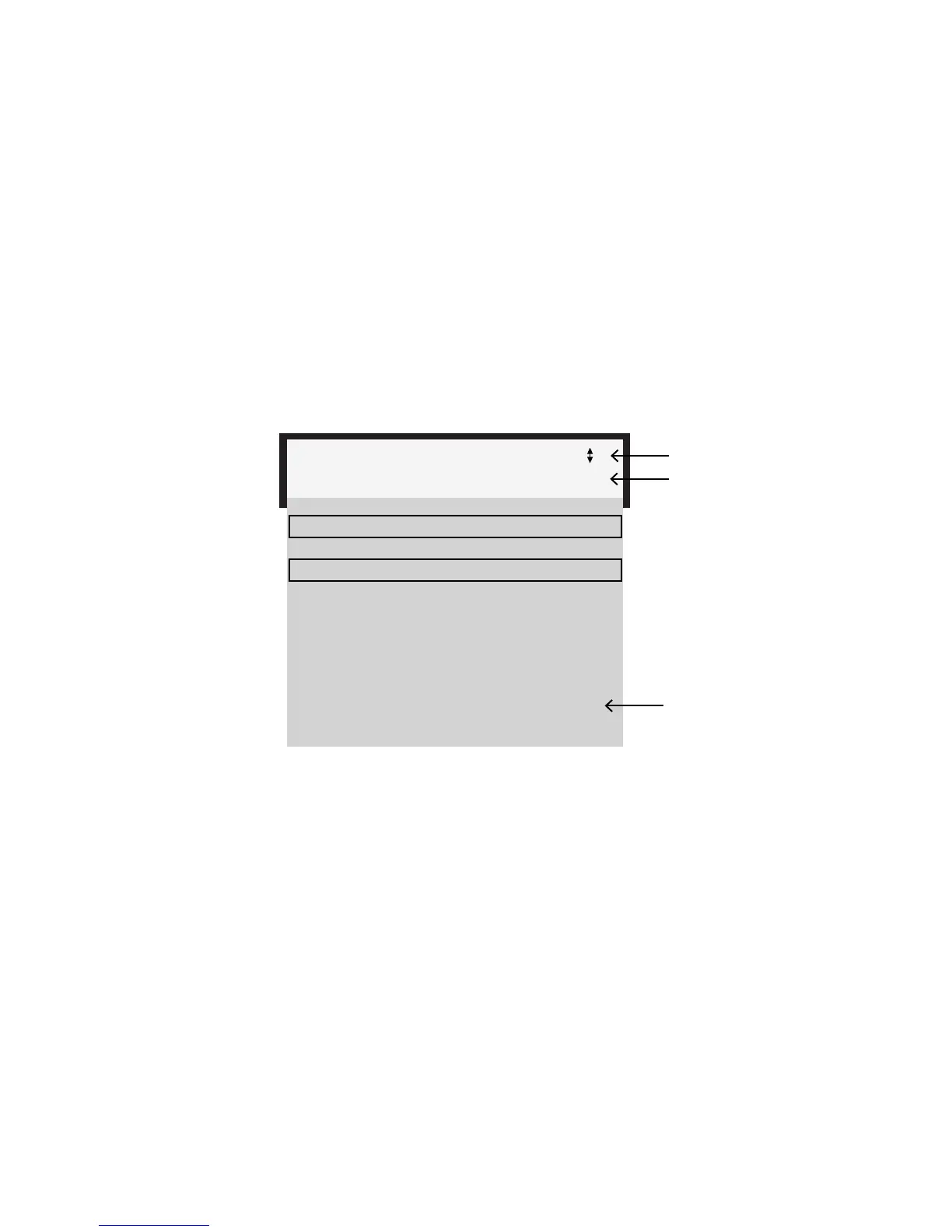
Fig. 4-5, Comms Info Display

4.0 Operation, continued
4.3 Smart Display modes for XM2-300HP, continued
4.3.2 Comms Information Display (with DPM)




Scroll mode. Press UP or DOWN to access information one step at a time. Press

ESCAPE to reactivate Auto Scroll mode. Press ESCAPE a second time to reactivate


COMMS INFO
CM 00:90:EA:12:34:56
CPE 00:90:EA:12:34:57
CM 192.168.123.123
CPE 192.168.123.124
CM RX PWR -12.9 DBMV
CM TX PWR 34.5 DBMV
DN FREQ 300.000 MHZ
UP FREQ 15.000 MHZ
MODEL DPM
SW XX.XX.XX.XX
Top line
Second line

The second line cycles through the parameters listed above.
*
Onlyvisibleindual-IPcongurations
*
*


location in menu
38
017-877-B1-001 Rev. A

Table of Contents