EasyManua.ls Logo

Alto-Shaam 750-SK - User Manual

Alto-Shaam 750-SK
100 pages
Print Icon
To Next Page IconTo Next Page
Loading...
alto-shaam.com
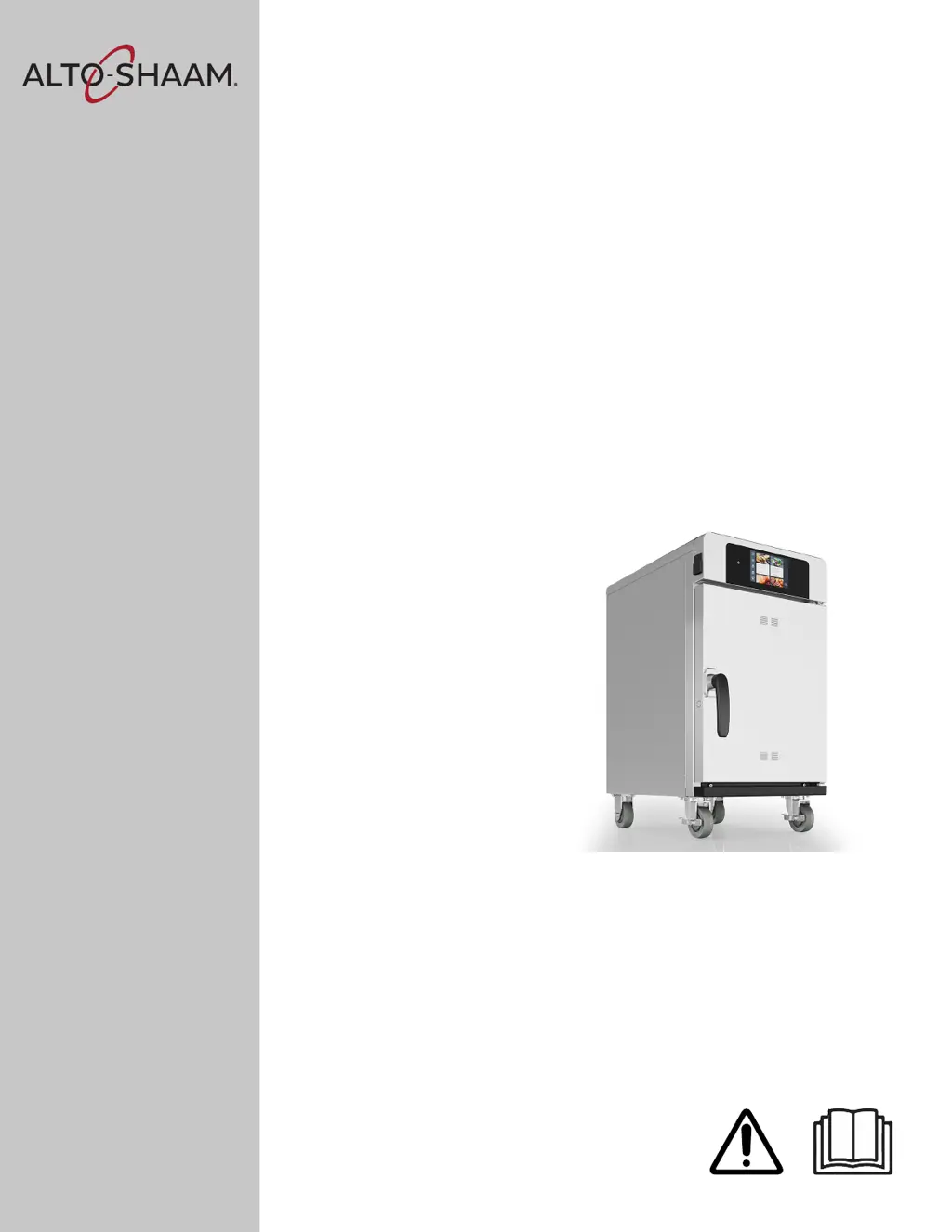
Operators Manual
Cook & Hold Ovens
Smoker Ovens
Deluxe Control
300-TH
500-TH
750-TH
1000-TH
1200-TH
1750-TH
750-SK
1000-SK
1200-SK
1750-SK
MN-46708-EN
REV.01
11/20
EN

Table of Contents

Other manuals for Alto-Shaam 750-SK

Questions and Answers

  • K
    Kathleen GarrettSep 7, 2025
    What does 'Probe 1 short' mean on Alto-Shaam oven?
    • J
      John ButlerSep 7, 2025
      If the Alto-Shaam oven displays a 'Probe 1 short' error, it signifies a short circuit detected on the sensor wires. Check: 1. Sensor connection circuit, upper 2. Sensor compartment 3. Control Board
  • L
    lance01Aug 25, 2025
    What does 'Bootloader EEPROM RAM reset' mean on Alto-Shaam Oven?
    • S
      salexanderAug 25, 2025
      If your Alto-Shaam Oven displays a 'Bootloader EEPROM RAM reset' error, it indicates a bootloader chip error. A power cycle is required to reset the system.
  • S
    stephaniemillsAug 25, 2025
    What to do if Alto-Shaam 750-SK Oven shows over-voltage error?
    • K
      Kimberly CortezAug 26, 2025
      If your Alto-Shaam oven displays an over-voltage error, it means the supply voltage is incorrect. You should correct the supply voltage to resolve this issue.
  • J
    James NguyenSep 16, 2025
    How to resolve 'No such file on USB' error on Alto-Shaam Oven?
    • A
      Amanda WalkerSep 16, 2025
      If the Alto-Shaam Oven displays a 'No such file on USB' error, it means the required file is missing from the USB drive. Load the correct file onto the USB.
  • L
    Lori KruegerSep 23, 2025
    What does error E-94 mean on my Alto-Shaam 750-SK Oven?
    • S
      Stephanie MooreSep 23, 2025
      If your Alto-Shaam oven is showing error E-94, check the: 1. Connection of Modbus Cable 2. Modbus Cable 3. Control Board 4. Interface Board
  • K
    Kara BarrettSep 12, 2025
    What to do if the Alto-Shaam 750-SK Oven door is open?
    • A
      angelajohnsonSep 12, 2025
      If the Alto-Shaam Oven door is open, close it and check the door switch operation.
  • A
    Amanda MolinaSep 2, 2025
    What to do if my Alto-Shaam 750-SK Oven displays 'Check fans' error?
    • T
      Travis YoungSep 2, 2025
      If the Alto-Shaam oven displays a 'Check fans' error, it indicates insufficient internal cooling airflow. The possible causes are: 1. Cooling fan filters dirty 2. Cooling fans not operating 3. Installation clearance requirements not met
  • L
    Larry RodriguezSep 3, 2025
    What causes the 'Over-voltage' error on my Alto-Shaam 750-SK, and how to fix it?
    • A
      Amy JohnsonSep 3, 2025
      If your Alto-Shaam oven displays an 'Over-voltage' error, it means the supply voltage is incorrect. Correct the supply voltage to resolve this issue.
  • B
    boydlauraSep 23, 2025
    What to do if my Alto-Shaam Oven shows error E-109?
    • M
      Melissa HoffmanSep 23, 2025
      If the Alto-Shaam oven displays error E-109, it should be inspected by an authorized Alto-Shaam service provider because the possible causes are: 1. Heat Relay(s) stuck closed 2. Connection between High Limit Switch and Control Board 3. High Limit Switch
  • S
    Susan RyanAug 29, 2025
    What to do for Probe 1 short circuit in Alto-Shaam 750-SK Oven upper compartment?
    • J
      Jesse MolinaAug 29, 2025
      If your Alto-Shaam oven displays a 'Probe 1 short circuit, upper compartment' error, it means a short circuit has been detected on the sensor wires. Check the sensor connection circuit in the upper compartment, the sensor compartment itself, and the control board.

Summary

Safety Information

Safety Precautions

General safety rules for operating and maintaining the appliance.

Appliance Labels

Installation Guide

Pre-Installation Site Checklist

Checklist to ensure site readiness before the oven installation.

Electrical and Network Site Requirements

Verifying electrical specifications and site readiness for network connectivity.

Installation Inspection Checklist

Checklist for visual and physical inspection of the installed oven.

Verifying Electrical and Network Connections

Procedures for confirming electrical and network connectivity status.

Oven Voltage and Electrical Specifications

Table detailing electrical requirements for various oven models.

Oven Voltage and Electrical Specifications (continued)

Continuation of electrical specifications for oven models.

Electrical Connection Safety Warnings

Critical safety warnings for electrical connections and appliance rating tags.

Oven Positioning and Power Connection

Steps for positioning the oven and connecting its power supply.

Connecting Electrical Wiring: Safety Warnings

Warnings regarding electrical shock hazards during wiring.

Connecting Electrical Wiring: Procedure Steps

Step-by-step guide for connecting the oven's electrical wiring.

Connecting Electrical Wiring: Final Steps

Completing the electrical wiring connection and securing components.

Oven Operation

Turning the Oven On and Off

Safe procedures for powering the oven on and off.

Setting Up a WiFi Connection

Guide to connecting the oven to a WiFi network.

Setting Up a WiFi Connection (continued)

Final steps for adding networks and confirming WiFi connection.

Setting Up an Ethernet Connection

Instructions for establishing an Ethernet network connection for the oven.

Setting Up an Ethernet Connection (continued)

Completing the Ethernet connection process.

Preheating the Oven

Steps for preheating the oven to the desired temperature.

Cooking with Programmed Recipes

Using pre-set recipes to cook food in the oven.

Cooking with Programmed Recipes (continued)

Loading food and completing the cooking process using programmed recipes.

Manual Mode: Cook and Hold by Time

Cooking and holding food using time-based settings in manual mode.

Manual Mode: Cook and Hold by Time (continued)

Setting hold temperature and loading food for the cook/hold process.

Manual Mode: Cook by Probe

Cooking food using probe temperature settings in manual mode.

Manual Mode: Cook by Probe (continued)

Finalizing probe cooking and holding stages.

Holding Food by Probe

Holding food at a specific temperature using probes.

Maintenance Procedures

Troubleshooting Guide

Warranty Information

Alto-Shaam 750-SK Specifications

General IconGeneral
BrandAlto-Shaam
Model750-SK
CategoryOven
LanguageEnglish

Related product manuals