MTX-30F Push Installation & Operation Guide Page 17
Communication
Ethernet
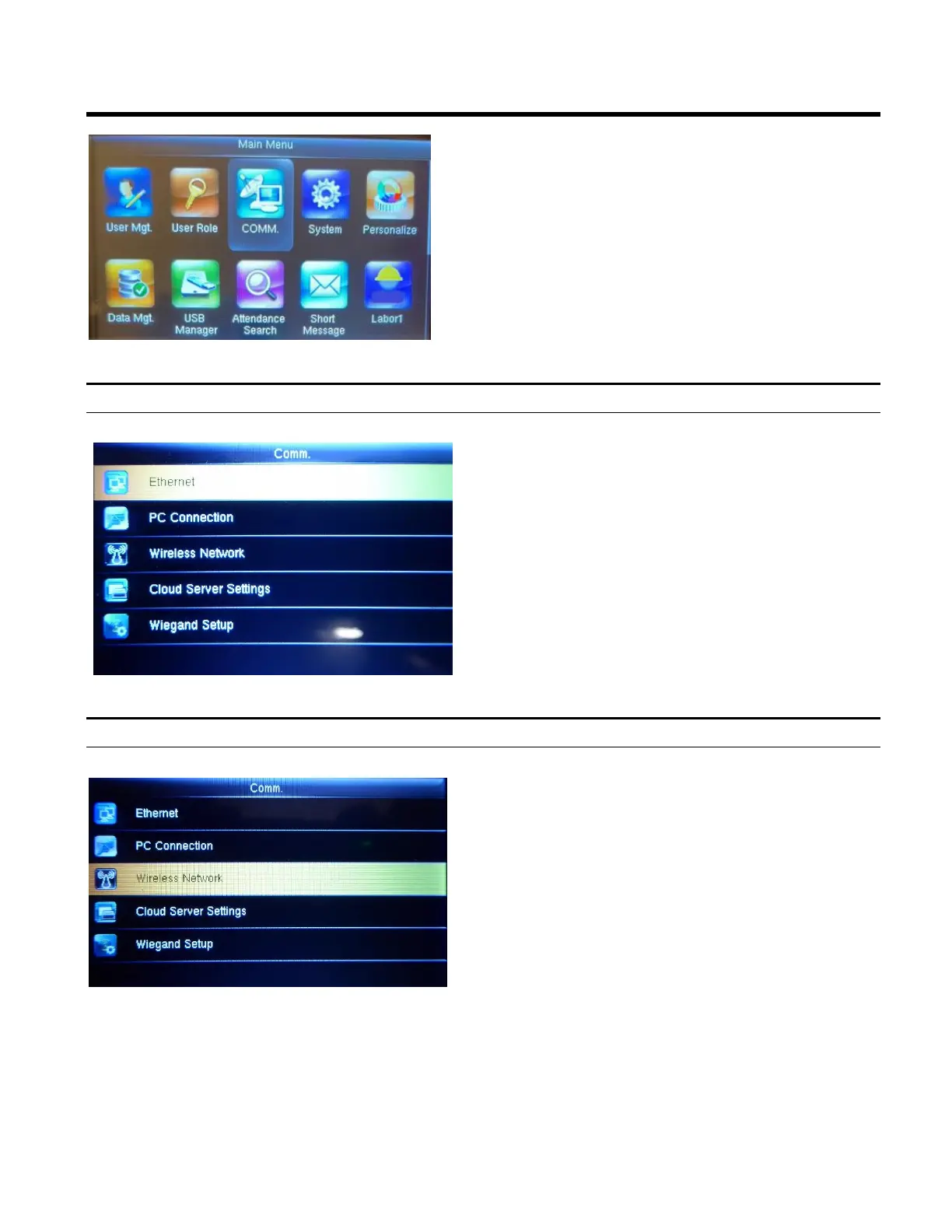
1. Press the Menu button to display the Main Menu.
2. Using the arrows highlight the COMM. icon and
then press OK.
3. Highlight your preferred method of communication
and then press OK.
You can modify the IP address. if
necessary, however, it cannot be the same
as that of the PC IP address.
Wireless Network
1. Click on Wireless Network
2. When you select the wireless network option
the following window will appear in which as a
default Wi-Fi would be ON.
3. After highlighting your WiFi network press OK.
4. Enter numeric password and then press OK to
connect to WiFi or choose “Upload WiFi
Password”. (USB with password must be
inserted prior to clicking on the Wireless
Network option.



 To Next Page