MTX-30F Push Installation & Operation Guide Page 18
Voice
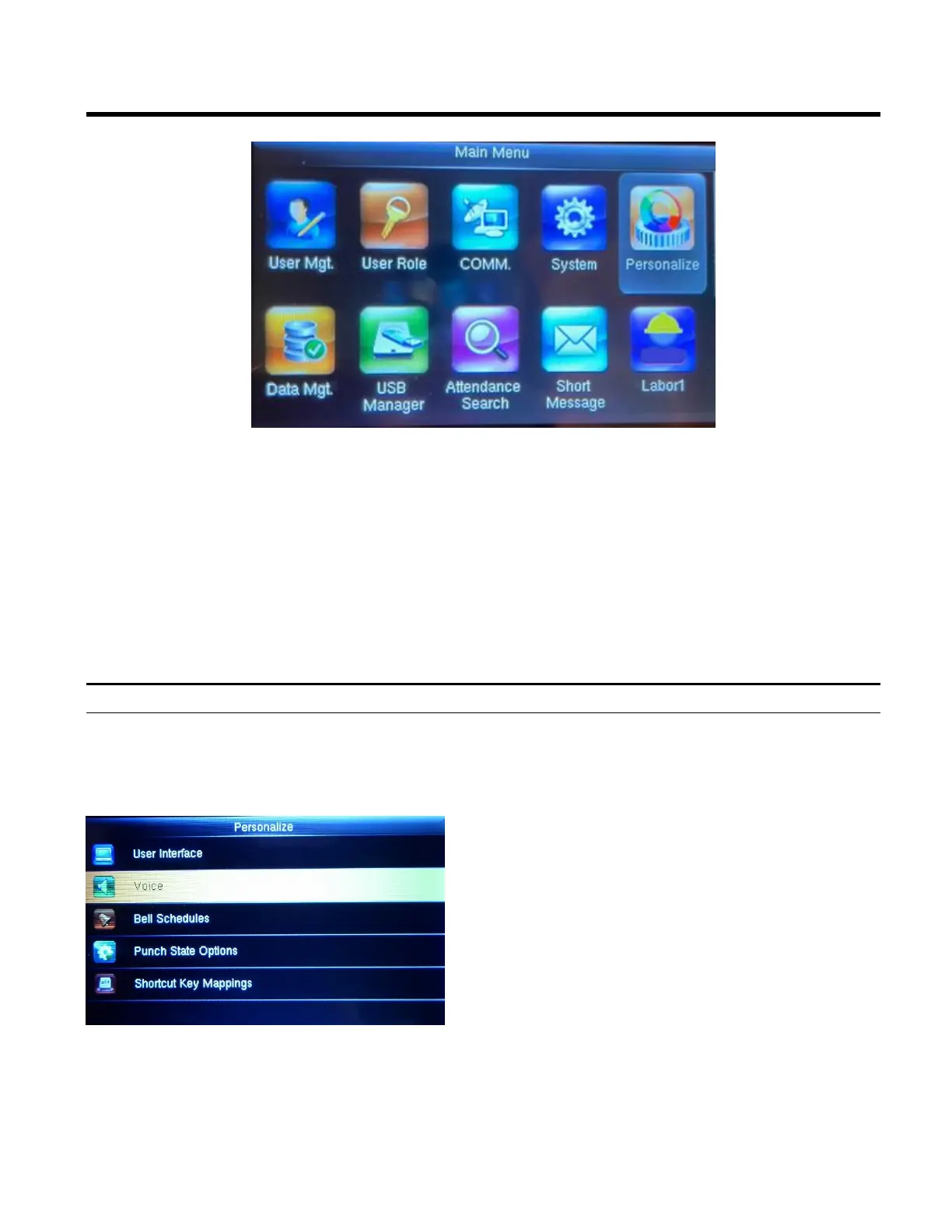
Select Voice.
Voice prompt: This parameter defines whether to
play voice prompts during the operation of the
MTX-30F Push terminal or not. Select ON to
enable the voice prompt, and select OFF to mute.
Keyboard prompt: This parameter defines
whether to generate a beep sound in response to
every keyboard touch or not. Select ON to enable
the beep sound, and select OFF to mute.
NOTE: Use the OK button to toggle between
ON/OFF.
Personalize
1. Press the Menu button to display the Main Menu.
2. Using the arrows highlight the Personalize icon and then press OK.
3. Highlight User Interface and then press OK. Here you can Personalize settings such as
Wallpaper, Language, Lock Power Key, Menu Screen Timeout(s), Idle Time to Slide Show(s),
Slide Show Interval(s), Idle Time to Sleep(m), and Main Screen Style



 To Next Page