en
The login settings, also makes it possible to set a time for User inactivity logout
54
. This will
define when the logged in user is automatically logged out if the displaying unit is inactive.
The displaying unit is defined as inactive when no visualization device is connected and no
functions on the user interface are activated. When the displaying unit is powered ON or has
been in STANDBY mode it is necessary to login again, unless Access archive without login is
enabled.
5.9. Output setup
In Output setup in the Setup menu, the Administrator can view and reconfigure what Trigger
Outputs (photo or video functions)
56
are send via which output ports to a connected
external medical imaging recorder. It is important that the assigned function on the trigger
output port of the displaying unit matches the function assigned to the connected input port
of the medical imaging recorder. Test if the system behaves as expected.
When set up correctly, the medical imaging recorder will capture a photo or start/stop a video
sequence, if the corresponding function is activated via the buttons on a connected
endoscope or directly on the buttons in the Live view
tab.
For instructions on how to view and reconfigure endoscope buttons see section 5.10.
For instructions on connecting an external imaging recorder refer to chapter 6.
To access the Trigger output menu:
• Press the Settings
tab in the toolbar on the left.
• Press Setup and press Output setup.
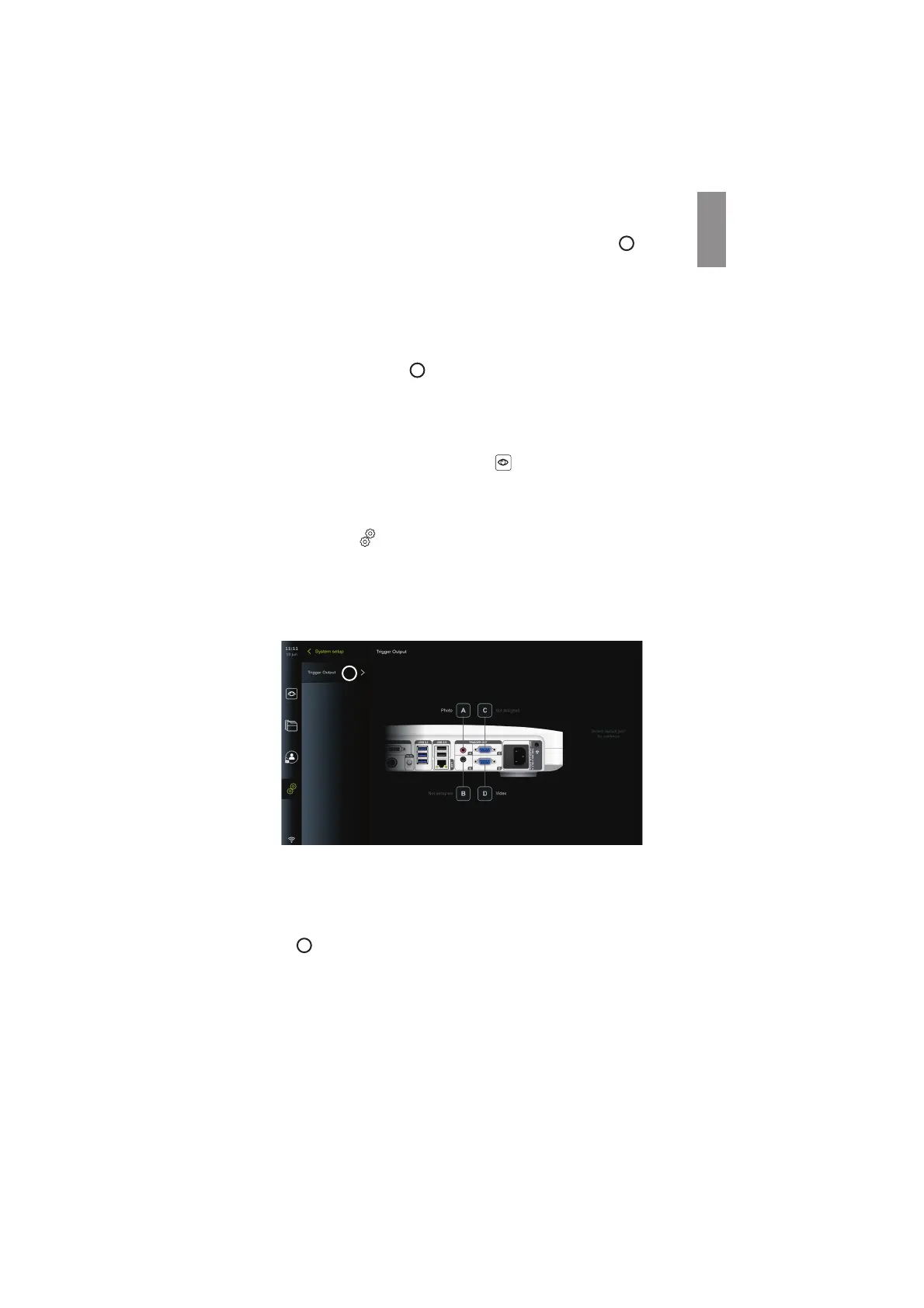
The Trigger output menu will open and an overview of the current configuration of the
trigger output channels A, B, C and D are shown. By default, trigger output A sends a signal to
take a photo and trigger output D sends a signal to start or stop a video recording on the
medical imaging recorder. Trigger B and C does not have any trigger signals assigned by
default.
56
To reconfigure the trigger outputs:
• Log in as Administrator. Refer to section 5.2.
• Navigate to the Trigger output menu in Output setup.
• Select the trigger output channel you wish to reconfigure (A, B, C or D) and select
an output signal in the selection menu that appears on the right side of the screen
57
. Here, all available trigger outputs are visible.
21



 To Next Page