en
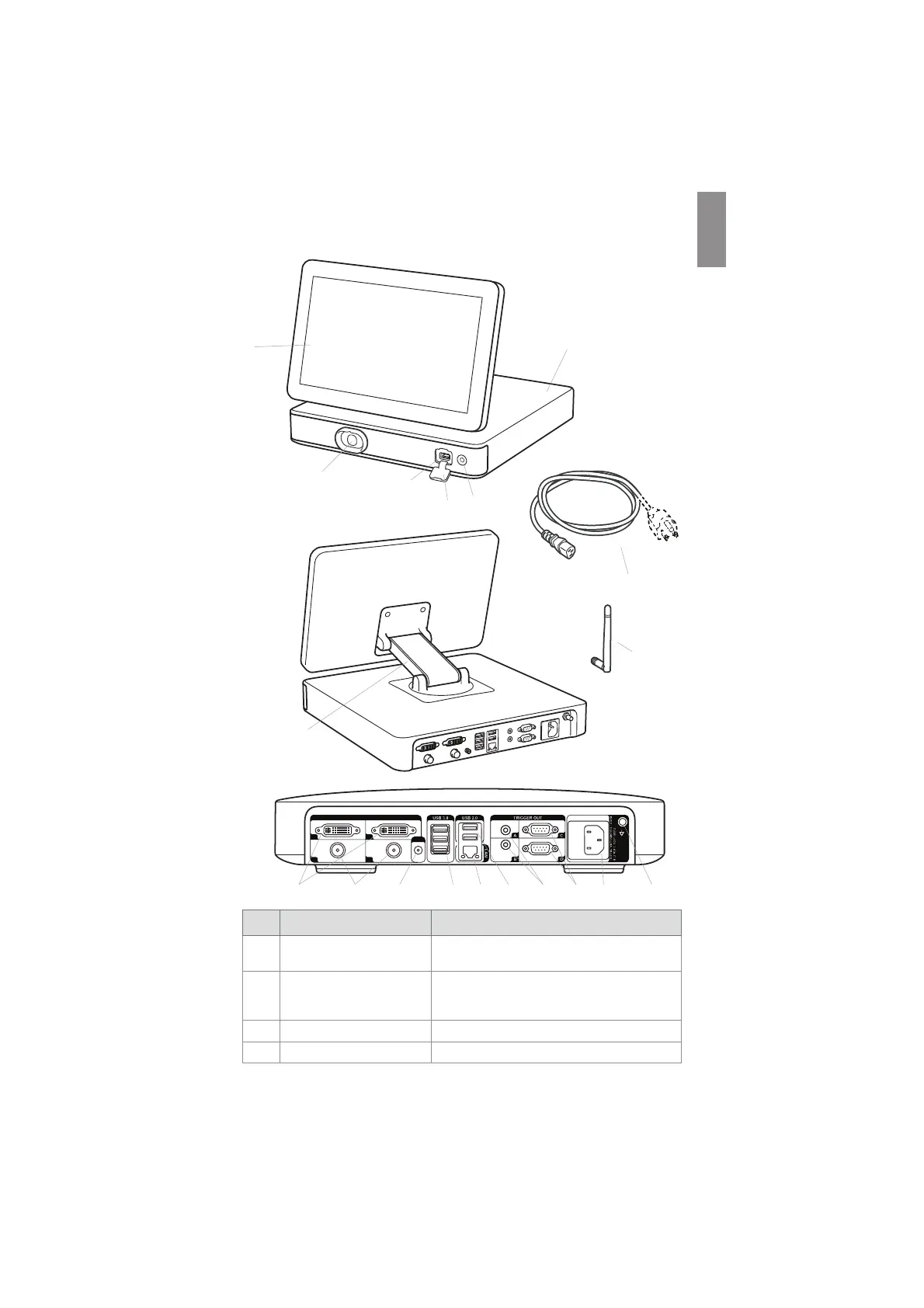
2.4. Description of Components
7
8
1
2
3
4
5
6
9
14
1
3
2
4
Wi-Fi
No. Component Function
1 Touch screen
Displays the image from the Ambu visualization
device and the graphical user interface.
2
VDI port (connector port for
Ambu visualization devices)
Connector port geometry and colour ensures
correct connection with compatible visualization
devices.
3 USB 3.0 port (front) Enables connection of external USB flash drives.
4 USB port cover (front) Protects the front USB port.
7



 To Next Page