en
disconnected.
If the same visualization device is reconnected after 60 seconds, the user must press Continue
procedure
26
to return to the live view image, continue the procedure and continue the
counter from the time the device was disconnected.
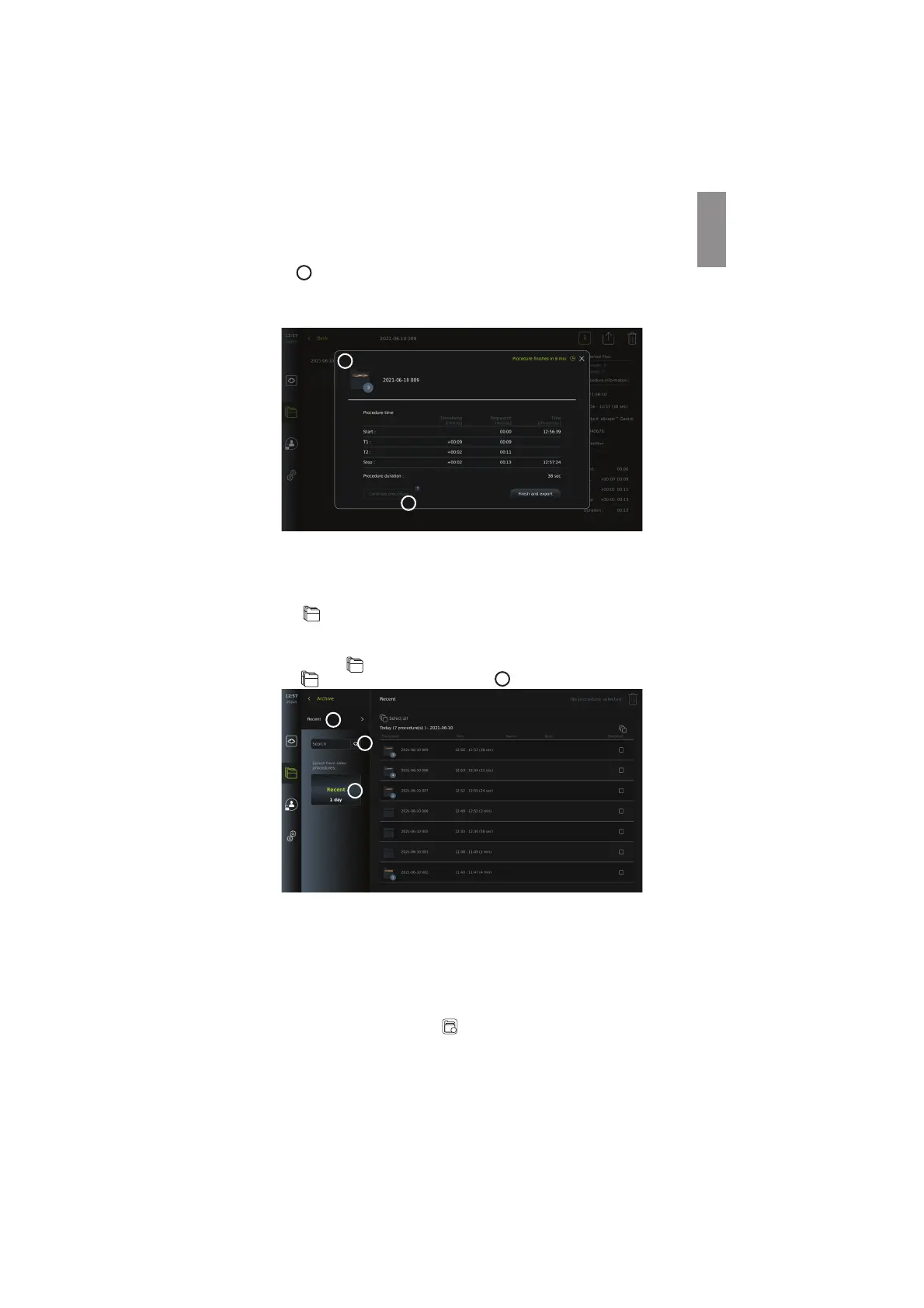
When the procedure has ended, the timestamp table will be displayed in a pop-up window
and saved to the procedure folder.
26
25
NOTES:
The Stopwatch function can be disabled in the General settings menu by an Administrator
(see section 5.8.).
7.4. Archive
The Archive contains photos and videos from all previous procedures. The photos and
videos are saved in procedure folders which are unique for each visualization device
connected to the displaying unit (see section 7.3.3.).
To access the Archive , log in as Advanced User or Administrator (see section 5.2.). Press
the Archive
tab in the tool bar and press Recent
27
.
28
29
27
Under Recent, all procedure folders are shown in descending order with the most recent at
the top. In the list of procedure folders, you will find the Procedure name, Time of
procedure, as well as any Notes written for the specific procedure (see section 7.4.2.).
The procedure name consists of the date of the procedure and the procedure number of the
day. The format is: YYYY-MM-DD_XXX, where XXX is the procedure number.
NOTE: Ensure that the date is set correctly in the system to have procedures saved with the
correct information (see section 5.5.).
The number on the procedure folder icons
shows number of photos and videos that the
particular procedure contains. If the procedure list fills beyond the content of the screen, a
scroll bar will appear to the right of the procedure overview.
33



 To Next Page