NOTES:
• ARC can be activated by using the buttons on a connected endoscope (see section 5.10.).
• An adjustment of the strength of ARC for each individual type of visualization device will
be stored after the displaying unit has been turned off.
• The watermark
A
will not be visible on captured images or videos.
• Videos recorded with ARC active will look slightly desaturated, as some colour correction
in the image processing system is disabled while ARC is active.
7.3.10. Stopwatch
Use the Stopwatch function to record the exact time used during a procedure. You can find
the Stopwatch
00:00
button in the lower left corner of the screen in the Live view window.
If the Stopwatch
00:00
button is not visible, it has been disabled in the General settings menu.
Refer to section 5.8. to enable the ability to use the Stopwatch function.
To use the Stopwatch during a procedure:
• In the Live view
window, press the Stopwatch
00:00
button. The stopwatch icon
turns green and starts counting in minutes and seconds.
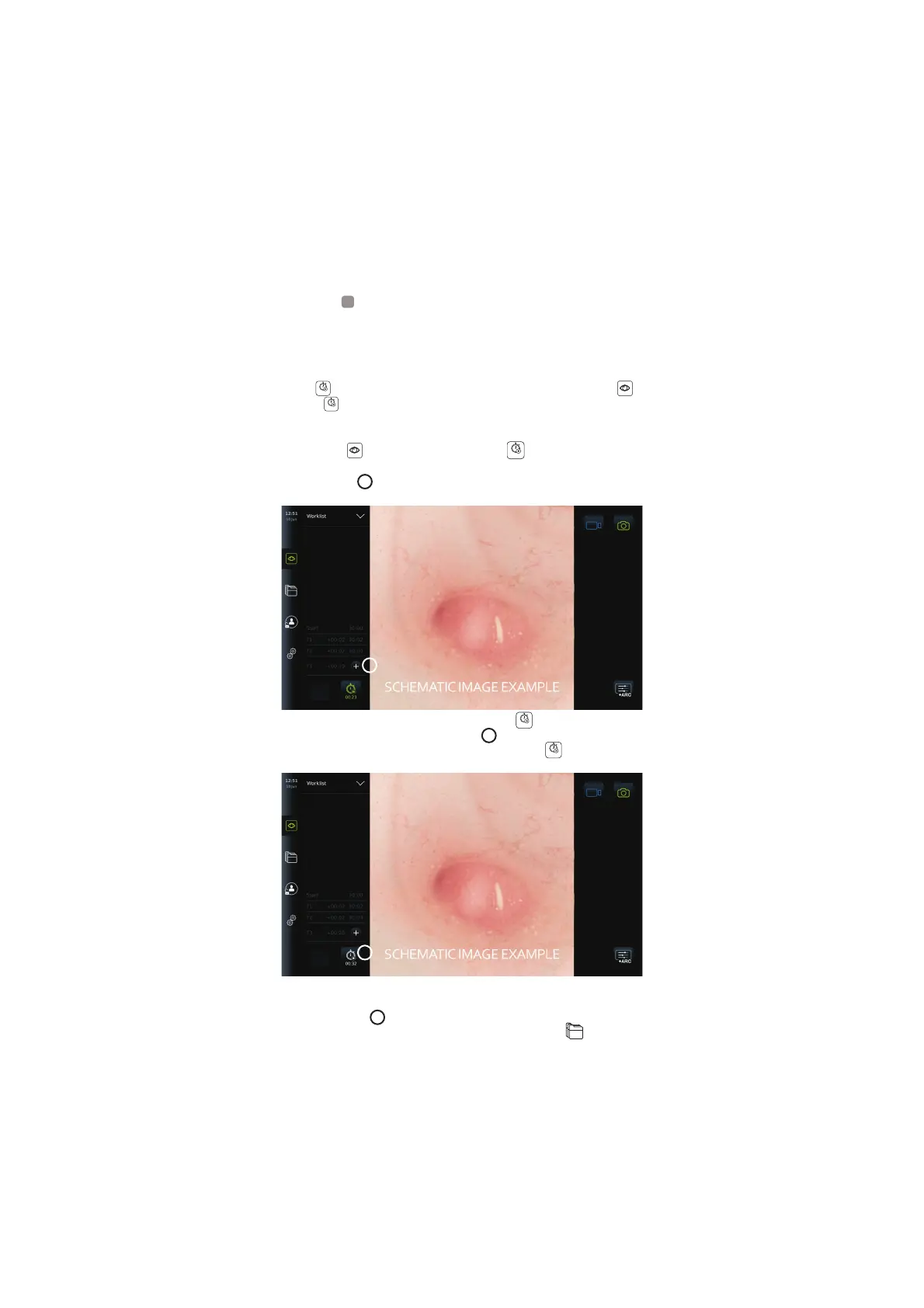
• Press the plus sign
23
to generate timestamps during the procedure. Multiple
timestamps can be generated.
23
• To stop the stopwatch counter, press the Stopwatch
00:00
button again. The counter on
the stopwatch stops and the icon turns white
24
.
• To start the stopwatch counter again, press the Stopwatch
00:00
button again. The
counter will start from where it was paused.
24
If the visualization device is unplugged before the stopwatch is stopped, the counter will stop
and the procedure folder, the timestamps table, and duration of the procedure will pop up, as
if the procedure has ended
25
. The timestamps and duration of the procedure is saved on the
displaying unit and can be viewed in the procedure folder in Archive
(see section 7.4.).
If the same visualization device is reconnected within 60 seconds, the displaying unit will
return to live view mode and the counter will continue from the time the device was
32



 To Next Page