en
stopwatch function if activated via the buttons on an endoscope (refer to section 5.10.
for configuration of endoscope buttons).
• Zoom can be enabled/disabled in General settings by Administrator (see section 5.8.).
7.3.8. Light off
The LED light on the distal end of the visualization device is powered on as soon as the visualiza-
tion device is connected to the displaying unit and stays on until the visualization device is dis-
connected. The Light off function allows the user to turn the LED light off and on manually.
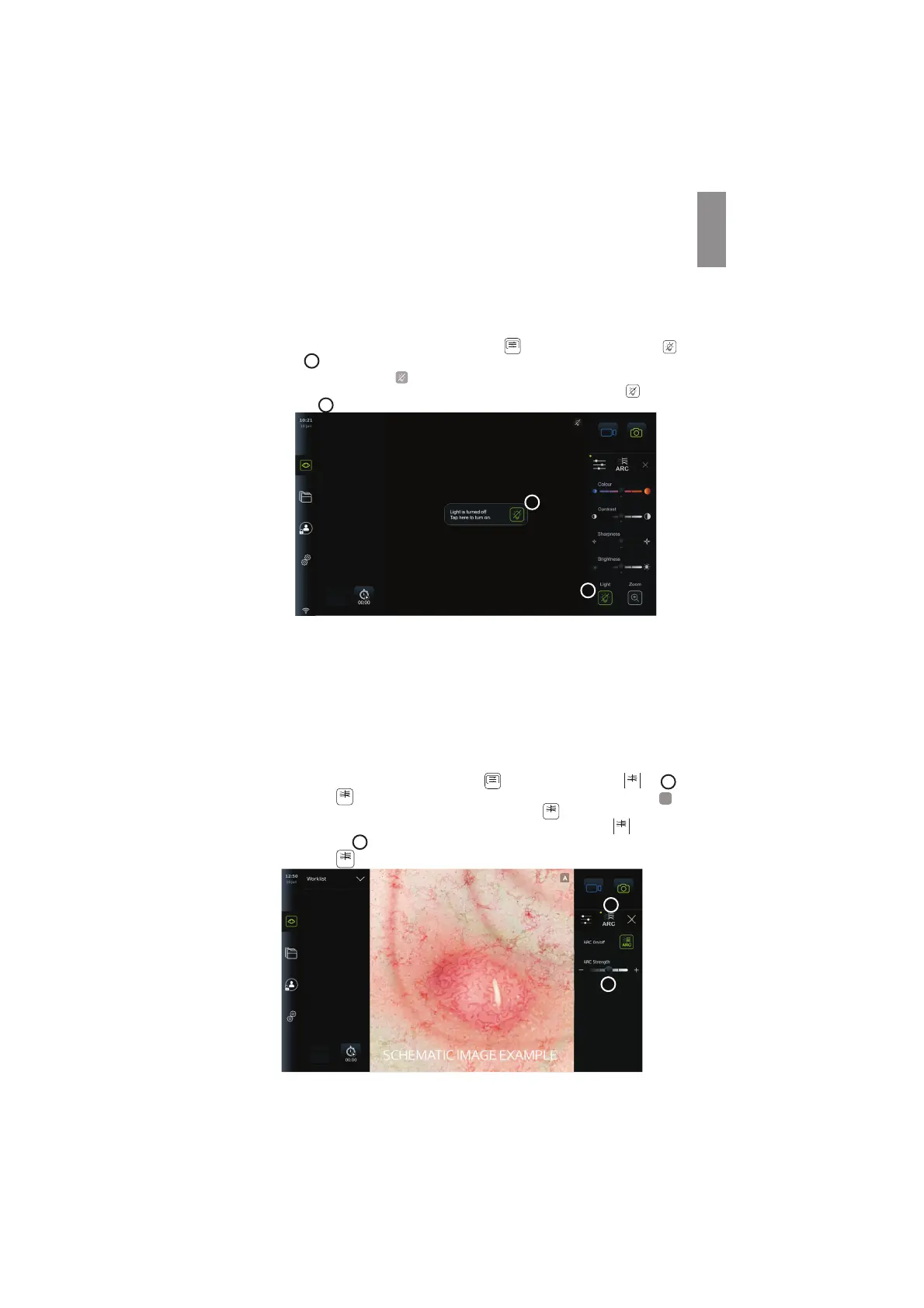
• To activate Light off, open the Image adjustment
+ARC
menu and press the Light off
button
19
.
When Light off is active, the icon
will show on the top right corner of the live image and a
notification will pop up at the center of the live image with an additional Light off
button
for deactivation
20
.
20
19
NOTES:
• The live image will continue to show the camera stream.
• The Light off function does not interfere with other functions (Zoom, ARC, photo or
video and other functions can run at the same time).
• The Light off function will reset to default (off) after a scope has been removed, after a
procedure is finished and after reboot.
7.3.9. ARC (Advanced Red Contrast)
ARC is Ambu's proprietary red-colour contrast enhancement algorithm, which amplifies the
red colour relative to other colour components at the same location. It is intended to improve
the visibility of red colour tones in the image.
• To activate ARC, open the Image adjustment
+ARC
menu and select the ARC
ARC
tab
21
.
• Press the ARC
ARC
button to activate the function. When ARC is active, a watermark
A
will show in the top right corner of the live image, the ARC
ARC
button will be
highlighted in green colour, and a small green dot will appear on the ARC
ARC
tab.
• Use the slider bar
22
to adjust the strength of the ARC image enhancement.
• Press the ARC
ARC
button again to deactivate ARC.
22
21
31



 To Next Page