2. Device Description
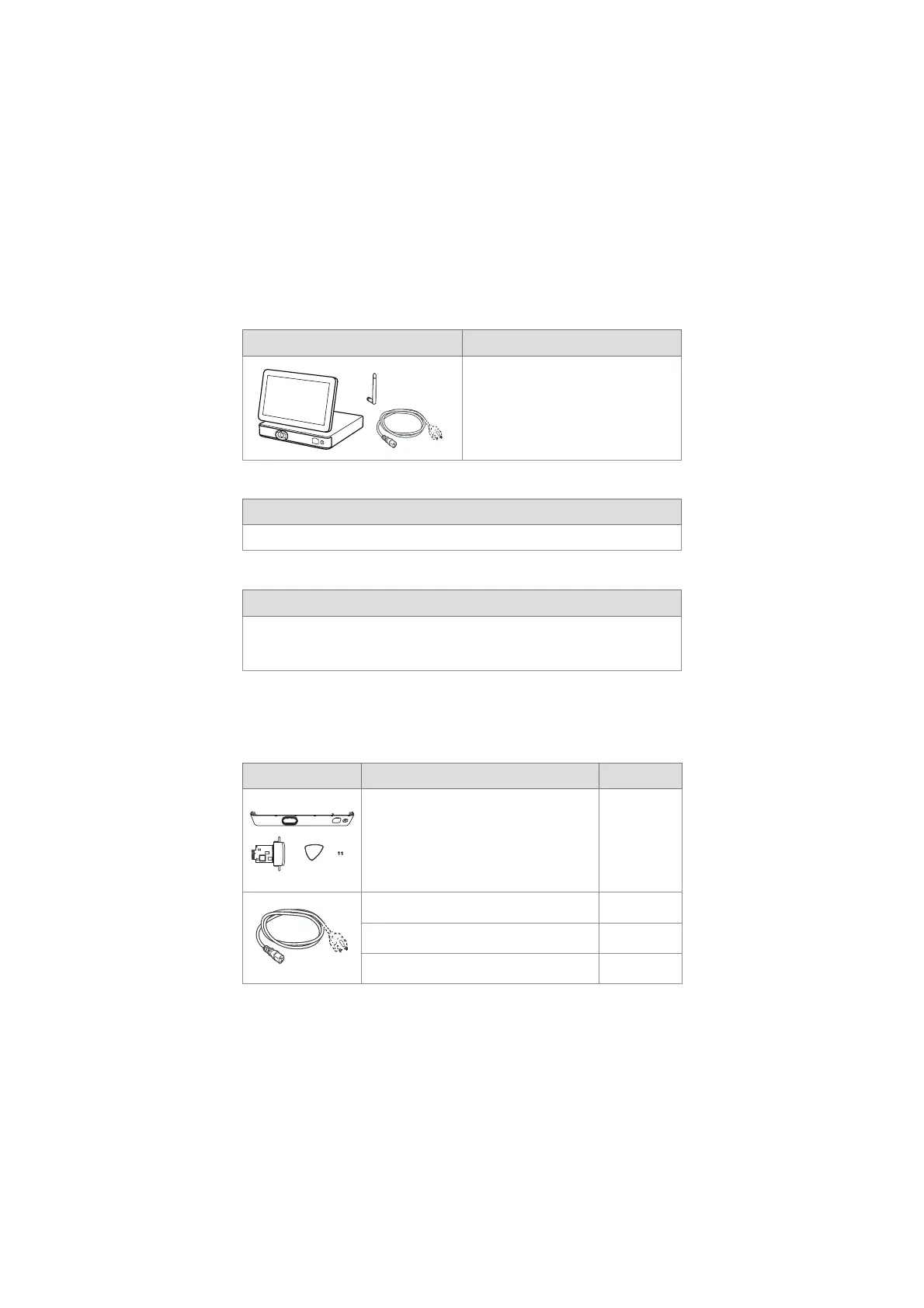
The displaying unit can be connected to compatible Ambu visualization devices to display
video images. The following sections describe the components of the displaying unit and list
compatible devices.
2.1. Displaying Unit Parts
Ambu® aBox™ 2 Item number:
x2
505001000
2.2. Product Compatibility
Compatible Ambu visualization devices
• Ambu® aScope™ Gastro
The listed devices may not be available in all countries. Please contact your local Ambu
representative. Please refer to the Instructions for Use of the relevant visualization device.
Compatible external equipment
• External monitors (video output)
• External medical imaging recorders (video output and trigger output)
• USB flash drives
For specifications of connections to external equipment, refer to chapter 6.
2.3. Spare Parts
Spare parts are intended as replacements for components that are exposed to wear and tear
during the lifetime of the device. Consult the troubleshooting guide in chapter 13 for issues
that might require replacement of spare parts.
Spare parts Name Item number:
Ambu® aBox™ 2 -Visualization device
interface (VDI) kit - Grey
Contains:
A visualization device interface (VDI) board, a
front cover with a colour ring (grey), a plectrum
tool, and two screws for the VDI
505000510
Power cables - J (CH), K (DK), I (AUS) 505000520
Power cable - B (US, JP) 505000521
Power cables - G (UK), E/F (EU, not DK, CH) 505000522
6



 To Next Page