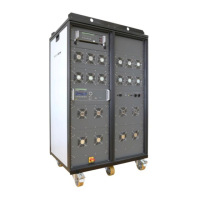
AMETEK CTS VDS 200Q Series
Manual for Operation V 1.3.1 10 / 36
All these different test modes are changing generally the voltage supply setting of the generator in a different
way. This would mean a certain risk for the operator to burn out the connected DUT by higher DC supply
voltages as intended. Therefore it is decided to clearly separate the two test modes by the following structure
listed:
Analogue input +10/-10V
The amplifier can be controlled by an external signal generator. The operator therefore shall select the User
Test Routines of the VDS 200Q part and start the menu Extern. The amplifier is then able to be remotely
controlled.
The input signal range is +10 to -10V in the frequency range of 0-250kHz. The output power (EUT test
supply) is capable of 0-40V or 0-80V and a nominal current depending on setting. For example, in the
normal (8x) gain setting, a 2V input signal would result in 16V out. Please note, the 3dB guaranteed
bandwidth of 250 kHz is not guaranteed when controlling the source with the BNC analog input. Typical
bandwidth when using an external control signal is 150 kHz.
1. DC source
When entering the Arbitrary Wave test mode the dc output voltage of the VDS 200Q is automatically set to the
nominal voltage of the DUT. The actual nominal voltage can be defined in the service menu under "Set-up".
When starting the related test routines the output voltage will be generated as per the setting shown up in the
display for each individual test routine.
- The operator can accept this setting and start the test immediately.
- The operator can first change the parameters and than start the test.
When leaving the test mode DC source the output voltage is automatically reset to the nominal supply voltage of
the DUT. The previous voltage setting will be stored in the test file.
2. Arbitrary Wave Simulator
When selecting the Arbitrary Wave mode, the output voltage will be set automatically to the nominal voltage of
the DUT. The actual nominal voltage can be defined in the service menu under "Set-up".
When starting the related test routines, the output voltage will be generated as per the setting shown up in the
display for each individual test routine.
- The operator can accept this setting and start the test immediately.
- The operator can first change the parameters and then start the test.
When leaving the test mode Arbitrary Wave Simulator, the output voltage is automatically reset to 0V. The
previous voltage test parameters will be stored and can be used for the next test.


 To Next Page
 Loading...