EasyManua.ls Logo

Amiga A4000 - Installing Memory Modules

Default Icon
113 pages
Print Icon
To Next Page IconTo Next Page
To Previous Page IconTo Previous Page
Loading...
4-4
Adding Memory
larger
module.
One-megabyte
Chip RAM
systems
have
a 1 MB
module.
By
removing
this
module
and
inserting
a 2 MB module,
Chip
RAM
increases
to 2 megabytes.
This
yields
the
following
Chip
RAM configurations.
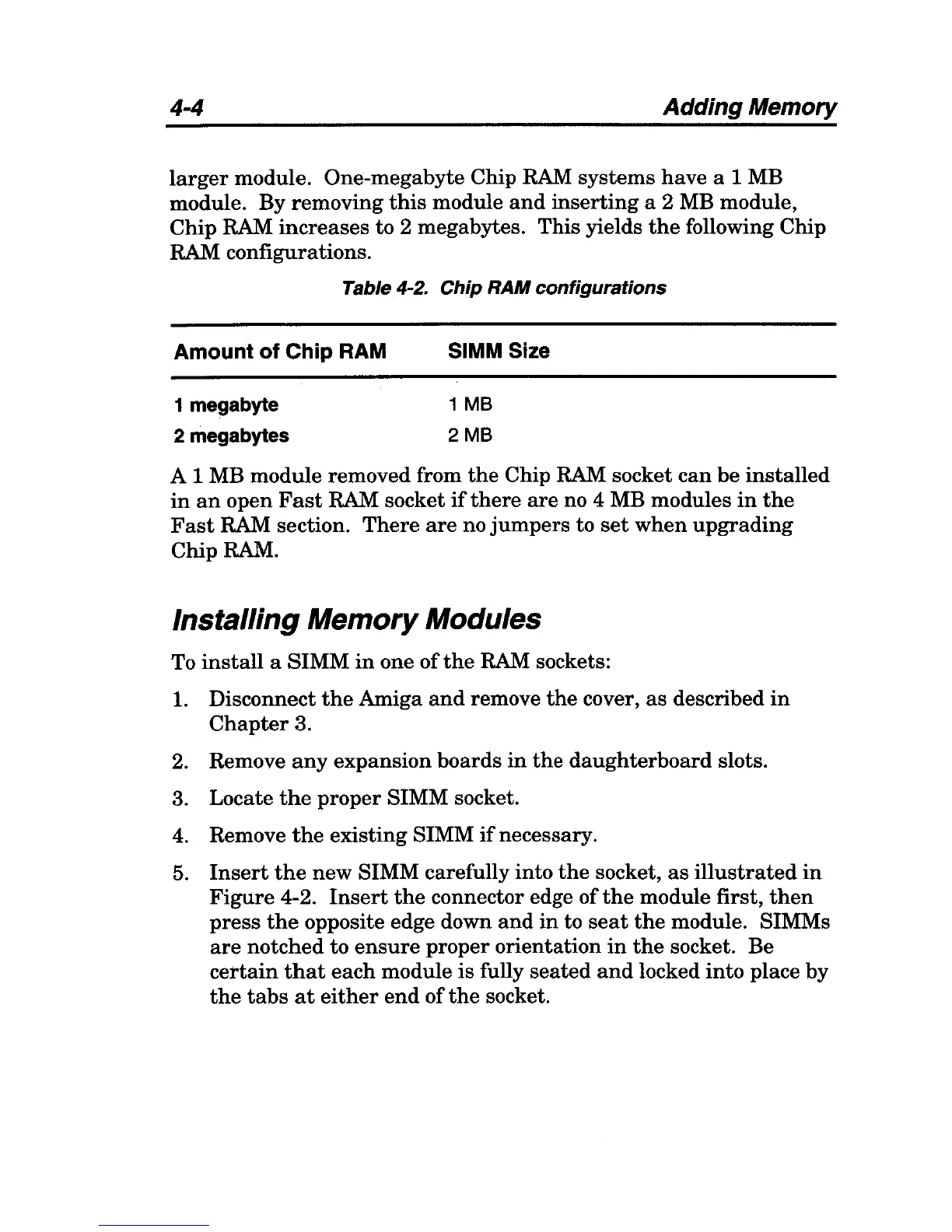
Table 4-2. Chip RAM configurations
Amount
of
Chip RAM
1 megabyte
2 megabytes
SIMM Size
1
MB
2MB
A 1 MB
module
removed from
the
Chip RAM socket
can
be
installed
in
an
open
Fast
RAM socket
if
there
are
no 4 MB modules
in
the
Fast
RAM section.
There
are
no
jumpers
to
set
when
upgrading
Chip
RAM.
Installing Memory Modules
To
install
a
SIMM
in
one
of
the
RAM sockets:
1.
Disconnect
the
Amiga
and
remove
the
cover,
as
described
in
Chapter
3.
2. Remove
any
expansion
boards
in
the
daughterboard
slots.
3. Locate
the
proper
SIMM socket.
4.
Remove
the
existing
SIMM
if
necessary.
5.
Insert
the
new
SIMM carefully
into
the
socket,
as
illustrated
in
Figure
4-2.
Insert
the
connector edge
of
the
module first,
then
press
the
opposite edge down
and
in
to
seat
the
module. SIMMs
are
notched
to
ensure
proper
orientation
in
the
socket.
Be
certain
that
each
module
is
fully
seated
and
locked
into
place
by
the
tabs
at
either
end
of
the
socket.

Table of Contents