4-6
Processor Options
Processor Options
The
following sections discuss options
related
to
the
A4000 CPU
slot, including:
• Removing
and
installing processor modules
in
the
CPU slot.
• Replacing a 68EC040 microprocessor with a 68040.
The
A4000 CPU slot is located on
the
right
side
of
the
motherboard,
as
illustrated
in
Figure
4-1. The processor module occupies
this
slot, mounted horizontally parallel
with
the
motherboard.
The
processor module contains
the
Motorola 68040 series microprocessor
and
associated circuitry.
Removing a Processor Module
To
make
some modification
to
the
processor module, such
as
replace
the
module, you
must
remove
the
module from
the
slot. You
may
need
to remove
the
Amiga's faceplate
and
front drive bay assembly
to
reach
the
CPU slot.
If
so, see
Chapter
6, "Front
Bay
Installation"
in
this
manual
for directions on how to
do
so.
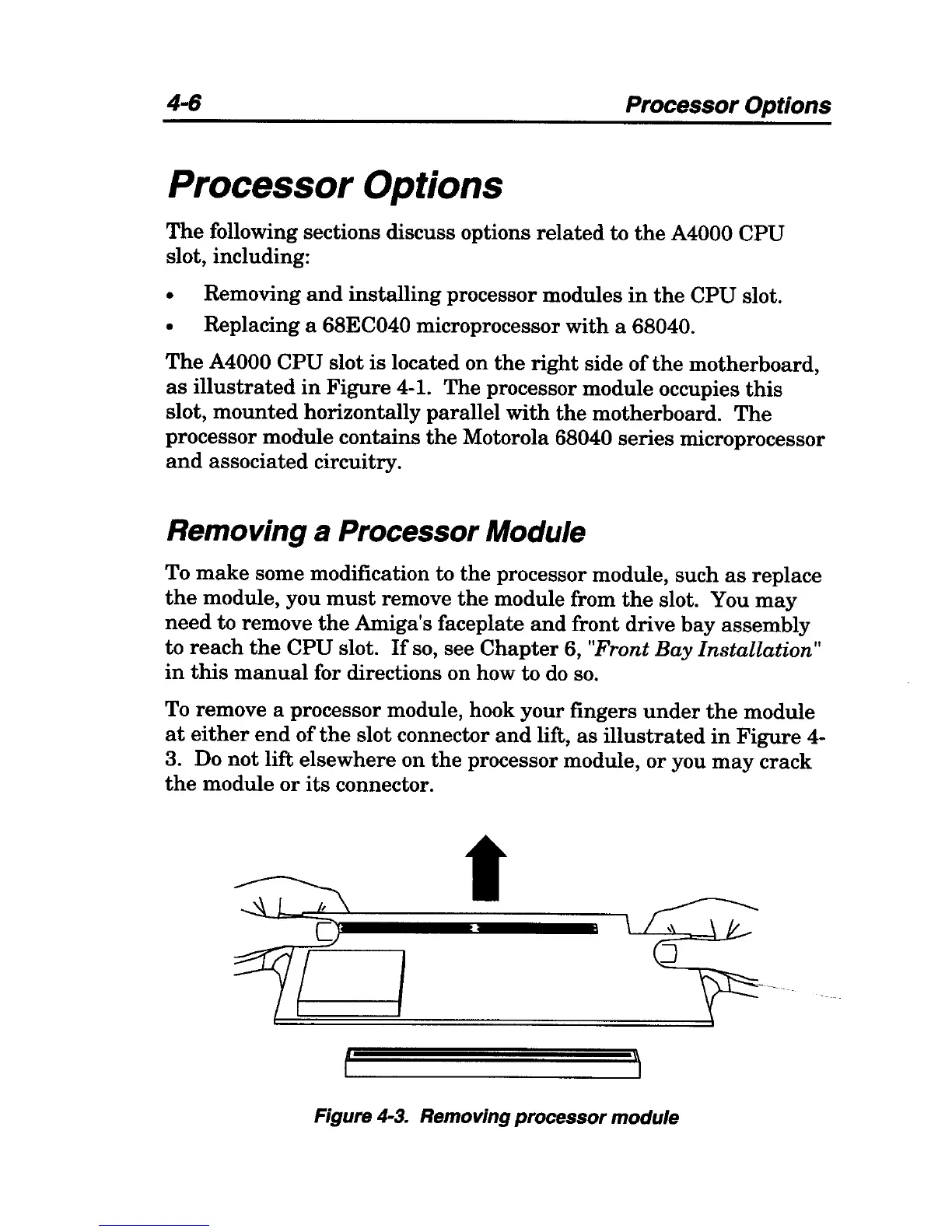
To remove a processor module, hook your fingers
under
the
module
at
either
end
of
the
slot connector
and
lift,
as
illustrated
in
Figure
4-
3. Do
not
lift elsewhere on
the
processor module, or you
may
crack
the
module
or
its
connector.
t
\\
Figure 4-3. Removing processor module



 To Next Page