H-1.601.00149-2.0
Page
12
9 Stop Stop pressing and return to the initial
position
3.2 Function Menu Description
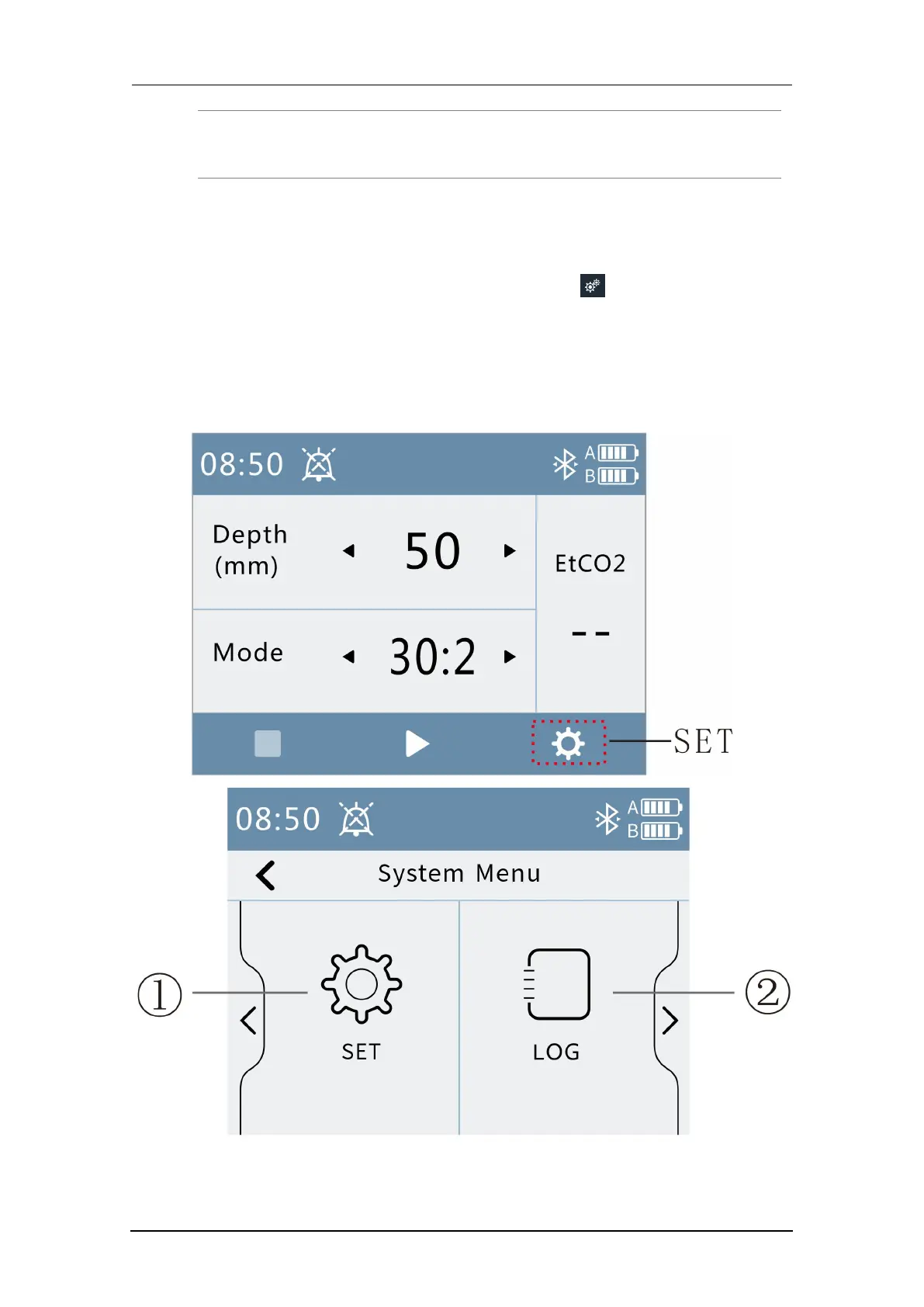
After the positioning is completed and the pressing depth is set, you can
enter the menu interface by pressing the button .
In the menu interface, you can set system parameters, view alarm log,
configure peripheral module on/off, set time, enter maintenance, and view
local information. Press “Exit” button to exit menu setting interface (menu
interface as shown below) .



 To Next Page