H-1.601.00149-2.0
Page
14
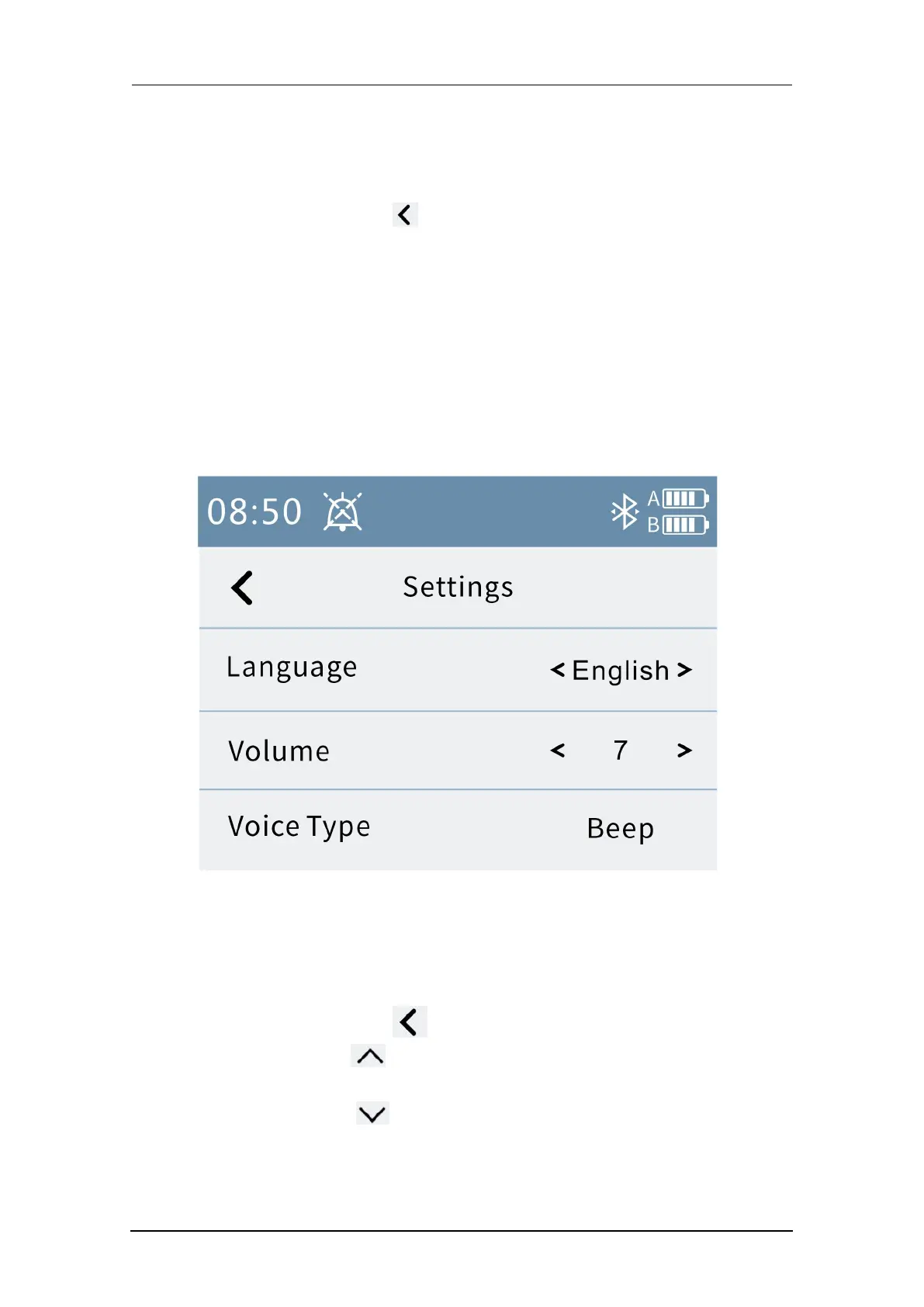
3.2.1 System setting
The system settings page is shown below.
1. Press the Back button to return to the menu interface.
2. Press "<" “>”in the "Language" column to switch between languages.
3. Press "<" “>”in the “Volume” column to adjust the voice volume.
Volume adjustable range : 0~7 level, when adjust the voice volume to 0
level, the mute icon is displayed.
Note:
When the voice volume is 0 level, there is no alarm sound, you need to pay
attention to the alarm information.
Fig. 8 System settings
3.2.2 Alarm log
The alarm log interface is shown below.
1. Press the Back button to return to the menu interface.
2. Press the button to scroll up the alarm information and support long
press to scroll through pages.
3. Press the button to scroll down the alarm information and support
long press to scroll through pages.



 To Next Page