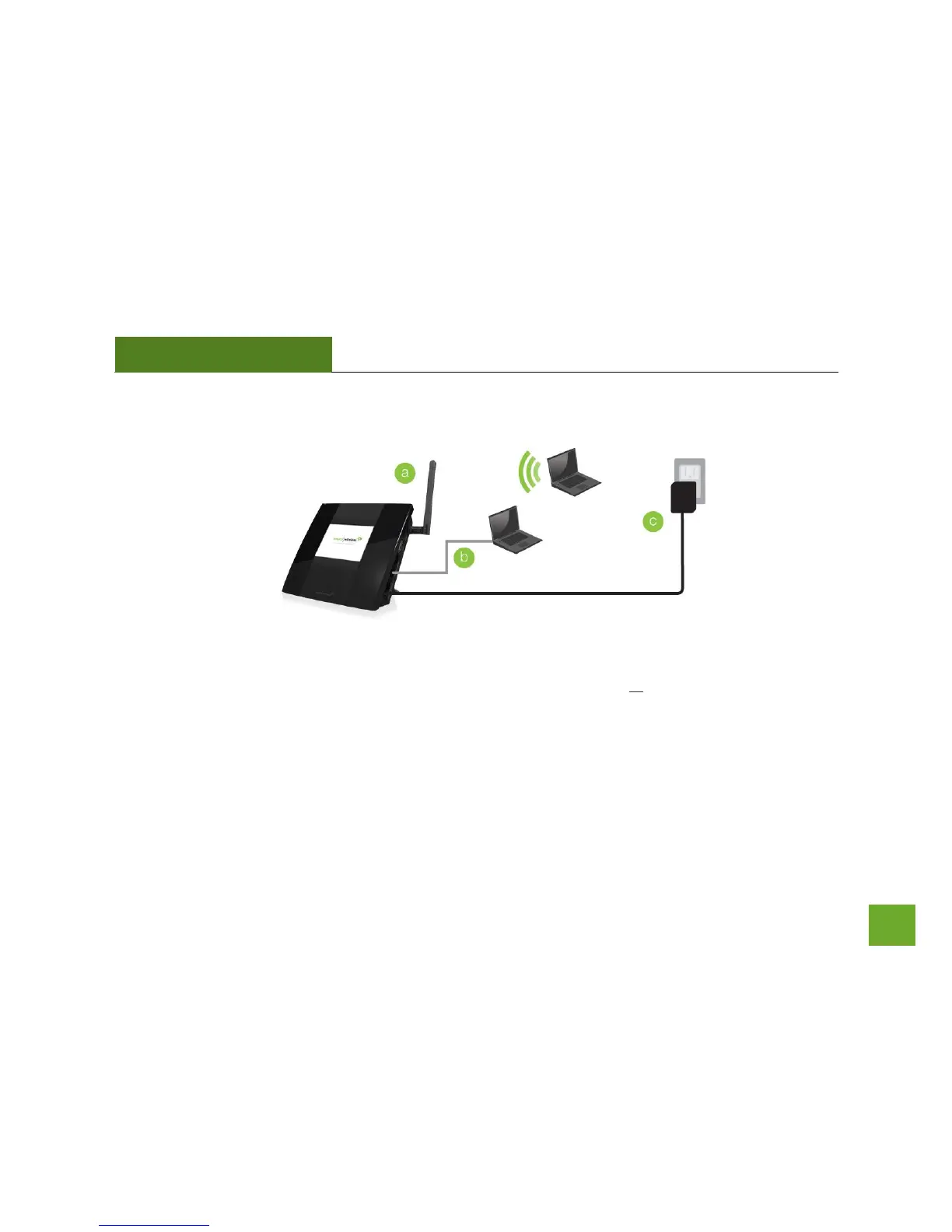
Attach the Antenna, Power On & Connect to your Computer
a) Attach the antenna to the antenna connector on the Router.
b) Connect an Ethernet cable to an available port on your computer or connect to the Router’s Wi-Fi
Network: Amped_TAPR2_2.4 or Amped_TAPR2_5.0. Password: wireless
c) Attach the Power Adapter to the Router’s PWR port and a power outlet.


 To Next Page