Home
Amped Wireless
Network Router
TAP-R2
Page 53
Amped Wireless TAP-R2 - Page 53
149 pages
Manual
Save Page as PDF
To Next Page
To Next Page
To Previous Page
To Previous Page
Loading...
TAP-
R2
USER’S GUIDE
52
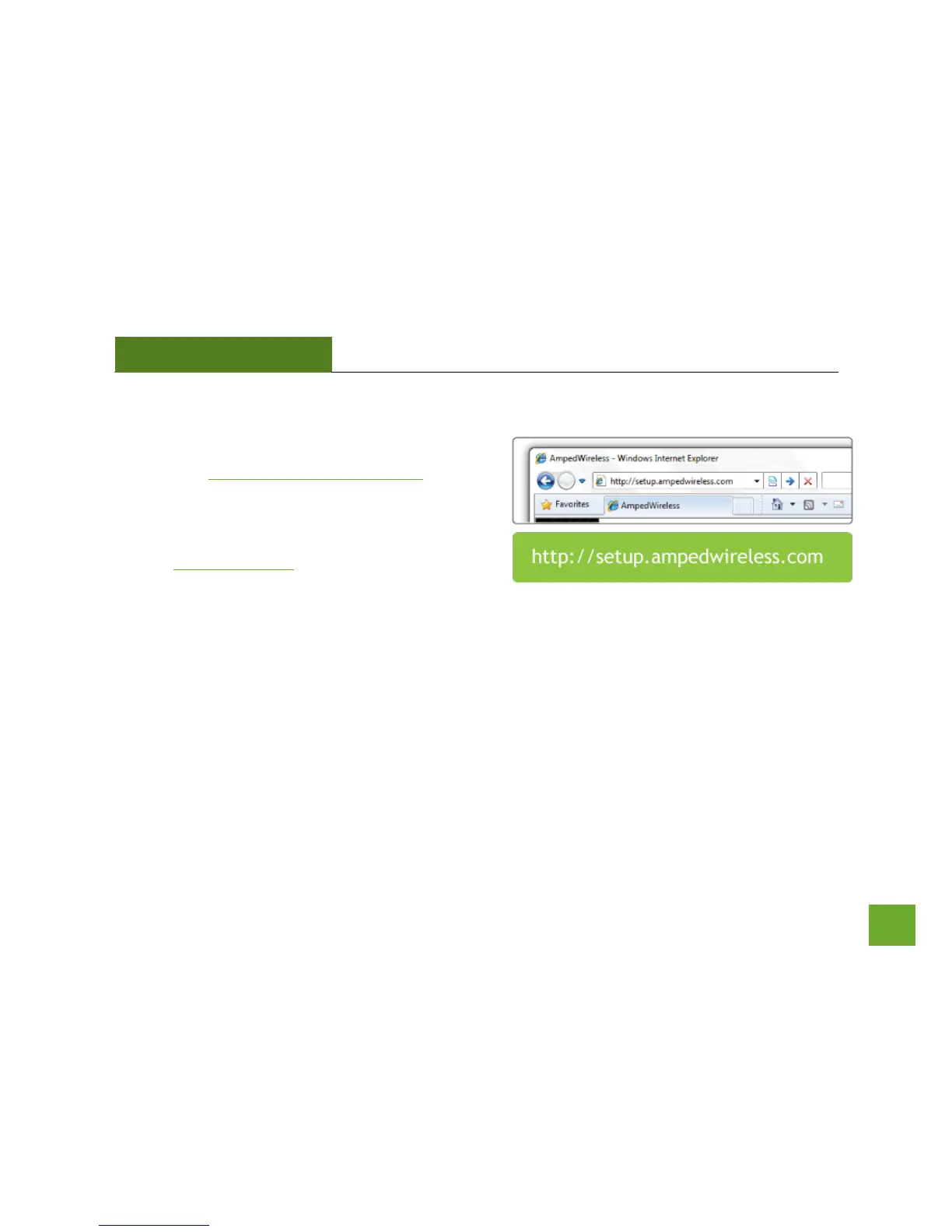
Open your Web
Browser to Access the Setu
p Wizard
a)
Open your web browser.
b)
Type
http://setup.a
mpedwireless.com
into the web address bar.
c)
If the web
menu fails to open, ty
pe the following
IP address into your
web address bar:
http://192.168.3.1
52
54
Table of Contents
Main Page
Default Chapter
2
Table of Contents
2
Introduction
5
Getting Started
6
Package Contents
6
Product Description
7
Basic Setup Guide (Touch Menu)
8
Setup Preparations
8
Navigating the Touch Screen Menu
12
Welcome to the Dashboard
13
Internet Connection Setup
14
Wi-Fi Setup
16
Setup Summary
17
More Settings (Touch Menu)
18
Ghz WI-FI SETTINGS (TOUCH MENU)
19
Basic Settings
19
Guest Network
20
Wi-Fi Coverage Controls
21
Wi-Fi Protected Setup (WPS)
22
Access Schedule
23
Ghz WI-FI SETTINGS (TOUCH MENU)
24
Basic Settings
24
Wi-Fi Coverage Controls
26
Wi-Fi Protected Setup (WPS)
27
Access Schedule
28
Network Settings (Touch Menu)
29
Local Network
29
Internet Connection
30
Security Features (Touch Menu)
32
Block Websites
32
User Access (Mac)
33
User Access (IP)
34
Demilitarized Zone (DMZ)
35
Port Forwarding
36
Port Filtering
37
Management Settings (Touch Menu)
38
Screen Settings
38
Clock / Date
39
System Status
40
Connected Users
41
Statistics
42
Logs
43
Upgrade Firmware
44
Dynamic DNS
45
Reset Settings
46
Usb Storage (Touch Menu)
47
Local Sharing
47
FTP Server
48
Basic Setup Guide (Web Menu)
49
Setup Preparations
49
Welcome to the Setup Wizard
54
Internet Connection Detection
55
Personalize Your Wi-Fi Settings
56
Setup Summary
58
WEB MENU DASHBOARD Welcome to the Dashboard
59
5Ghz WI-FI SETTINGS (WEB MENU)
60
Basic Settings (5.0Ghz)
60
Basic Settings: Guest Networks (5.0Ghz)
62
Security Settings (5.0Ghz)
63
Advanced Settings (5.0Ghz)
64
Wi-Fi Protected Setup - WPS (5.0Ghz)
65
Wireless Coverage Controls (5.0Ghz)
66
Access Schedule (5.0Ghz)
66
Ghz WI-FI SETTINGS (WEB MENU)
68
Basic Settings (2.4Ghz)
68
Basic Settings: Guest Networks (2.4Ghz)
70
Security Settings (2.4Ghz)
71
Advanced Settings (2.4Ghz)
72
Wi-Fi Protected Setup - WPS (2.4Ghz)
73
Wireless Coverage Controls (2.4Ghz)
74
Access Schedule (2.4Ghz)
74
Network Settings
76
Local Network (LAN)
76
Ipv6 Local Network (LAN)
78
Internet Network (WAN)
80
Ipv6 Internet Network (WAN)
82
Advanced Settings
84
Smart Features
86
Block Websites
87
User Access (MAC Address Filtering)
88
User Access (IP Address Filtering)
89
Usb Storage
90
Local Sharing
90
FTP Server
94
Firewall Settings
95
Port Filtering
96
Port Forwarding
97
DMZ (Demilitarized Zone)
98
Virtual LAN
99
Denial of Service
100
Quality of Service
101
Routing Setup
102
Management Features
103
System Status
104
Network Statistics
105
Dynamic DNS Settings
106
System Clock
107
System Logs
108
Upgrade Firmware
109
Password Settings
112
Technical Specification
113
Default Settings
114
Troubleshooting & Support Info
115
Troubleshooting
116
Warranty and Regulatory Info
133
Legal Notices and Disclaimers
141
Other manuals for Amped Wireless TAP-R2
Setup Guide
2 pages


 To Next Page