Part
1:
Storing
screen
images
Choose your
screen
....
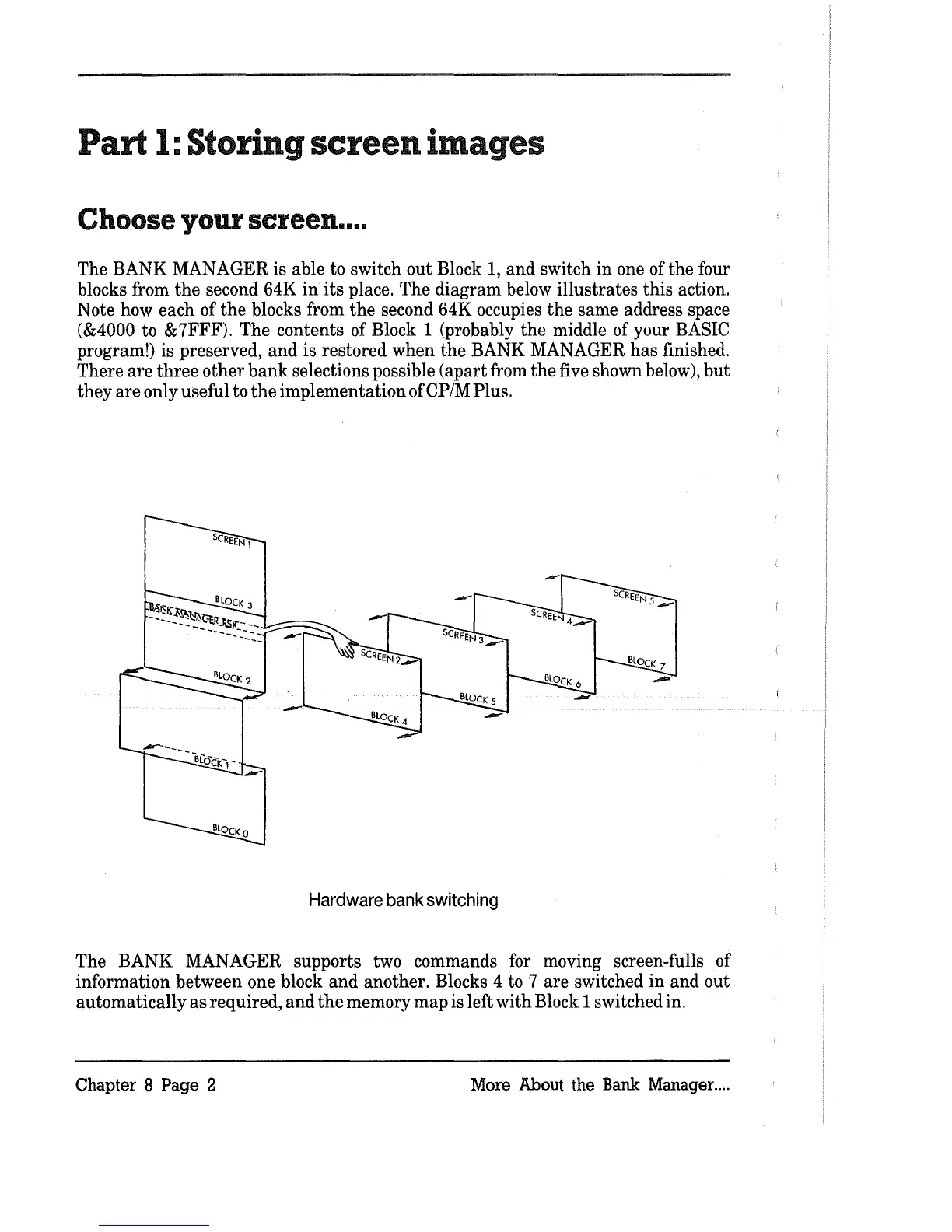
The BANK MANAGER is able to switch
out
Block
1,
and switch
in
one of
the
four
blocks from
the
second 64K
in
its
place. The diagram below illustrates this action.
Note how each of
the
blocks from
the
second 64K occupies
the
same address space
(&4000 to &7FFF). The contents of Block 1 (probably
the
middle of your BASIC
program!) is preserved,
and
is restored when
the
BANK MANAGER
has
finished.
There are
three
other
bank
selections possible (apart from
the
five shown below),
but
they
are
only useful to
the
implementation ofCP/MPlus.
-
Hardware
bank
switching
The BANK MANAGER supports two commands for moving screen-fulls of
information between one block
and
another. Blocks 4 to 7 are switched
in
and
out
automatically
as
required,
and
the
memory map is left with Block 1 switched in.
Chapter 8
Page 2 More About the
Bank
Manager
....



 To Next Page