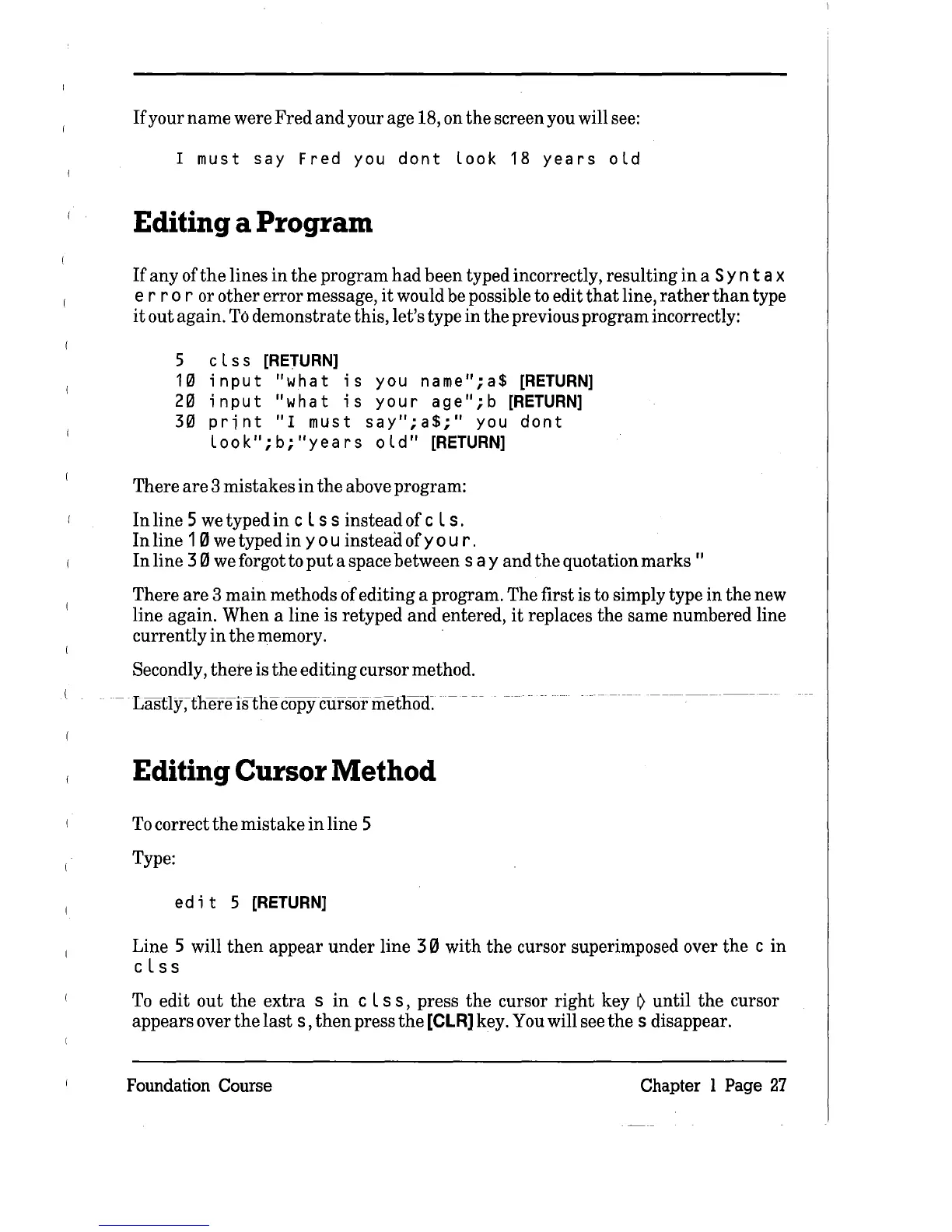
If
your name were Fred and your age 18, on the screen you will see:
1 must
say
Fred
you
dont
look
18
years
old
Editing a Program
If
any
ofthe
lines
in
the
program
had
been typed incorrectly, resulting
in
a S y n t a x
err
0 r or other error message,
it
would be possible to edit
that
line,
rather
than
type
it
out again.
To
demonstrate this, let's type in
the
previous program incorrectly:
5 c l
ss
[RETURN]
1 0 i n
put
"w
hat
i s you n a
me"
; a $
[RETURN]
2 0 i n
put
"w
hat
i s you
rag
e " ; b
[RETURN]
30
print
"1
must
say";a$;"
you
dont
loo
k " ;
b;
"yea
r
sol
d"
[RETURN]
There
are
3 mistakes
in
the
above program:
In
line 5
we
typed
in
c L s s instead of c L s .
In
line 10 we typed
in
you
insteadofyo
u
r.
In
line
30
we forgot to
put
a space between
say
and
the
quotation
marks"
There
are
3
main
methods of editing a program. The first is to simply type in the new
line again. When a line is retyped and entered,
it
replaces the same numbered line
currently
in
the
memory.
Secondly,
there
is
the
editing cursor method.
-
Lasfly~thefeistlie
copYcursor
metliocI-
- --
Editing Cursor
Method
To
correct
the
mistake
in
line 5
Type:
ed
itS
[RETURN]
Line 5 will
then
appear under line 3 0 with
the
cursor superimposed over
the
c in
cL s s
To
edit out
the
extra
s
in
c L
ss,
press
the
cursor
right
key
~
until the cursor
appears over
the
last
s,
then
press
the
[CLR]
key. You will see
the
s disappear.
Foundation Course
Chapter 1 Page
27



 To Next Page