If
you have connected
an
additional disc drive to
the
system,
the
message will say:
Two
drives
found
At
the
bottom of
the
screen, you will see
the
following:
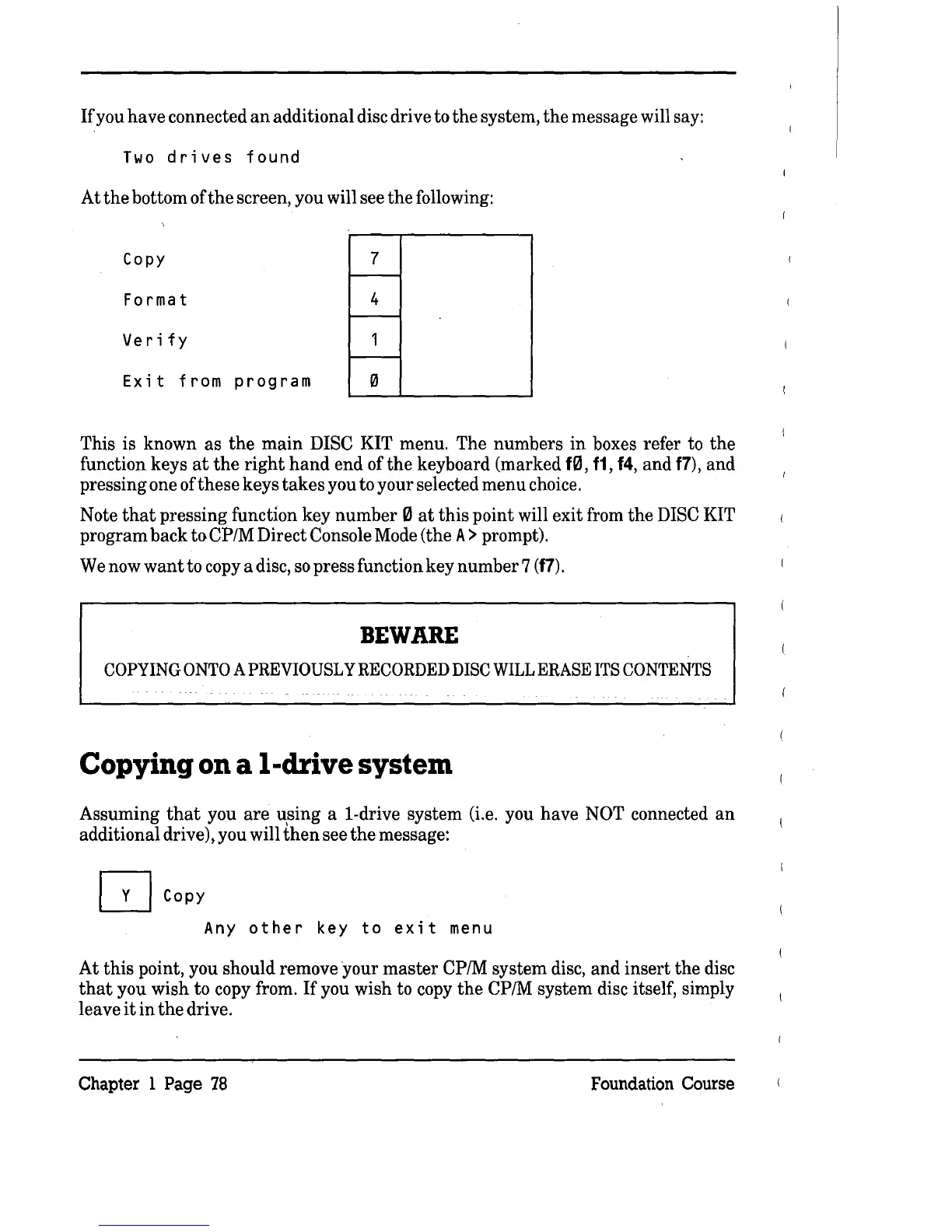
Copy
7
Format 4
Verify
1
Exit
from
program
0
This is known as
the
main
DISC KIT menu. The numbers
in
boxes refer to
the
function keys
at
the
right
hand
end
ofthe
keyboard (marked f0,
f1, f4,
and
f7),
and
pressing one of these keys takes you to your selected menu choice.
Note
that
pressing function key number 0
at
this
point will exit from the DISC KIT
program back
toCP/M
Direct Console Mode (the
A>
prompt).
We
now
want
to copy a disc,
so
press function key number 7
(f7).
BEWARE
COPYING
ONTO
A
PREVIOUSLY
RECORDED
DISC
WILL
ERASE
ITS
CONTENTS
Copying on a I-drive system
Assuming
that
you
are
using a i-drive system (i.e. you have NOT connected
an
additional drive), you will
then
see
the
message:
Q
Copy
Any
other
key
to
exit
menu
At
this
point, you should remove your
master
CP/M system disc, and insert
the
disc
that
you wish to copy from.
If
you wish to copy
the
CP/M system disc itself, simply
leave
it
in
the
drive.
Chapter 1 Page
78
Foundation Course



 To Next Page