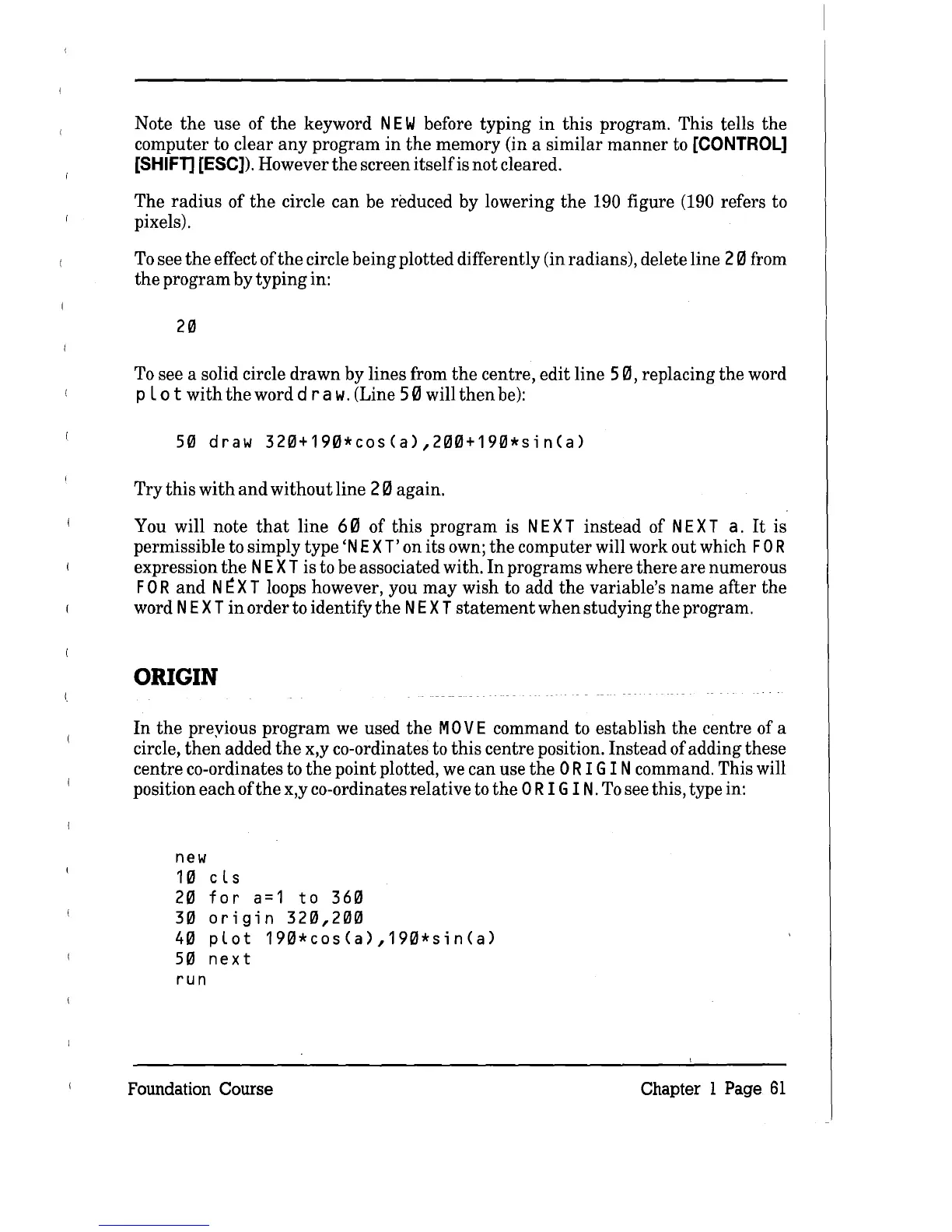
Note
the
use
of
the
keyword
NEW
before typing
in
this
program. This tells the
computer to clear
any
program
in
the
memory (in a similar
manner
to
[CONTROL]
[SHIFT]
[ESC]). However
the
screen
itself
is not cleared.
The
radius
of
the
circle
can
be reduced by lowering
the
190 figure (190 refers to
pixels).
To
see
the
effect of
the
circle being plotted differently (in radians), delete line 20 from
the
program by typing in:
20
To
see a solid circle
drawn
by lines from
the
centre, edit line
50,
replacing
the
word
pLo
t
with
the
word d
raw.
(Line
50
will
then
be):
50
draw
320+190*cos(a),200+190*sin(a)
Try
this
with
and
without
line 20 again.
You will note
that
line
60
of this program is
NE
X T instead of
NE
X
Ta.
It
is
permissible to simply type
'N
E X T' on its own;
the
computer will work out which
FOR
expression
the
NE
X T is to be associated with.
In
programs where there
are
numerous
FOR
and
N
~
X T loops however, you
may
wish to add
the
variable's
name
after the
word
NE
X T
in
order to identify
the
NE
X T
statement
when studying the program.
ORIGIN
In
the
preyious
program
we used
the
M 0 V E command to establish
the
centre of a
circle,
then
added
the
x,y co-ordinates to
this
centre position. Instead of adding these
centre co-ordinates to
the
point plotted, we can use
the
0
RIG
I N command. This will
position each of
the
x,y co-ordinates relative to
the
0 RIG IN.
To
see this, type in:
new
10
cls
20
for
a=1
to
360
30
origin
320,200
40
plot
190*cos(a),190*sin(a)
50
next
run
Foundation Course
Chapter 1 Page
61



 To Next Page