Amtech
6-104
6
MODE – G: PATTERN RUN FUNCTION PARAMETERS
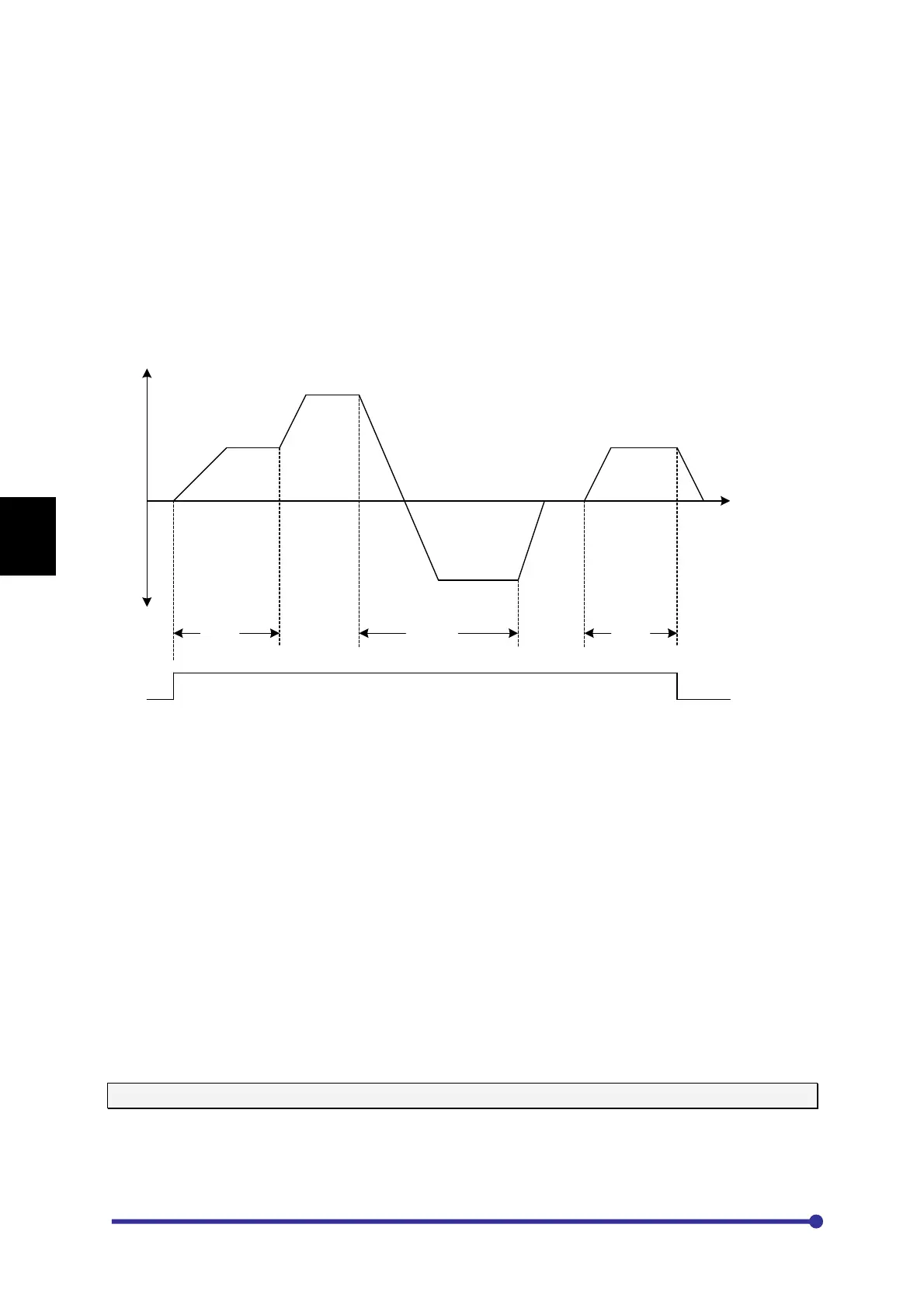
First select the pattern run function in E101. With pattern run function, the frequency, run direction and
time can be changed automatically.
Maximum of 15-patterns can be set in one table and such two sets of tables are available. Select the
table using E108. Note that only two tables (table-1 & table-2) are available for the pattern run
function.
Set the desired frequency (speed) pattern in E201~E215 for table-1. Use E401~E415 for table-2.
Set the desired time in second to stay at the desired frequency (speed) for each step in G301~G315
for table-1. Use G401~G415 for table-2.
Select the run mode for each step in G101~G115 for table-1. Use G201~G215 for table-2.
Frequency (speed)
Time
E201
E202
E203
E204
E205
Step-1 Step-2 Step-3 Step-4 Step-5
G301 G302 G303 G304 G305
RUN
Effect of different sequence inputs
RUN: Pattern run starts when RUN command turns ON. The inverter will stop when this is turned
OFF. This can be input from Local, Terminal or Serial.
PR Step Skip: Proceeds to the next step at the edge from OFF to ON. By turning this signal ON/OFF
with PR Step Hold, the step can be proceeded in synchronization with the peripheral machine
regardless of the internal timer.
PR Step Hold: The internal timer operation will stop when this command is ON. This is used to pause
the pattern run operation. The inverter will continue to run at the present frequency.
PR/RSF Reset: Assign ‘PR/RSF Reset’ function to any sequence input terminal. During the Pattern
run operation, when this turns ON, the operation will be reset to step-0.
The PR Step Skip and PR Step Hold are valid only when RUN command is ON. PR/RSF Reset is
valid all the time.
GROUP-1: MODE SELECTION FOR PATTERN RUN TABLE-1
G101- G115: PR Mode T1 – STP1 ~ STP15
Select the required mode for pattern run function for each step of Table-1
=1: STOP
=2: FORWARD
=3: REVERSE




 To Next Page