Amtech
6-48
6
A103
10V
F
V
A103
20mA
F
I
4mA
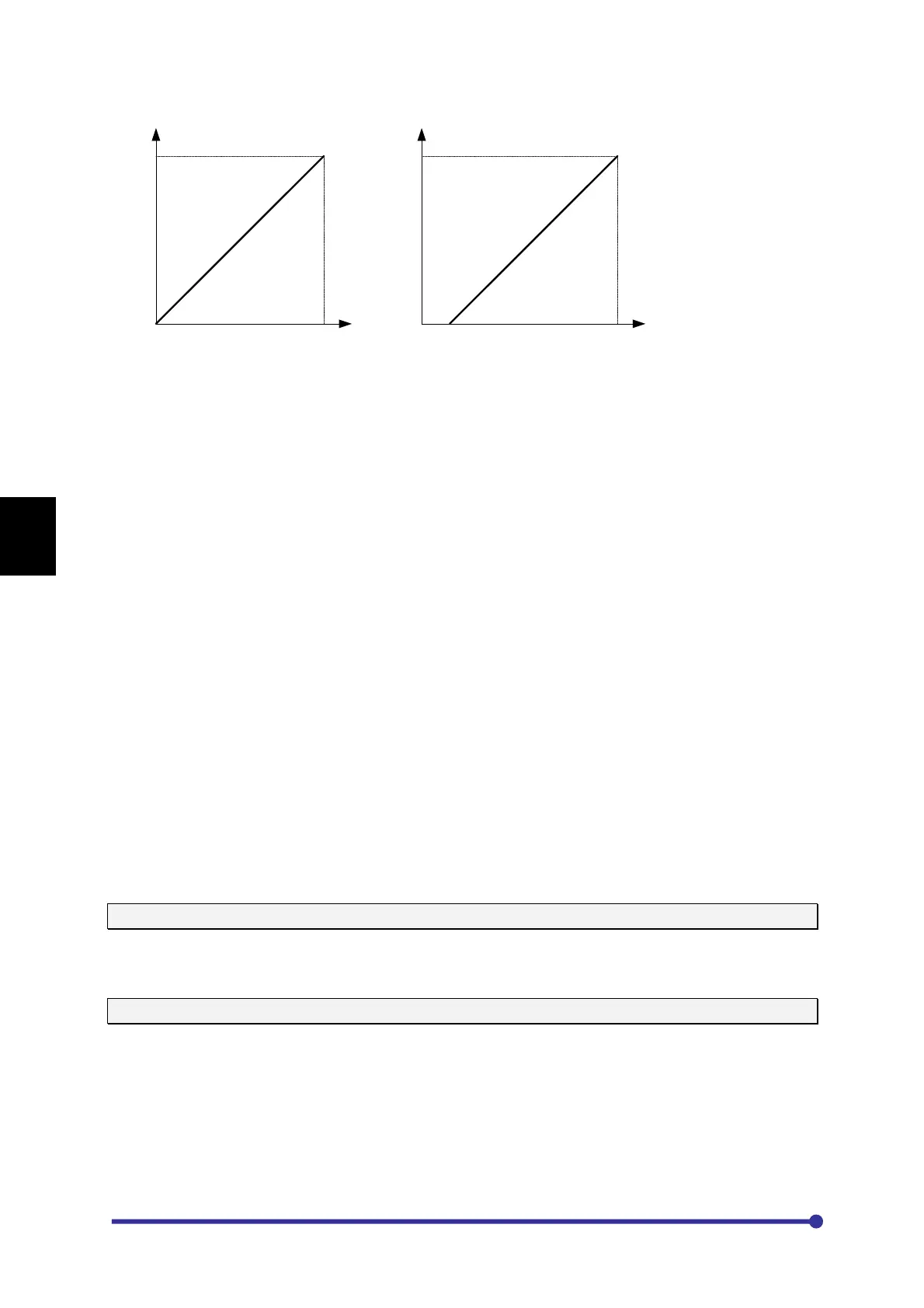
VIN 0-10V IIN 4-20mA
A102A102
14. IIN 4-20mA
When this option is selected, the set frequency M105 corresponds to analog input IIN. The output
frequency will be minimum at 4 mA and maximum at 20 mA.
15. PLC A-O/P 1
When this option is selected, the set frequency M105 corresponds to PLC A-O/P 1. This Parameter
option value can be set directly from In-built PLC function. The output frequency will be minimum at
0d and maximum at 1000d.
16. PLC A-O/P 2
When this option is selected, the set frequency M105 corresponds to PLC A-O/P 2. This Parameter
option value can be set directly from In-built PLC function. The output frequency will be minimum at
0d and maximum at 1000d.
17. PLC A-O/P 3
When this option is selected, the set frequency M105 corresponds to PLC A-O/P 3. This Parameter
option value can be set directly from In-built PLC function. The output frequency will be minimum at
0d and maximum at 1000d.
18. PLC A-O/P 4
When this option is selected, the set frequency M105 corresponds to PLC A-O/P 4. This Parameter
option value can be set directly from In-built PLC function. The output frequency will be minimum at
0d and maximum at 1000d.
For In-built PLC function and related parameters detail, refer Mode-P.
A107: Local Torque Setting (%)
This parameter is available only if motor control mode A401 = 3, 4, 7, 8 are selected. This setting
value is used as the torque command value when torque reference input is Local (A108 = 1).
A108: Torque Reference Input
This parameter can be used for torque reference input to the AC DRIVE. The torque reference can be
independently selected from the given options even if the AC DRIVE is controlled from local (Digital
Operation Panel), terminal or serial. The different torque reference inputs are explained as under. The
minimum limit is 0% and maximum limit is 200%, if output current does not exceed B301 value.
1. Local
When this option is selected, the set torque M107 corresponds to local set torque A107. Use digital
operation panel (keypad) to change the set value. The monitor mode parameter M107 shows the




 To Next Page