44
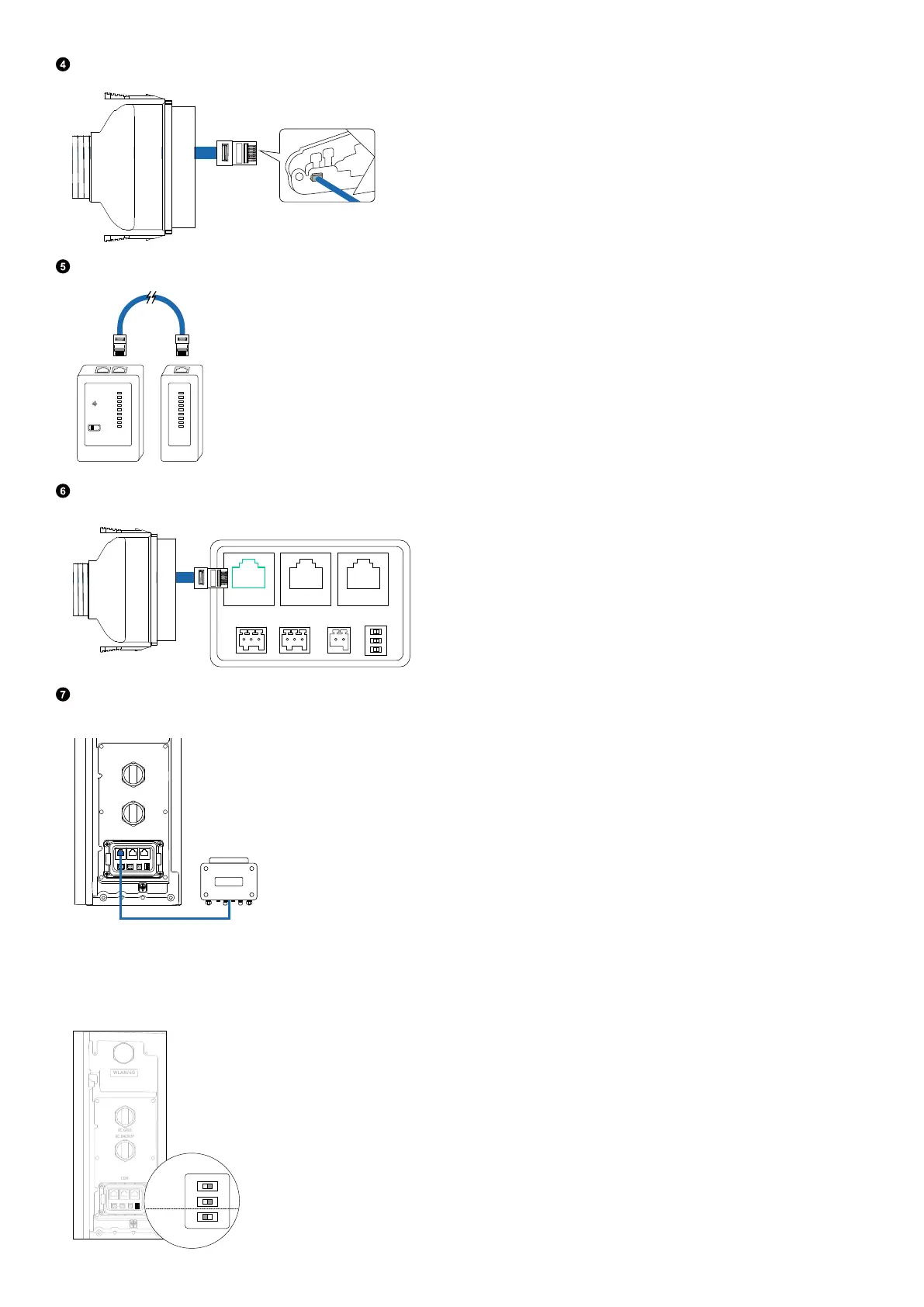
Crimp the RJ45 connector using a crimping tool. Ensure that the pins click in place.
Use a cable tester to verify proper wiring and continuity.
1
2
3
4
5
6
7
8
G
1
2
3
4
5
6
7
8
G
Insert the signal cable into the DRM port of the power module.
DRM
Connect the other end of the signal cable to the Demand Response Enabling Device (DRED).
Figure: Connect to the DRED.
AC GRID
AC BACKUP
COM
Adjust DIP Switches
When installing a single power module, set DIP switches 1 and 2 o and DIP switch 3 on.
Figure: Adjust DIP switches.
WLAN/4G
AC GRID
AC BACKUP
COM
OFF
ON
1 2 3



 To Next Page