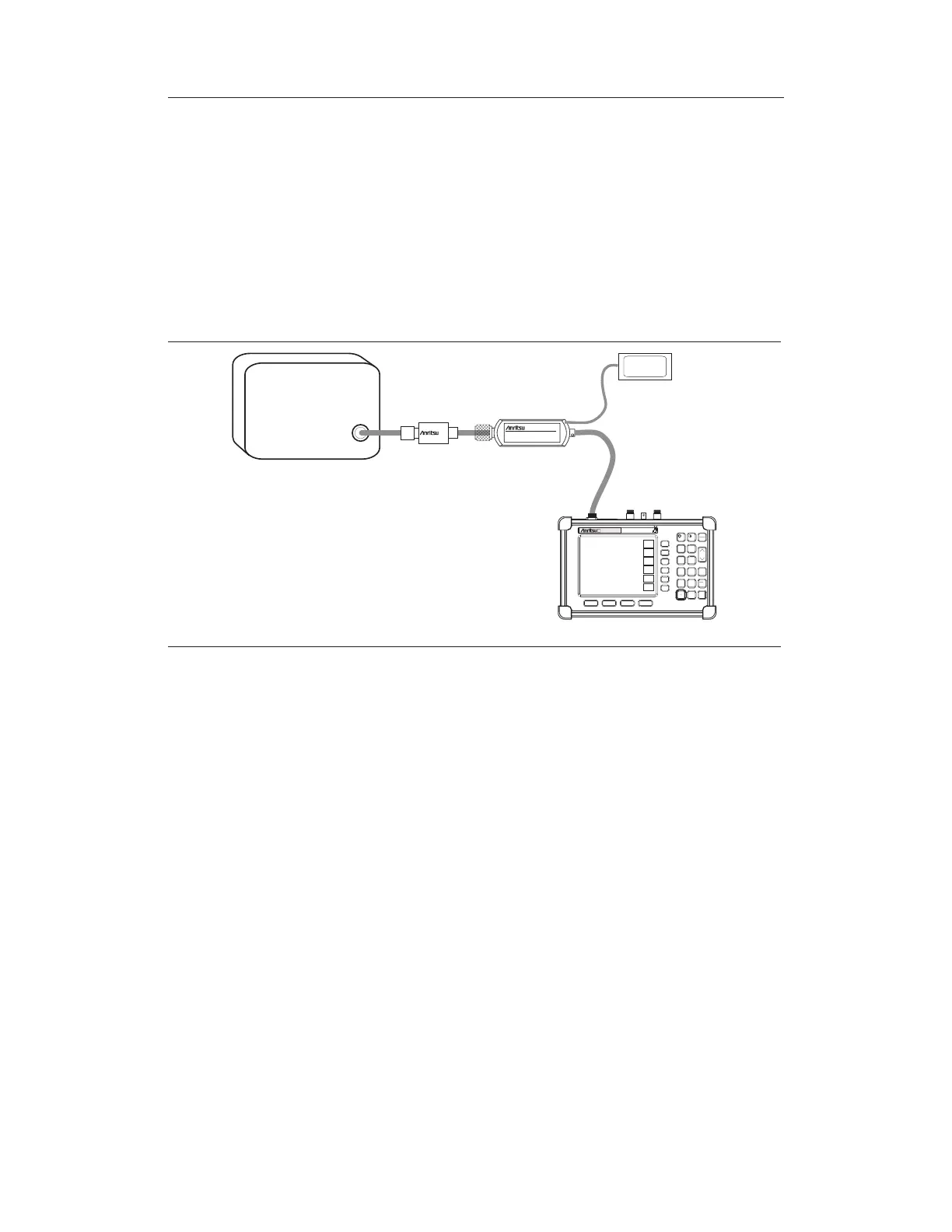
Power Measurement
Required Equipment
q
S33XD Site Master
q
RS232 Serial Cable, Anritsu P/N 800-441
q
Power Supply, Anritsu P/N 40-168
q
High Accuracy Power Sensor Anritsu P/N PSN50
q
30 dB, 50W, bi-directional, DC-8.5 GHz, N(m)-N(f), Attenuator, 3-1010-123
Procedure
Step 1. Connect the RS232 serial cable between the PSN50 High Accuracy Power Sen
-
sor and the Site Master serial port.
Step 2. Connect the DC power supply to the DC input of the PSN50 sensor.
Step 3.
Press the ON/OFF key on the Site Master.
Step 4.
Press the MODE key.
Step 5. Use the Up/Down arrow key to select
High Accuracy Power Meter mode and
press ENTER.
Zero and Cal
Step 6.
Press the FREQ/DIST key.
Step 7. To enter the frequency manually using the number keys, select the
Center soft
key. To select a known signal standard, press the
Signal Standard soft key and
use the Up/Down arrow key to select the desired standard. The Cal Factors will
be derived for the corresponding center frequency.
8-2
Chapter 8 High Accuracy Power Meter
HOLD
RUN
START
CAL
AUTO
SCALE
SAVE
SETUP
RECALL
SETUP
LIMIT
MARKER
SAVE
DISPLAY
RECALL
DISPLAY
PRINT
MODE
FREQ/DIST
AMPLITUDE
MEAS/DISP
SYS
ENTER
CLEAR
ESCAPE
ON
OFF
/
1
2
4
5
6
7
8
9
0
3
+
-
.
MT8212A
CellMaster
S
2D
ATTENUATOR
DUT
RF
OUT
PSN50 SENSOR
DC SUPPLY
Figure 8-2. High Accuracy Power Meter Setup



 To Next Page