AM/FM Demodulation
The Spectrum Master built-in demodulator for AM, narrowband FM, wideband FM and
single sideband (selectable USB and LSB) allows a technician to hear an interfering signal
for easy identification. The demodulated signal can be heard using either the built-in
speaker, or through a monaural headset connected to the 1/8-inch jack on the test panel.
Demodulation Procedure
Step 1.
Press the MEAS key followed by the
More soft key and the AM/FM Demod soft
key.
Step 2. Press the
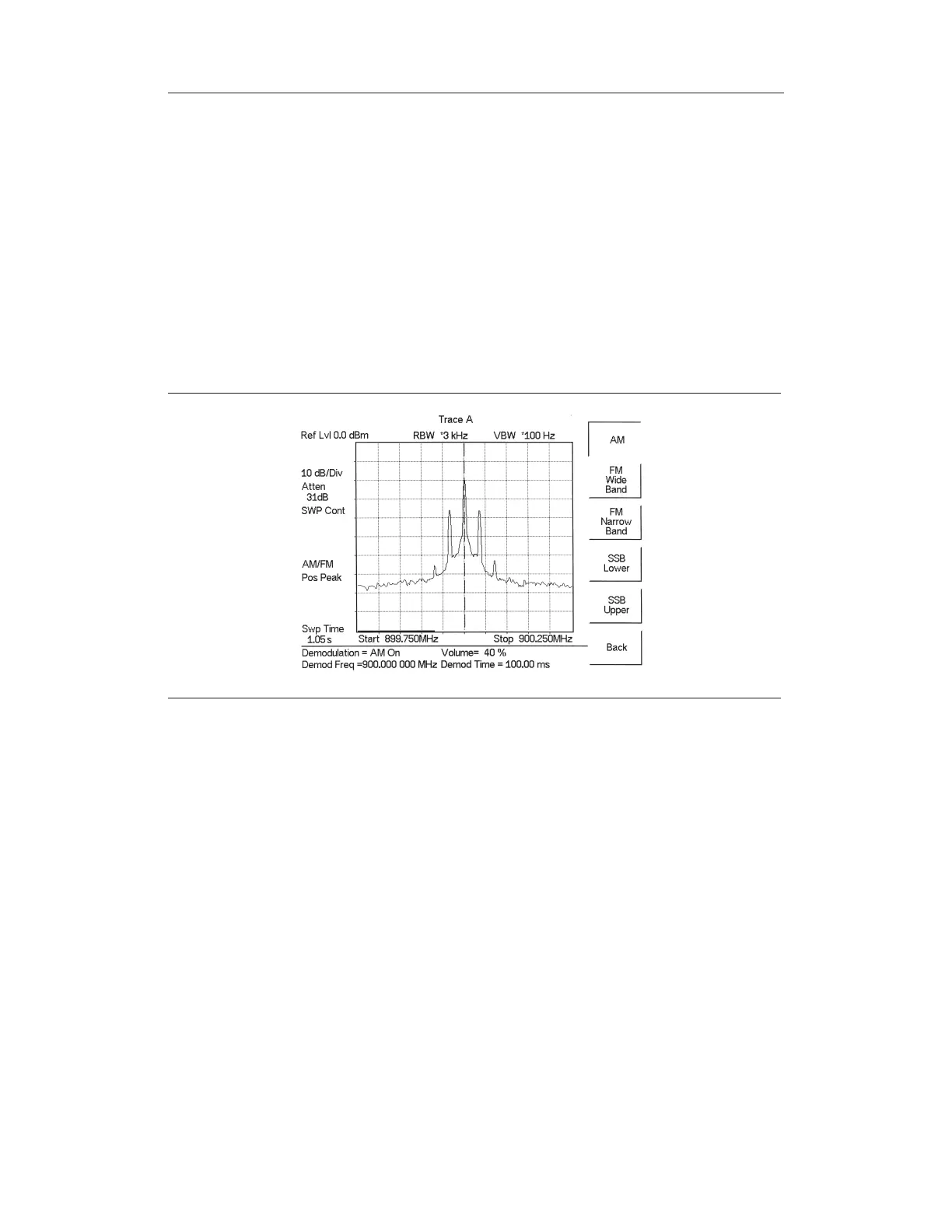
Demod Type soft key and select AM, FM Wide Band, FM Narrow Band,
SSB Lower,orSSB Upper to match the modulation format of the signal.
Step 3. Press the
Back soft key.
Step 4. For AM or FM signals, press the
Demod Freq soft key and use the keypad to en
-
ter the center frequency of the signal to be demodulated. By default, the demod
-
ulation frequency is the center of the frequency span.
For SSB Upper and SSB Lower signals, press the
Demod Freq/BFO Adj. soft
key. By default the demodulation frequency is the center of the frequency span.
If the demodulation frequency needs to be changed, press the
Demod Freq soft
key and enter the correct demodulation frequency. The
BFO Adjust soft key al
-
lows adjustment of the beat frequency oscillator to fine tune the signal through a
span of ±10000 Hz.
5-17
Chapter 5 Spectrum Analyzer Measurements
Figure 5-8. Select Demodulation Type



 To Next Page