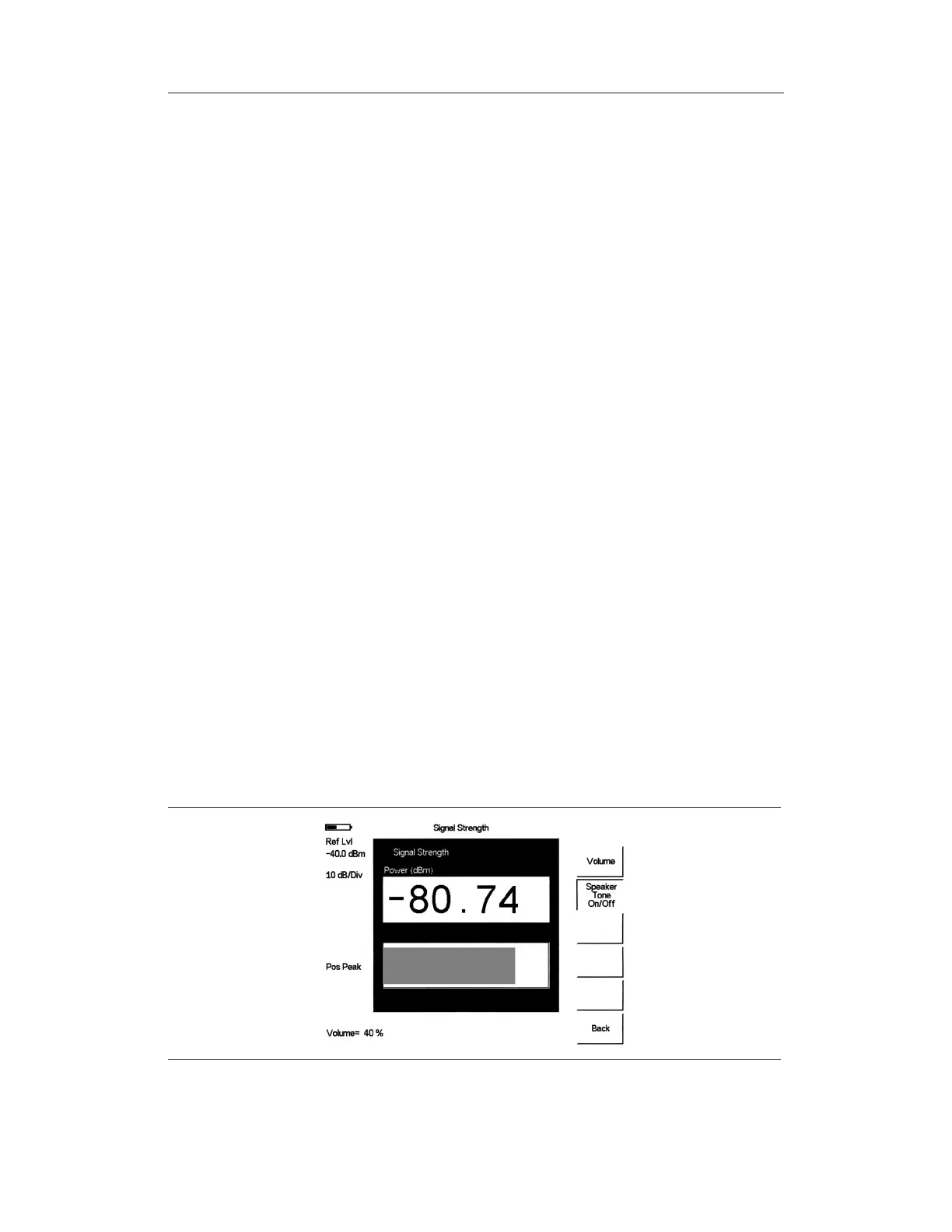
Signal Strength
Signal Strength is useful for tracking down the source of an interfering signal. This mea
-
surement is done at a single frequency in zero span. Signal Strength displays the power at a
single frequency (in dBm) along with an optional audible indicator. Connect a directional
antenna and the frequency of the audible indicator increases as the measured signal strength
increases. This mode is especially useful when attempting to locate an emitter using a direc
-
tional antenna.
Procedure:
The following procedure demonstrates a common Interference Analyzer Signal Strength
setup. To select Interference Analyzer mode:
Step 1.
On the Site Master, press the MODE key, use the Up/Down arrow key to select
the
Interference Analyzer mode and press ENTER.
Step 2.
Press the MEAS/DISP key and select the
Spectrum soft key.
Step 3.
Press the FREQ/DIST key, select the
Center soft key, and use the soft keys to
tune the center frequency to place the signal of interest in the center of the dis
-
play.
Step 4. Connect the appropriate directional antenna to the
RF In port and press the
MEAS/DISP key.
Step 5. Press the
Signal Strength soft key.
Step 6.
Press the AMPLITUDE key.
Step 7. Press the
Ref Level soft key and set the top of the measurement range to place
the measured signal level near the right side of the bar chart.
Step 8. Press the
Scale soft key and set the sensitivity of the audio output frequency to
amplitude changes. For most signal strength application, a value of 4 dB/divi-
sion works well.
Step 9.
Press the MEAS/DISP key followed by the
Signal Strength soft key.
Step 10. Press the
Speaker Tone On/Off soft key to turn on the audio output.
Step 11. If necessary, press the
Volume soft key to set the speaker or headphone volume
to a comfortable level. Use the Up/Down arrow keys to adjust the volume.
Chapter 13 Interference Analyzer
13-3
Figure 13-2. Signal Strength Displ.ay



 To Next Page