RSSI
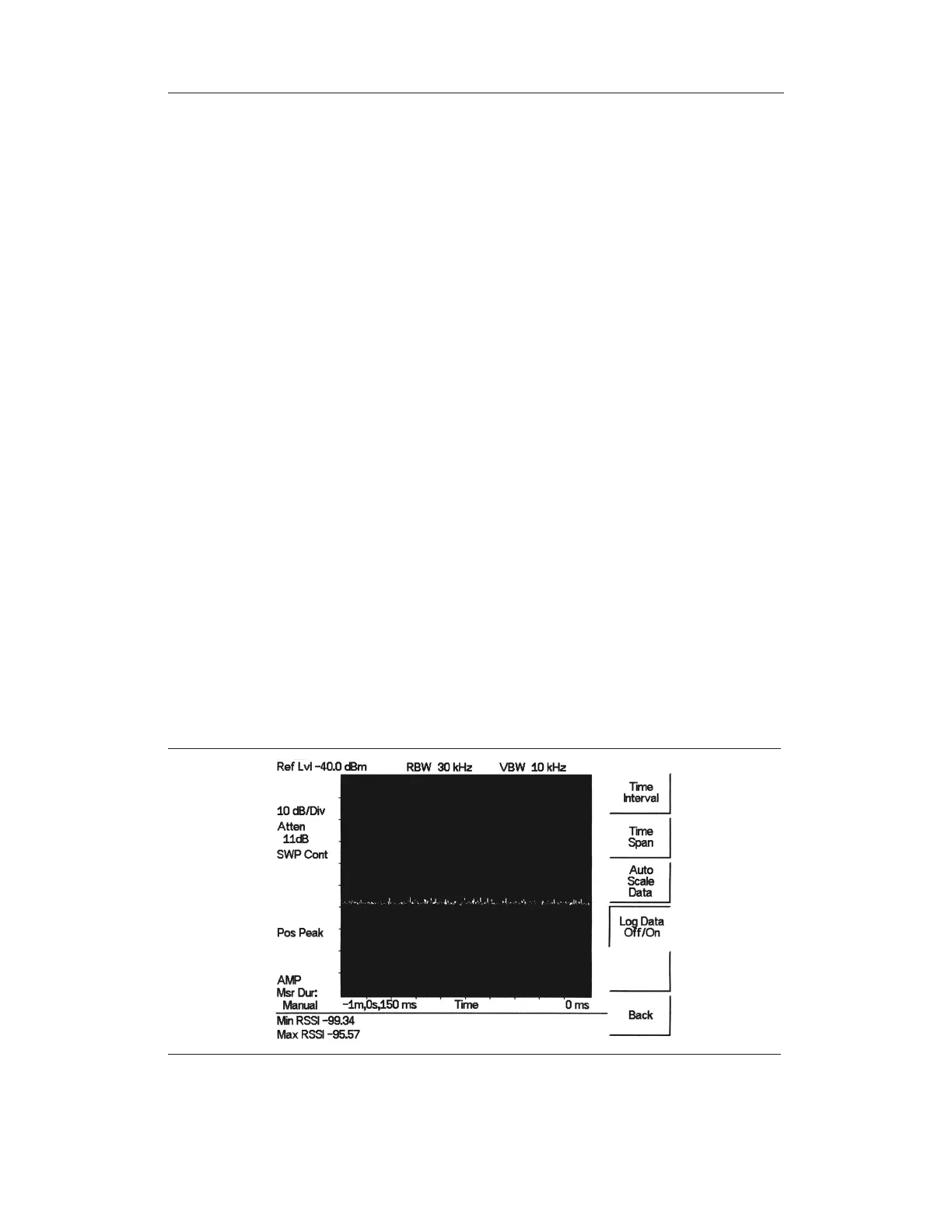
RSSI is useful to observe signal strength at a single frequency over time.
Procedure:
The following procedure demonstrates a common Interference Analyzer RSSI setup. To se
-
lect Interference Analyzer mode:
Step 1.
On the Site Master, press the MODE key, use the Up/Down arrow key to select
the
Interference Analyzer mode and press ENTER.
Step 2.
Press the MEAS/DISP key and select the
Spectrum soft key.
Step 3.
Press the FREQ/DIST key, select the
Center soft key, and use the soft keys to
tune the center frequency to place the signal of interest in the center of the dis
-
play.
Step 4.
Press the MEAS/DISP key and select the
RSSI soft key.
Step 5. Press the Time Interval soft key to set the time between adjacent measurement
points. This time may be set from 150 ms to 1 minute.
Step 6. Press the
Time Span soft key to set the overall time span for the RSSI measure
-
ment. This time can be set from zero, to give manual control of the time span, to
a maximum of seven days. After the specified time span, measurement is halted.
Depending on the time interval selected, the data will scroll to the left once the
trace fills the screen.
Step 7.
Press the AMPLITUDE key to set the reference level and scale factor to place
the trace on the screen. Alternatively, the data may be scaled to place it all on
screen by pressing the MEAS/DISP key, the
RSSI soft key then the Auto Scale
Data
soft key.
Step 8. To store the RSSI data, press the
Log Data On/Off soft key to turn on data log-
ging. The data is named Log - followed by the time at which the data was stored.
Each screen full of 401 data points will be stored as a separate display, and can
be saved for up to seven days.
13-4
Chapter 13 Interference Analyzer
Figure 13-3. RSSI Display



 To Next Page