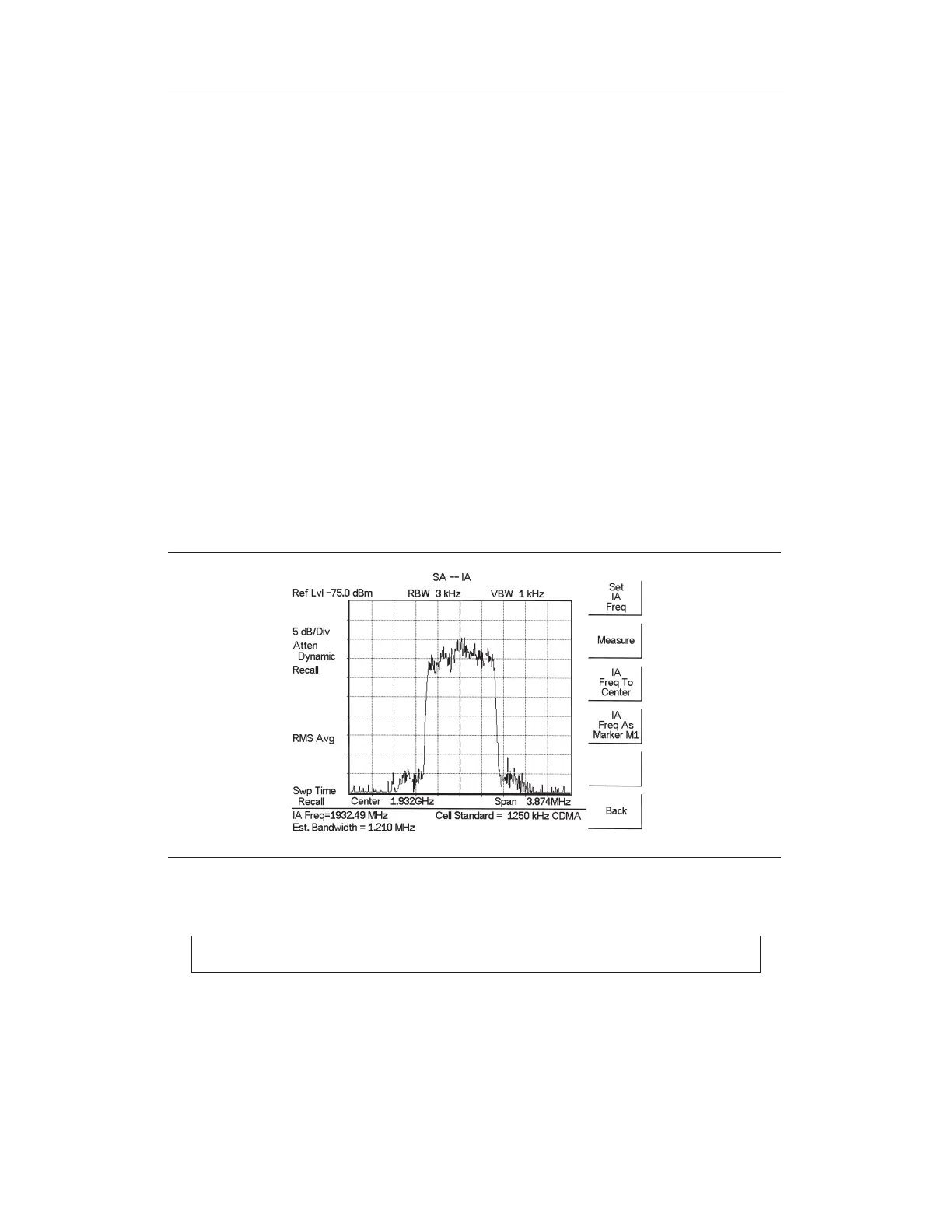
Signal ID
Signal Identification is used to determine, if possible, the air interface standard of a signal.
If the instrument is unable to determine the modulation format, it will display the estimated
bandwidth of the signal.
Procedure:
The following procedure demonstrates a common Interference Analyzer Signal ID setup.
To select Interference Analyzer mode:
Step 1.
On the Site Master, press the MODE key, use the Up/Down arrow key to select
the
Interference Analyzer mode and press ENTER.
Step 2.
Press the MEAS/DISP key and select the
Signal ID soft key.
Step 3. Press the Set
IA Freq soft key, enter the appropriate frequency to analyze the in
-
terfering signal, and press ENTER. Alternatively, if marker M1 is on, press the
IA Frequency as Marker M1 soft key to set the IA frequency to the current M1
frequency.
Step 4. Press the Measure soft key to start the measurement. A message box on the
screen states that the analysis is in process, then, when the measurement is com
-
plete, displays the cell standard and estimated bandwidth of the interfering sig
-
nal.
NOTE: Use IA Freq To Center to center the frequency on the display.
Chapter 13 Interference Analyzer
13-5
Figure 13-4. Signal ID Display



 To Next Page