E
E
D
D
I
I
T
T
I
I
N
N
G
G
O
O
P
P
T
T
I
I
O
O
N
N
14 | EDITING OPTION
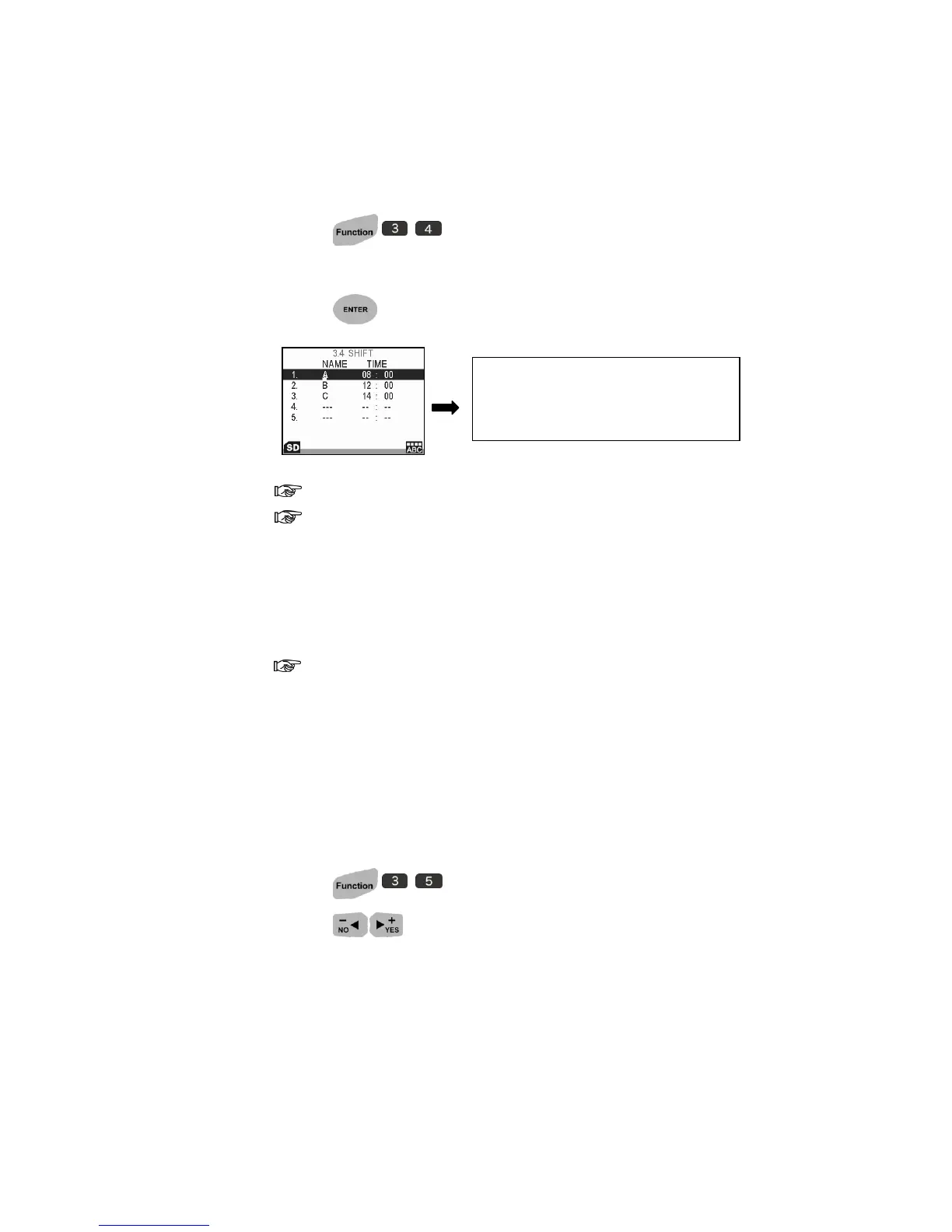
Shift
Allow user records all operators and their starting time.
1. Press to setup.
2. Highlight to any item then enter shift name and time.
3. Press to go to the next row and add more shifts.
Shift name only allows three letters.
24-hour clock is a convention of time keeping for starting time.
Rollover Hour
Allow you to print different date base on your production shift schedule.
At 24 hour time convention, input time in the morning or afternoon
reflects different printing date as following diagram presented:
For example: System Date: 2010/09/21.
① If you input time in the morning, the print date is changed to 2010/09/20.
When it reached time you set, print date will be changed to the next day;
② If you input time in the afternoon, the print date is 2010/09/21. When it
reached time you set, print date will be changed to the next day.
1. Press to setup.
2. Press to select ON.
3. Input the roll-over time you desired.
SHIFT A starts work at 08:00
SHIFT B starts work at 12:00
SHIFT C starts work at 14:00



 To Next Page