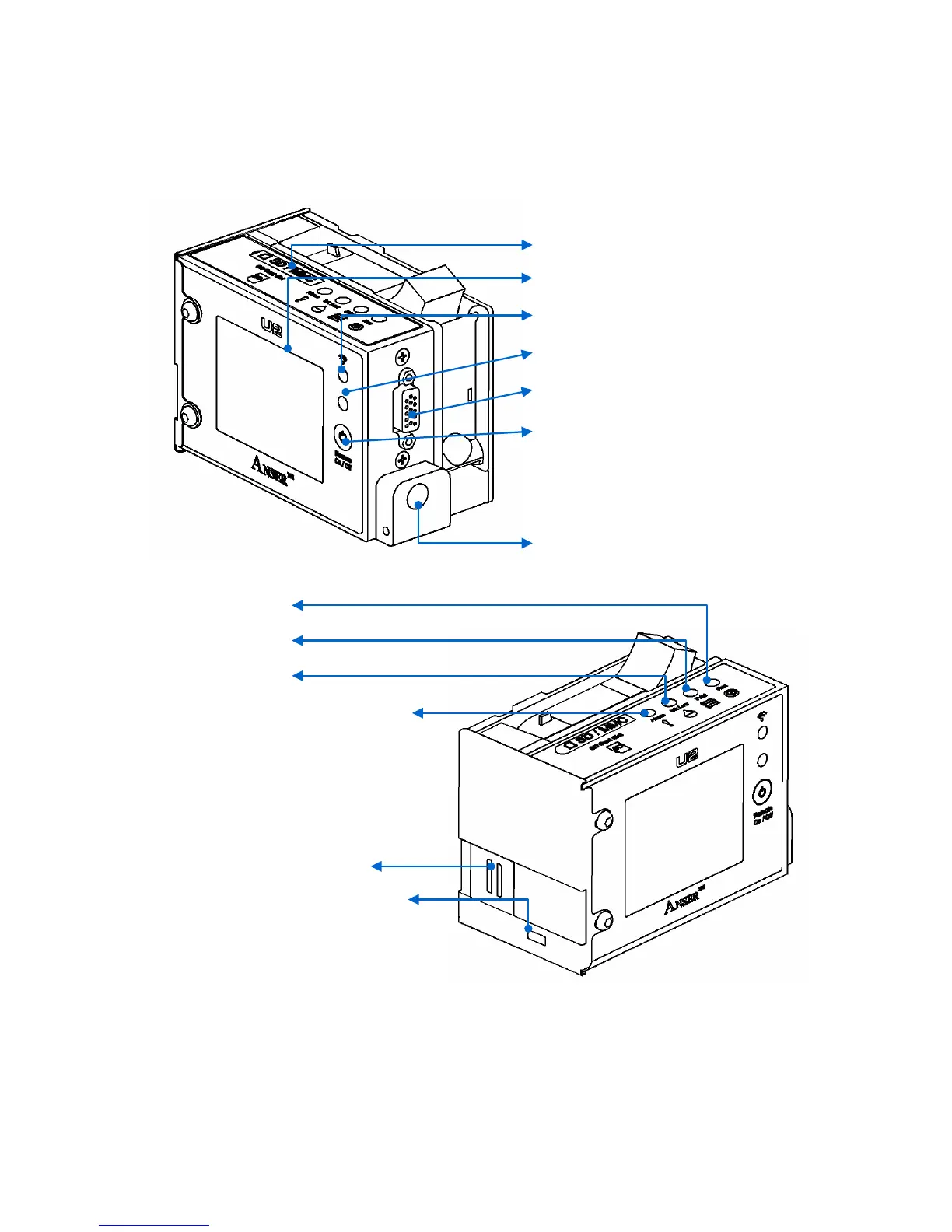
SD Card Slot
2.8” LCD Screen with LED Backlight
IR Receiver
IR Input
External Device Connector
1. IR Remote On-off (Press the button to
turn ON/OFF.)
2. System On-off button (Press and hold 5
seconds the button for booting or
shutdown the system.)
Power Input
Running Light
Printing Light
INK Low Alarm
Red light when “INK Empty”, “No
Cartridge” or “Cartridge Error”
PrintHead
Internal Photocell



 To Next Page