E
E
D
D
I
I
T
T
I
I
N
N
G
G
M
M
E
E
S
S
S
S
A
A
G
G
E
E
29 | EDITING MESSAGE
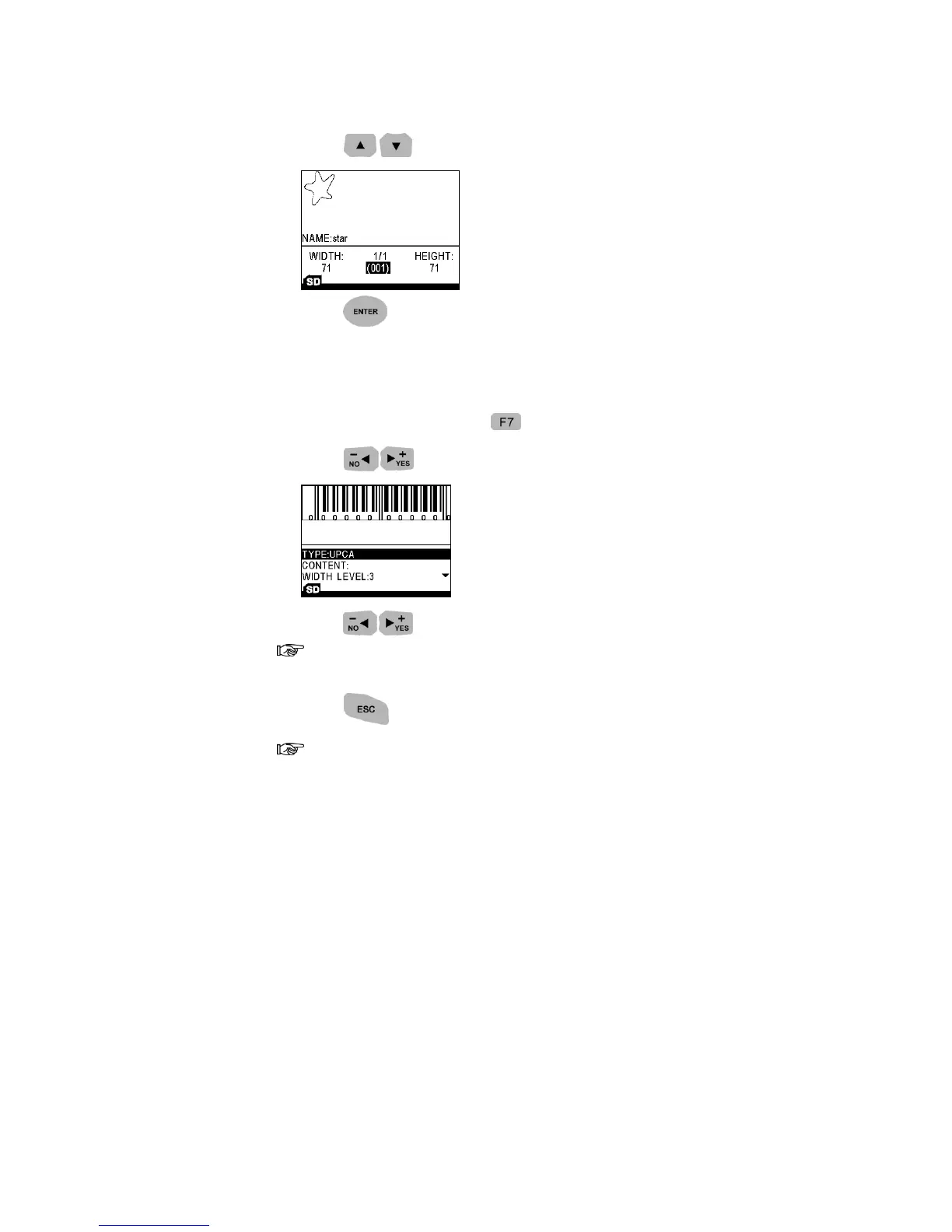
2. Press to choose a logo.
3. Press to return to the Editing Mode.
BARCODE
1. Under Editing Mode, press to add Barcode into the message.
2. Press to select a barcode type you need.
3. Press to choose width-level you need.
Width-level indicates the spacing between bars.
4. Input the contents.
5. Press to return to the Editing Mode.
Important information to edit different barcode.
UPCA: numeric (0~9), length: 11 digits // calculate the check digit
automatically.
UPCE: numeric (0~9), length: 6 digits.
EAN13: numeric (0~9), length: 12 digits // calculate the check digit
automatically.
EAN8: numeric (0~9), length: 7 digits // calculate the check digit
automatically.
INTER25: numeric (0~9), length: even, 50 digits Max.
CODEBAR: first character (A~D), middle (0~9 and - $ : / . +), last (A~D)
length: 50 digits Max.
CODE39: numeric (0~9) & A~Z & space & symbols (+ % - . $ /), length: 50
digits Max.



 To Next Page