www.anycubic.com
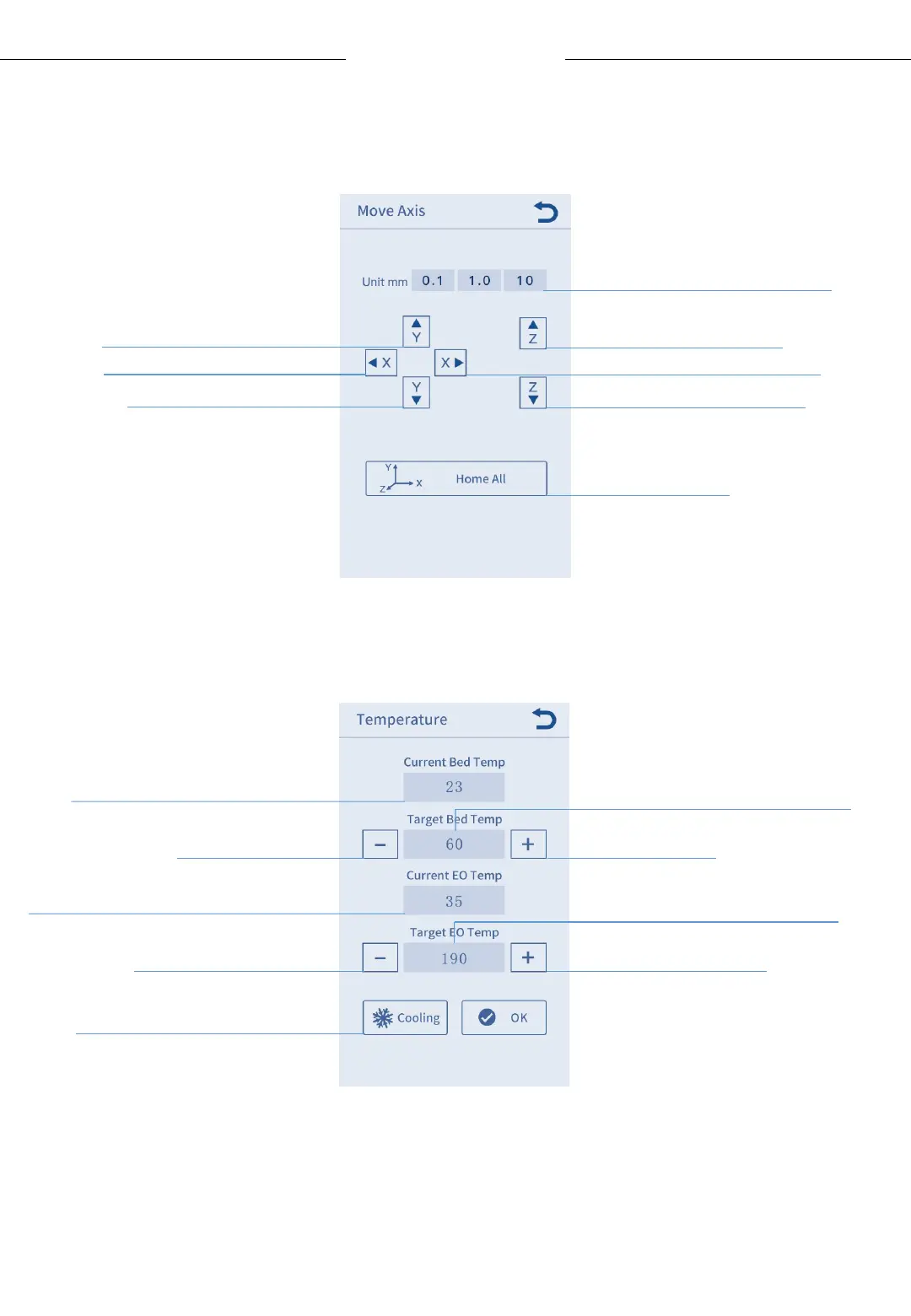
Move Axis:
Tools
Temperature:
12
Menu Directory
Move the platform
back
Move the print head down
Click to home all
Move the platform forward
Click to set extrusion temp (170-260℃)
Click to set bed temp (30-110℃)
Display the current temp of bed
Cut off the power to hot-
end and heated bed (only
valid when machine is not
printing)
Set the step distance of motor
Move print head to the
left
Move print head to the
right
Move the print head up
Display the current temp of extrusion
Reduce bed
temp
Raise bed temp
Reduce extrusion
temp
Raise extrusion temp












 To Next Page