www.anycubic.com
Light: Turn on/off the light of the print head
About: Display the information about the product.
Voice: Turn on/off the screen sound.
Language: Change language (English / Chinese).
System
Motor: Disable all motors (only valid when machine is not printing).
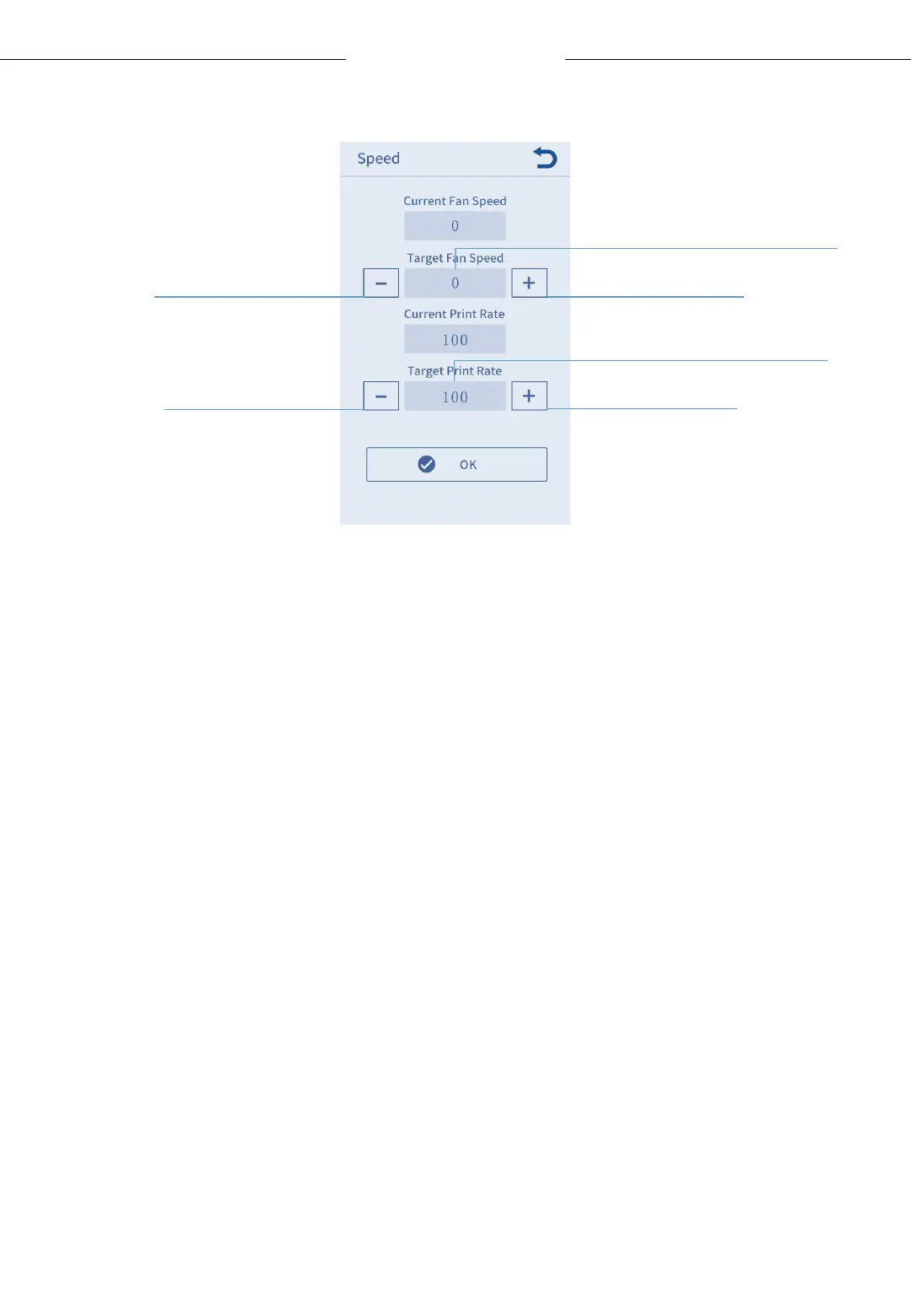
Speed:
13
Menu Directory
Click to set fan speed(0-100%)
Click to set print rate(0-100%)
Decrease print rate
Increase print rate
Decrease fan speed
Increase fan speed












 To Next Page