www.anycubic.com
37
Introduction to slicing software
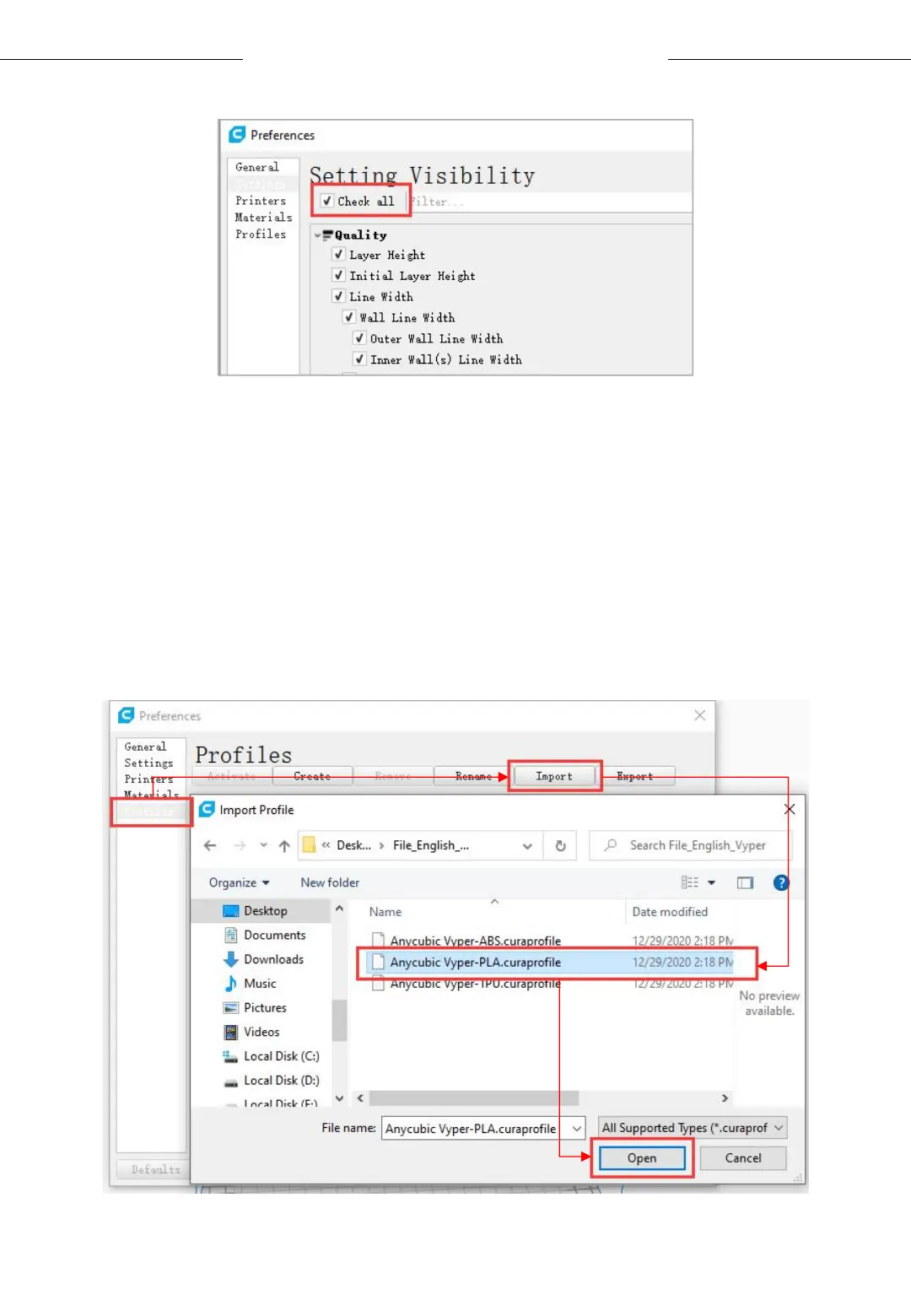
(2) In the same interface opened in Step (1), click Profiles on the left side.
Then click Import button to import the desired print profile.
* Choose different parameter profiles according to different filament
types.
* Profile path: Memory card → "Files _ English _Vyper" → “Suggested
parameters for Vyper”












 To Next Page