www.anycubic.com
38
Introduction to slicing software
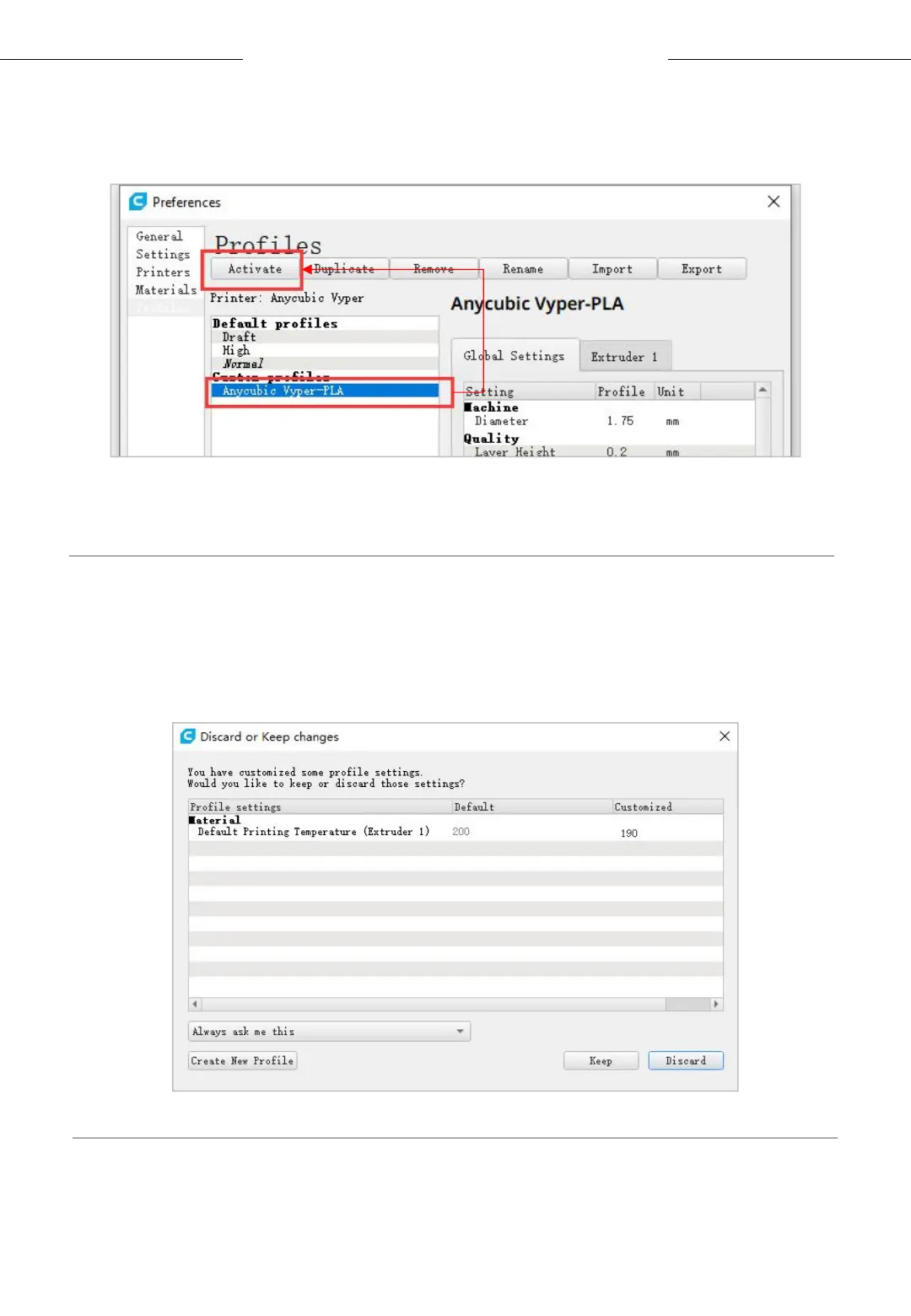
(3) Select the profile that you just imported, and then click the Activate
button。
* Note: An interface may pop up after clicking the Activate button. If so,
please check the values of listed parameters. You can click Keep to keep
the custom values or click Discard to enable the values in the profile.












 To Next Page