55
• Loosen screws 3. Take out the left fork leg.
• Loosen screws 4. Take out the right fork leg.
11.5 Removing the fork legs
Main Work
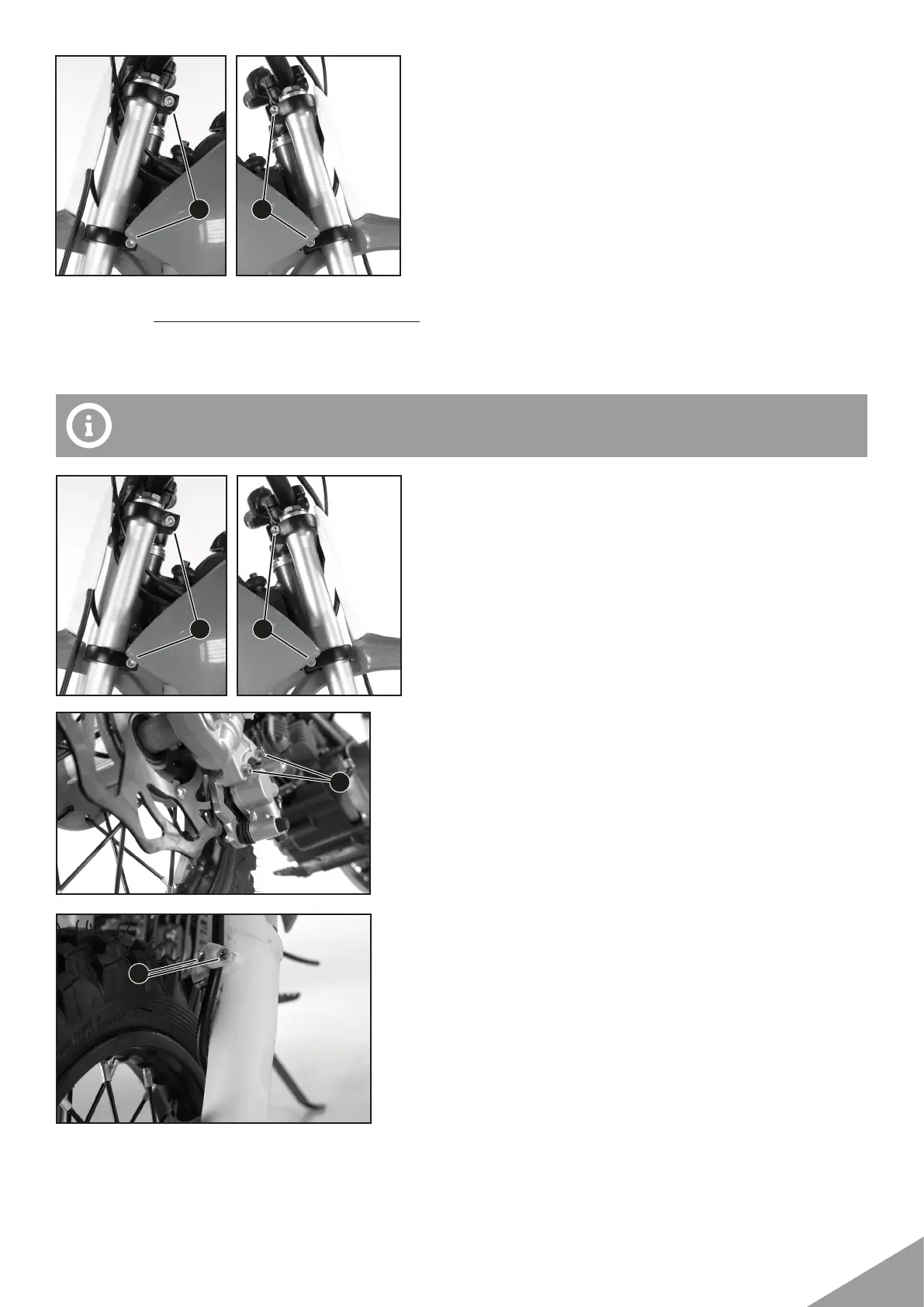
• Position the fork legs.
• Tighten screws 1.
Guideline
Screw, top triple clamp M8 22 Nm (16 lbf ft)
• Tighten screws 2.
Guideline
Screw, bottom triple clamp M8 22 Nm (16 lbf ft)
• Position the brake caliper, put the screws 3 in place
and tighten.
Guideline
Front brake caliper screw M6 7 Nm (5,1 lbf ft)
• Allow the brake caliper and brake line to hang loosely to the
side.
• Put the screws 4 in place and tighten them.
The second lower throat of the fork leg should conform to the upper edge of the upper triple
crown.
3 4
3
1 2
4


 To Next Page