Take Apart Modem - 15
1 Turn the logic board over
resting it on an ESD mat.
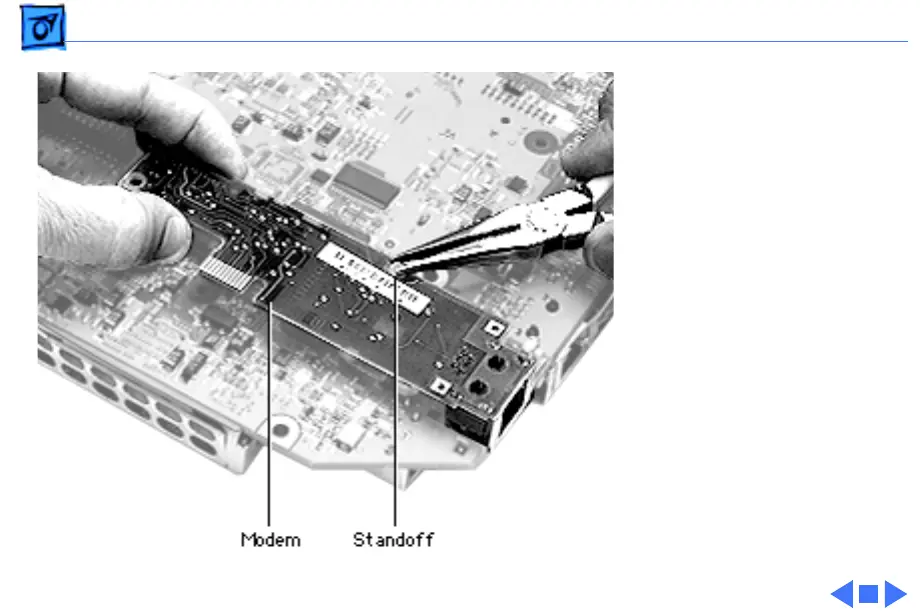
2 Squeeze the modem
standoff with a pair of
needlenose pliers to
remove the modem from
the logic board.
Note:
If you are replacing
the modem, keep the plastic
standoff. Install the standoff
on the replacement modem.
If you are returning the logic
board to Apple, remove the
modem and the standoff.
Install them on the
replacement logic board.





 To Next Page