EasyManua.ls Logo

Apple IMac - Block Diagram

Apple IMac
350 pages
Print Icon
To Next Page IconTo Next Page
To Previous Page IconTo Previous Page
Loading...
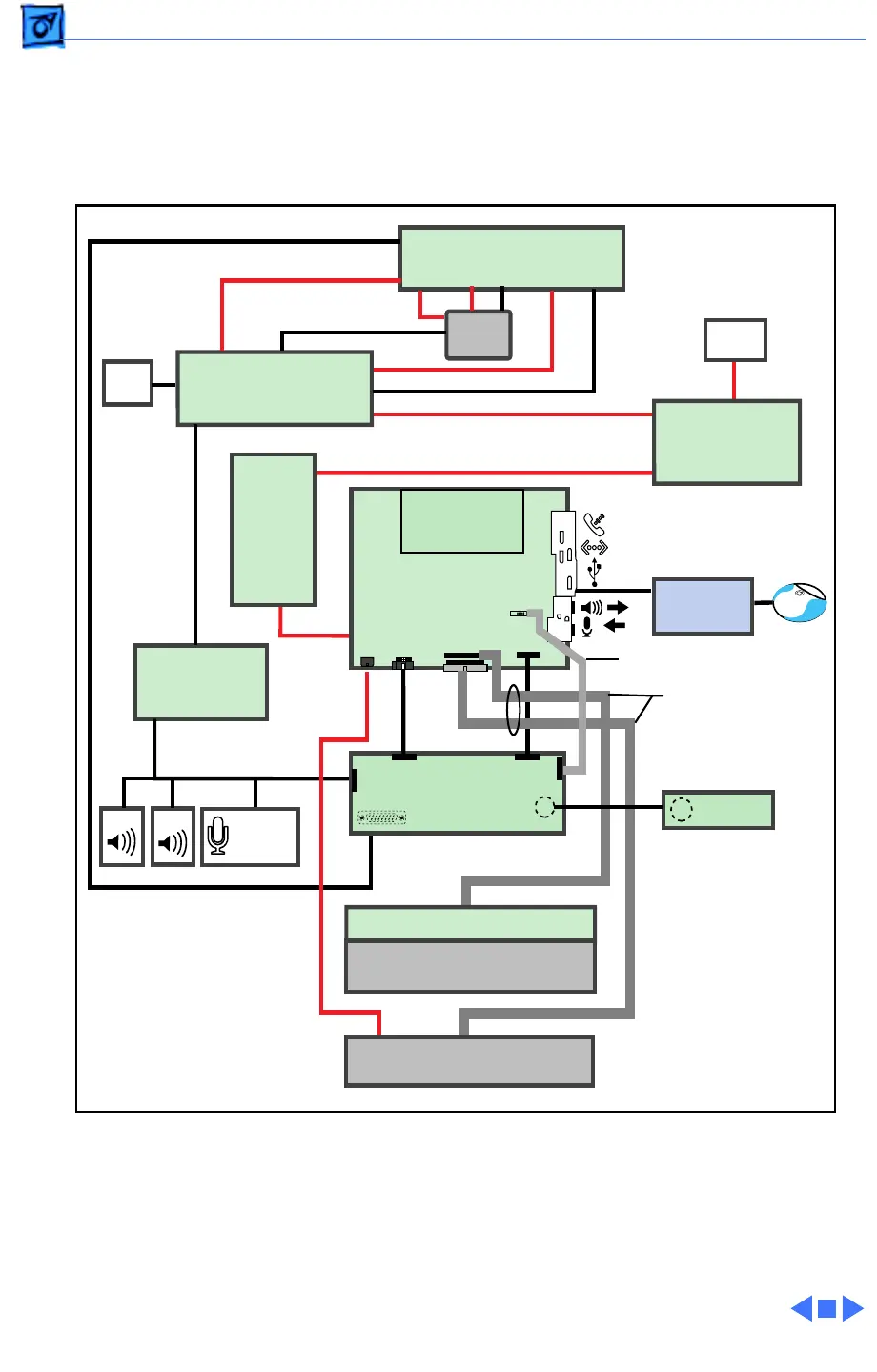
Troubleshooting Block Diagram/ - 3
Block Diagram
The following illustration provides an overview of the iMac inter-
nal components and shows how they are connected.
USB
HD
Power
J17
J18
CRT Power Cable
P2
P1
J7
J10
J9
J8
J11
J6
P702
P701
P505
P502
P506
P508
Power
Supply
Board
Audio On/Off
Board
AC
On/Off
Keyboard
R
RGB Cable
Audio Cable
(5 connectors)
A/V Interconnect
Board
Power
Filter
Board
Analog
Board
L
Video Board
Logic Board
Internal
Mic
IrDA Bd
CRT
Hard Drive
CD-ROM Interconnect Board
CD-ROM Drive
Processor Board
IrDA Ribbon Cable
CD/HD Data Cable
with Ferrite Bead
Fan
Video
Audio
P301
P302 P303P306P304 P305
P913
P908
Power Cable
P514
J6
J14
J13
J16
J15
Modem
Ethernet

Table of Contents

Other manuals for Apple IMac

Related product manuals