Troubleshooting Testing for Power/ - 10
At the Power Supply to Power Filter Cable
First remove the bottom access cover to reach the cables feeding
into the logic board/mass storage chassis.
Note
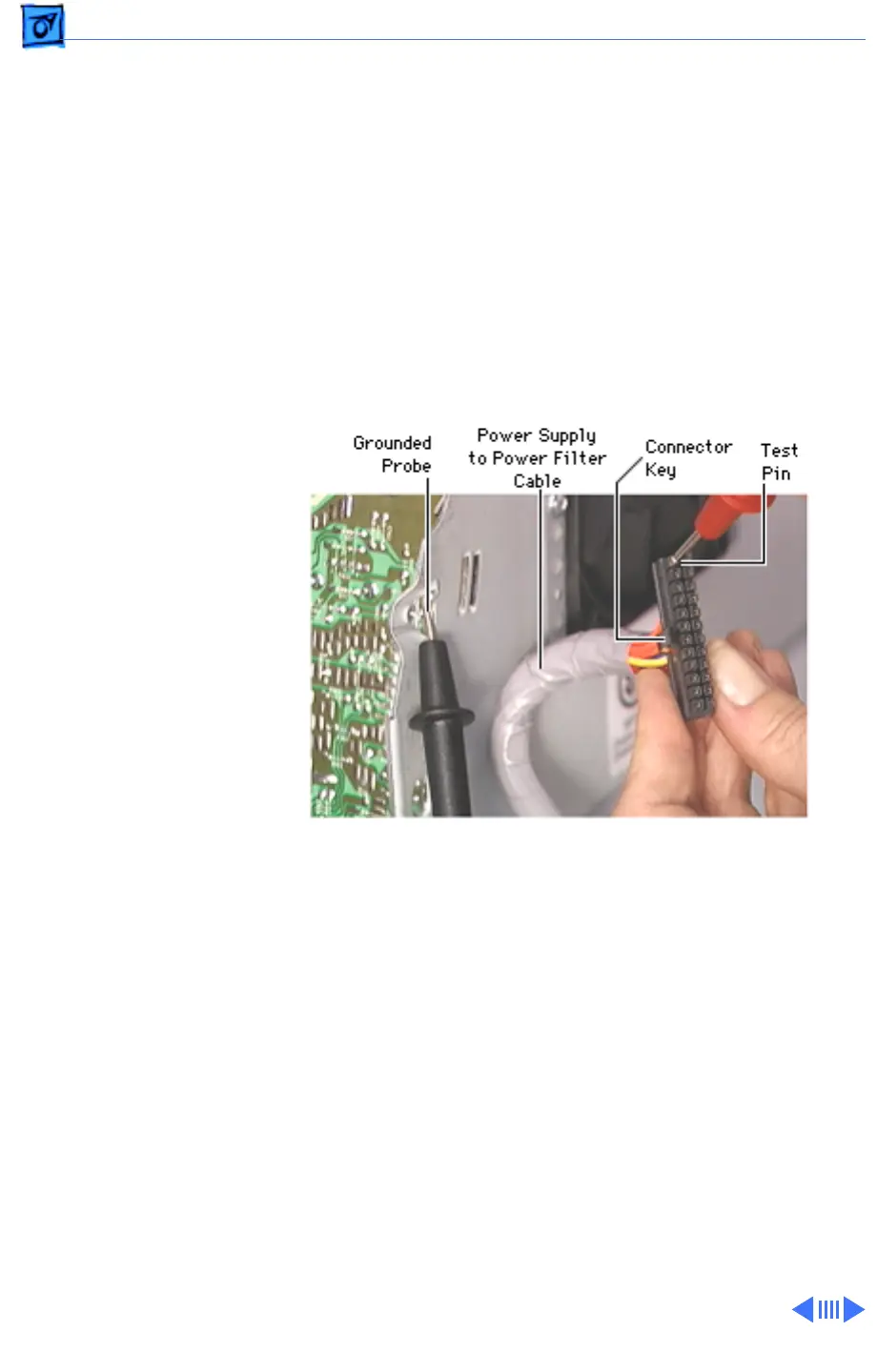
: You will need a volt meter to test for power at the power
supply to power filter cable. Refer to the picture below to locate
the necessary test point referenced in the following procedure.
Unplug the power supply to power filter cable from the back side
of the logic board/mass storage chassis. Plug in the iMac, but
leave it powered OFF.
Note
: You may need to unplug the RGB video
cable to access the power cable.
Testing for Power at the Power Supply to Power Filter Cable
Ground the black probe on the volt meter to the computer’s metal
chassis. Carefully touch the red probe to the first pin on the top
right end of the power cable (the top being the side with the con-
nector key on it). If you get a +5V reading, you know you have
power from the power supply and that the power cable is likely
OK. There still could be a problem with other pins on the cable,
however.





 To Next Page