Adjustments Geometry - 8
Using Monitors &
Sound Control Panel
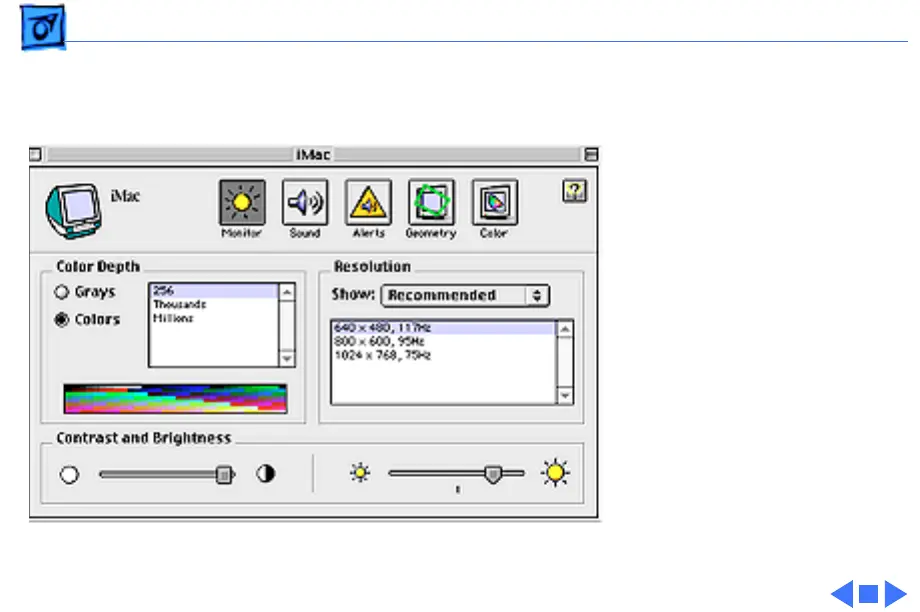
To use the Monitors & Sound
control panel, select Control
Panels from the Apple menu,
and select Monitors & Sound.
1 Click the Monitor button
to adjust color depth,
resolution, contrast and
brightness.
2 Click the Geometry button
to make geometry
adjustments.





 To Next Page