AQUA SALT
+
MAINTENANCE AND INSTRUCTION MANUAL
Salt chlorine genera ENGLISH
ADSP7000753 rev. 5.0 09/07/2019 3/51
AQUA SALT
+
- with pH probe operating mode
This section outlines the procedure to quickly programme the generator in case it comes equipped with a pH probe
and a pump to restore the correct pH value. We recommend to first calibrate the probe following the procedure
you can find at paragraph 4.5.5 of this Manual.
AQUA SALT
+
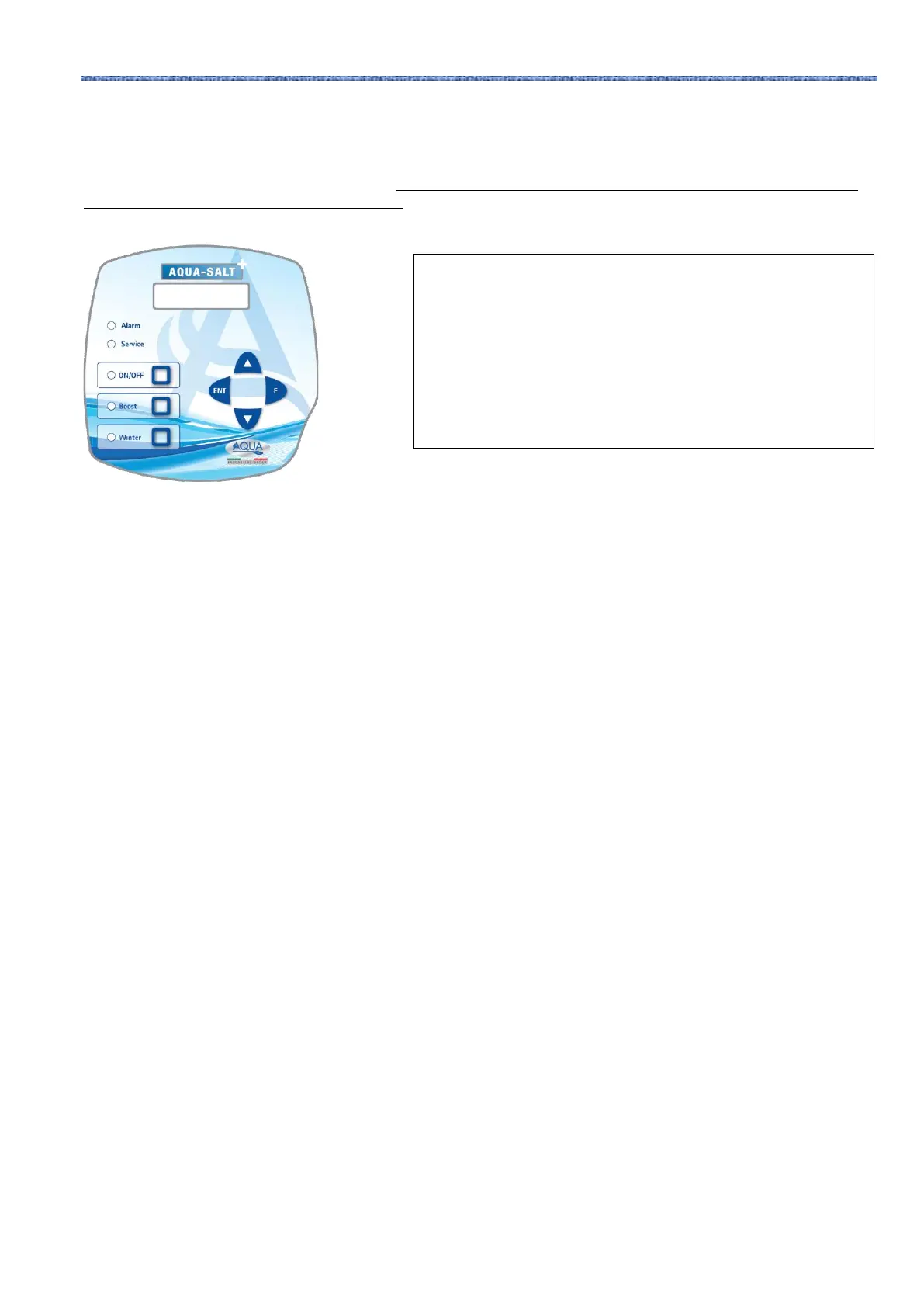
KEYPAD
1 Switch on or off your AQUA SALT
+
with the ON/OFF key.
2 Press and hold Enter →You will switch to the Password Menu
3 Default password: 0000 → Press and hold Enter → You will switch to the Installer Menu
4 Press F to scroll the Menu down to Pool Settings →Press Enter to access the submenu
5 Press F to scroll down to Pool Capacity
6 Insert the capacity of your pool using UP or Down
7 Press F to confirm and move to Generator Operation
8 Scroll with UP or Down and select the desired operating mode
9 Press and hold Enter to save the modifications and go back to the Installer Menu
10 Press F to scroll down to System Settings →Press Enter to access the submenu
11 Press F to scroll down to Cell Type
12 Select the dimensions of the installed cells using UP or Down
13 Press and hold Enter to save the modifications and go back to the Installer Menu
14 Press Enter to access the submenu
15 Press F to scroll down to Programming →Press Enter to access the submenu
16 Press F to scroll down to pH Set Point
17 Insert the desired value with UP and Down (standard values 6.8-7.2)
18 Press F to switch to the Ph Work Mode Menu
19 Use UP or Down to scroll and select Acid or Alkaline Mode
20 Press F to switch to the following menu line: pH proportion range
21 Scroll with UP or Down and select the desired operating mode
22 Press F to switch to pH Cycle Period
23 Use Up and Down to select the minutes for the pH cycle period
24 Press and hold Enter to save the modifications and go back to the Installer Menu
25 Press and hold Enter to go back to the User Menu
EXAMPLE
set point= 7, operating mode=alkaline, cycle time= 15 minutes
pH proportional range=0.5, pH from the probe= 6
EXPLANATION
The pump cyclically doses the pH corrector during the whole
cycle time, until the pH level is below 6.5. Once this value is
reached, it calculates a dosing time that is proportional to the
difference between the set point and the value read by the probe.
The dosing time gradually decreases as the difference between
these values does, until the set point is reached.



 To Next Page