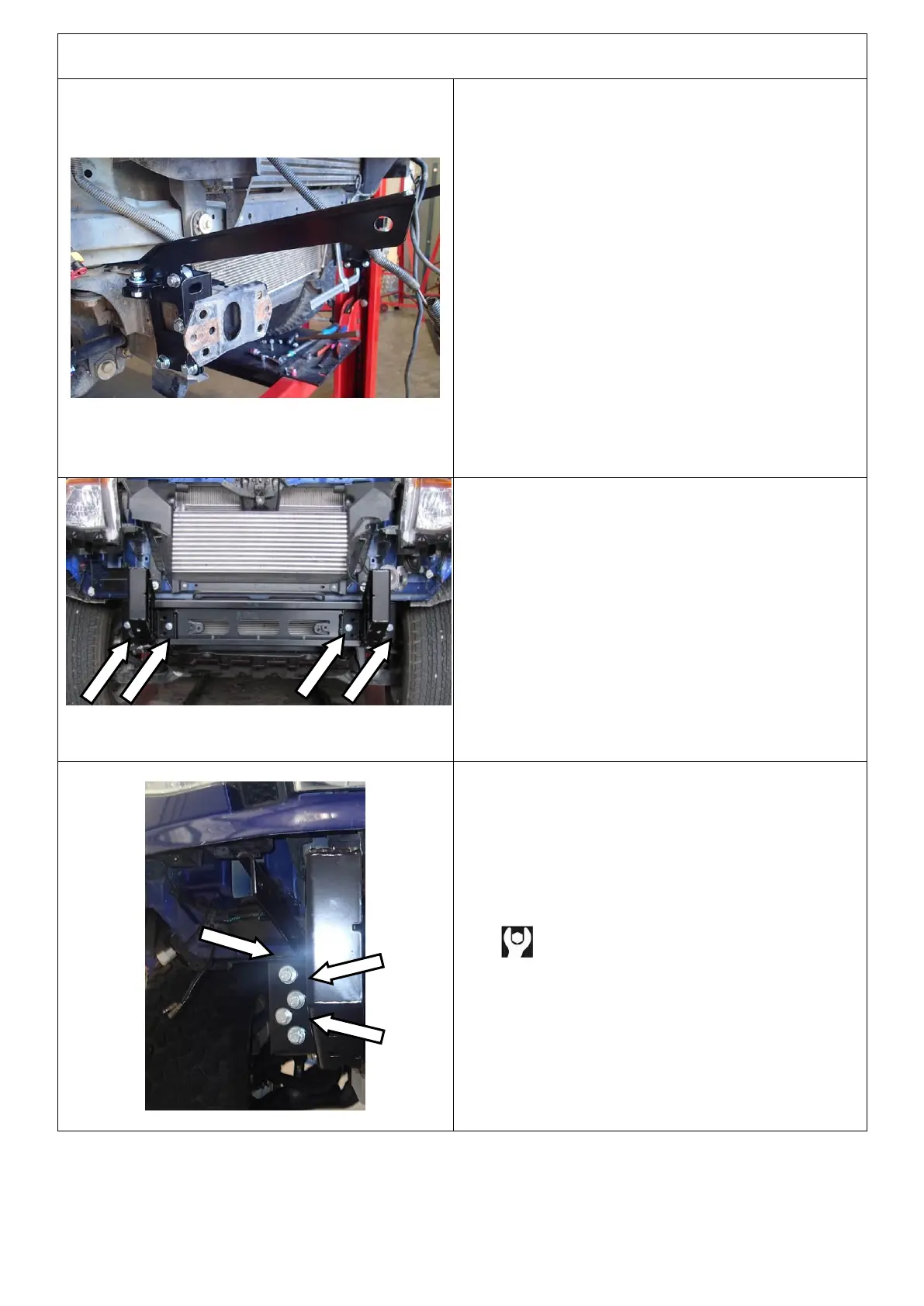
106. Fit the 2 x M10 x 30 SEMS bolts and M10
flange nuts to the bottom of the brackets to
clamp them together.
107. Fit the M10 x 30 SEMS bolt and M10 flange
nut to the brace and outer bracket.
108. Fit the 15mm wide spacer between the brace
and the outer bracket and then fit the M10
flange nut
109. Remove the 4 x M12 x 35 bolts, 4 x M12 flat
washers and 4 x M12 flange nuts fitted in step
102 and set aside for later.
Note: Keep all M10 fasteners loose and only
finger tight at this point.
Repeat steps 96-109 for the LH side.
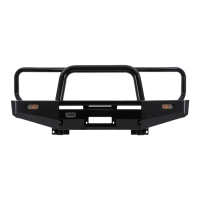
110. Attach the mount bracket to the chassis end
plates using 4 x M10 x 30 SEMS bolts into the
captive nuts. Leave loose at this stage.
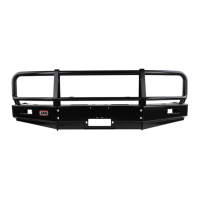
111. Attach the mount bracket to the chassis using
3 x M12 x35 bolts, 3 x M12 spring washers, 3 x
M12 flat washers and 3 x M12 Flange nuts.
112. Repeat on the LH side.
M12 - 77 Nm.


 To Next Page